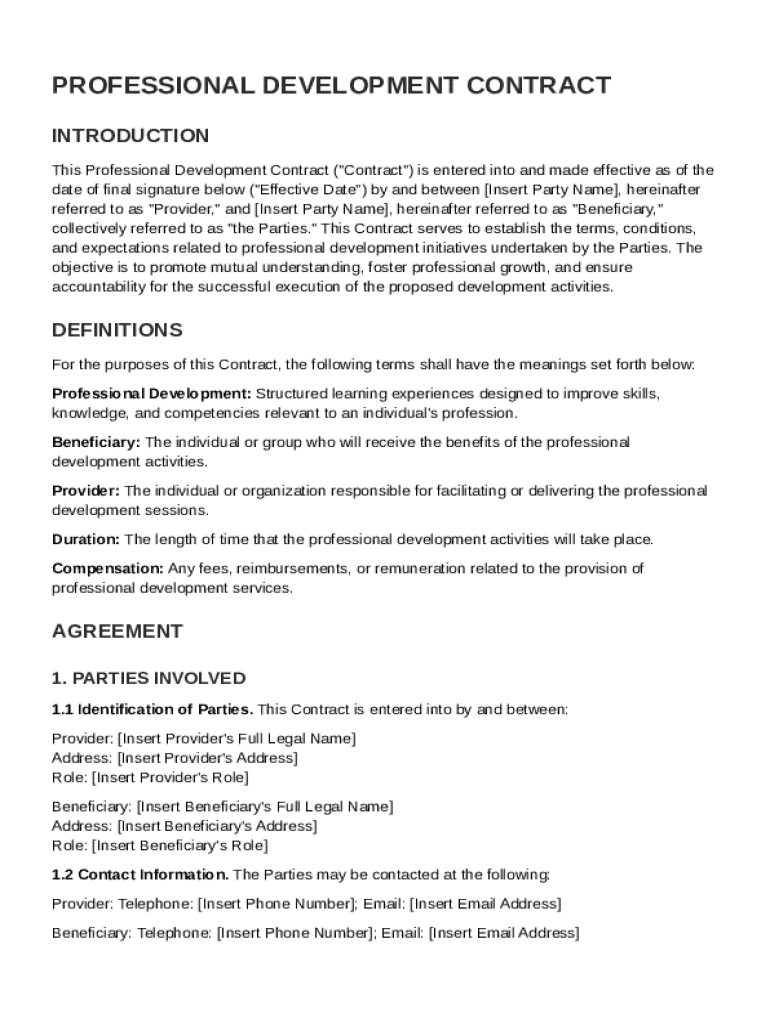
Tive as of the date of final signature below ("Effective Date") by and between Insert Party Name , hereinafter referred to as "Provider," and Insert Party Name , hereinafter referred to as "Beneficiary," collectively referred to as "the Parties." This Contract serves to establish the terms, conditions, and expectations related to professional development initiatives undertaken by the Parties. The objective is to promote mutual understanding, foster professional growth, and ensure accountabilit.

Open form follow the instructions

Easily sign the form with your finger

Send filled & signed form or save
How to fill out and sign Professional Development Contract Template online?
Get your online template and fill it in using progressive features. Enjoy smart fillable fields and interactivity.Follow the simple instructions below:
Finding a authorized specialist, creating a scheduled appointment and coming to the workplace for a private conference makes doing a Professional Development Contract Template from start to finish stressful. US Legal Forms lets you quickly produce legally-compliant documents based on pre-built browser-based blanks.
Prepare your docs in minutes using our straightforward step-by-step guide:
- Find the Professional Development Contract Template you want.
- Open it using the online editor and start altering.
- Fill the empty fields; concerned parties names, addresses and numbers etc.
- Change the blanks with exclusive fillable areas.
- Add the particular date and place your e-signature.
- Click on Done after double-examining all the data.
- Download the ready-created document to your system or print it out like a hard copy.
Swiftly create a Professional Development Contract Template without needing to involve experts. There are already more than 3 million customers taking advantage of our rich collection of legal documents. Join us today and gain access to the #1 library of online blanks. Test it yourself!
Tips on how to fill out, edit and sign Professional Development Contract Template online
How to fill and sign Professional Development Contract Template
Get your online template and fill it in using progressive features. Enjoy smart fillable fields and interactivity.Follow the simple instructions below:
Finding a authorized specialist, creating a scheduled appointment and coming to the workplace for a private conference makes doing a Professional Development Contract Template from start to finish stressful. US Legal Forms lets you quickly produce legally-compliant documents based on pre-built browser-based blanks.
Prepare your docs in minutes using our straightforward step-by-step guide:
- Find the Professional Development Contract Template you want.
- Open it using the online editor and start altering.
- Fill the empty fields; concerned parties names, addresses and numbers etc.
- Change the blanks with exclusive fillable areas.
- Add the particular date and place your e-signature.
- Click on Done after double-examining all the data.
- Download the ready-created document to your system or print it out like a hard copy.
Swiftly create a Professional Development Contract Template without needing to involve experts. There are already more than 3 million customers taking advantage of our rich collection of legal documents. Join us today and gain access to the #1 library of online blanks. Test it yourself!
How to edit Professional Development Contract Template
Check out a standalone service to handle all your paperwork effortlessly. Find, edit, and finish your Professional Development Contract Template in a single interface with the help of smart tools.
The days when people had to print forms or even write them by hand are long gone. These days, all it takes to find and finish any form, like Professional Development Contract Template, is opening a single browser tab. Here, you can find the Professional Development Contract Template form and customize it any way you need, from inserting the text straight in the document to drawing it on a digital sticky note and attaching it to the document. Discover tools that will streamline your paperwork without extra effort.
Just click the Get form button to prepare your Professional Development Contract Template paperwork quickly and start editing it instantly. In the editing mode, you can easily complete the template with your information for submission. Just click on the field you need to alter and enter the data right away. The editor's interface does not require any specific skills to use it. When finished with the edits, check the information's accuracy once more and sign the document. Click on the signature field and follow the instructions to eSign the form in a moment.
Use Additional tools to customize your form:
- Use Cross, Check, or Circle tools to pinpoint the document's data.
- Add text or fillable text fields with text customization tools.
- Erase, Highlight, or Blackout text blocks in the document using corresponding tools.
- Add a date, initials, or even an image to the document if necessary.
- Make use of the Sticky note tool to annotate the form.
- Use the Arrow and Line, or Draw tool to add graphic components to your file.
Preparing Professional Development Contract Template forms will never be puzzling again if you know where to search for the suitable template and prepare it effortlessly. Do not hesitate to try it yourself.
How to fill and sign Professional Development Contract Template
Get your online template and fill it in using progressive features. Enjoy smart fillable fields and interactivity.Follow the simple instructions below:
Finding a authorized specialist, creating a scheduled appointment and coming to the workplace for a private conference makes doing a Professional Development Contract Template from start to finish stressful. US Legal Forms lets you quickly produce legally-compliant documents based on pre-built browser-based blanks.
Prepare your docs in minutes using our straightforward step-by-step guide:
- Find the Professional Development Contract Template you want.
- Open it using the online editor and start altering.
- Fill the empty fields; concerned parties names, addresses and numbers etc.
- Change the blanks with exclusive fillable areas.
- Add the particular date and place your e-signature.
- Click on Done after double-examining all the data.
- Download the ready-created document to your system or print it out like a hard copy.
Swiftly create a Professional Development Contract Template without needing to involve experts. There are already more than 3 million customers taking advantage of our rich collection of legal documents. Join us today and gain access to the #1 library of online blanks. Test it yourself!
Experience a faster way to fill out and sign forms on the web. Access the most extensive library of templates available.
Related content
Dec 6, 2023 — The work to be performed under this contract is on a project assisted...
Sep 14, 2022 — THIS AGREEMENT WILL BE POSTED ON THE CPS WEBSITE. SERVICES AGREEMENT FOR...
SAMPLE INTERN AGREEMENT ... professional development. Coaching is defined as support of...
Get answers to your most pressing questions about US Legal Forms API.
How to create a professional contract?
Creating a professional contract involves outlining the agreement between parties, including the services to be provided and terms of payment. It is essential to include clauses related to confidentiality and termination. A Professional Development Contract Template can serve as a valuable tool to draft a comprehensive and professional document.
How to create a professional services contract?
To create a professional services contract, identify the scope of work, payment terms, and duration of the services. Clearly define the responsibilities of both parties involved. Using a Professional Development Contract Template can streamline this process and ensure all essential details are included.
What is the difference between a PSA and MSA?
A Professional Services Agreement (PSA) focuses specifically on the services rendered, while a Master Services Agreement (MSA) outlines the overall relationship for multiple projects. An MSA addresses broader terms, whereas a PSA is more detailed regarding specific services. Understanding this distinction can aid in selecting the appropriate contract type when using a Professional Development Contract Template.
What are examples of professional development?
Examples of professional development include attending workshops, completing certification programs, and participating in mentorship initiatives. Engaging in these activities can enhance your skills and knowledge. Incorporating a Professional Development Contract Template can help establish a framework for continuous growth.
What is a professional services contract?
A professional services contract is a legal agreement between a service provider and a client, specifying the work to be performed. This contract outlines payment, scope of services, and timelines for completion. Utilizing a Professional Development Contract Template can help create a clear and effective agreement.
How to fill a contract of employment template?
Filling a contract of employment template involves detailing employee information, job role, salary, and work hours. Be sure to include terms of termination and any benefits provided. A Professional Development Contract Template can help ensure that all necessary information is accurately captured.
How to create a service contract?
To create a service contract, start by defining the services offered, outlining the responsibilities of each party. Specify the terms of payment, deadlines, and any relevant legal provisions. Using a Professional Development Contract Template can simplify this process and ensure you include essential components.
How to fill out a contract agreement?
To fill out a contract agreement, begin by clearly stating the parties involved and the purpose of the agreement. Next, detail the terms and conditions, including obligations, deadlines, and compensation, ensuring mutual understanding. Using our Professional Development Contract Template simplifies this process, allowing you to create a comprehensive agreement that supports your professional development goals.
How to write an IDP example?
Writing an IDP example requires you to start with a summary of your career goals and desired outcomes. Next, list the skills you want to develop and the resources you will use, such as training programs and mentorship. Utilize our Professional Development Contract Template to create a formal document that clearly outlines your plan, timelines, and checkpoints to measure your progress effectively.
How to fill out an IDP?
Filling out an Individual Development Plan (IDP) involves assessing your current skills and identifying areas for improvement. Begin by setting clear objectives that align with your career aspirations. Incorporate our Professional Development Contract Template to document your goals and the steps needed to reach them, providing you with a structured path toward professional growth.
Use professional pre-built templates to fill in and sign documents online faster. Get access to thousands of forms.
If you believe that this page should be taken down, please follow our DMCA take down process here.