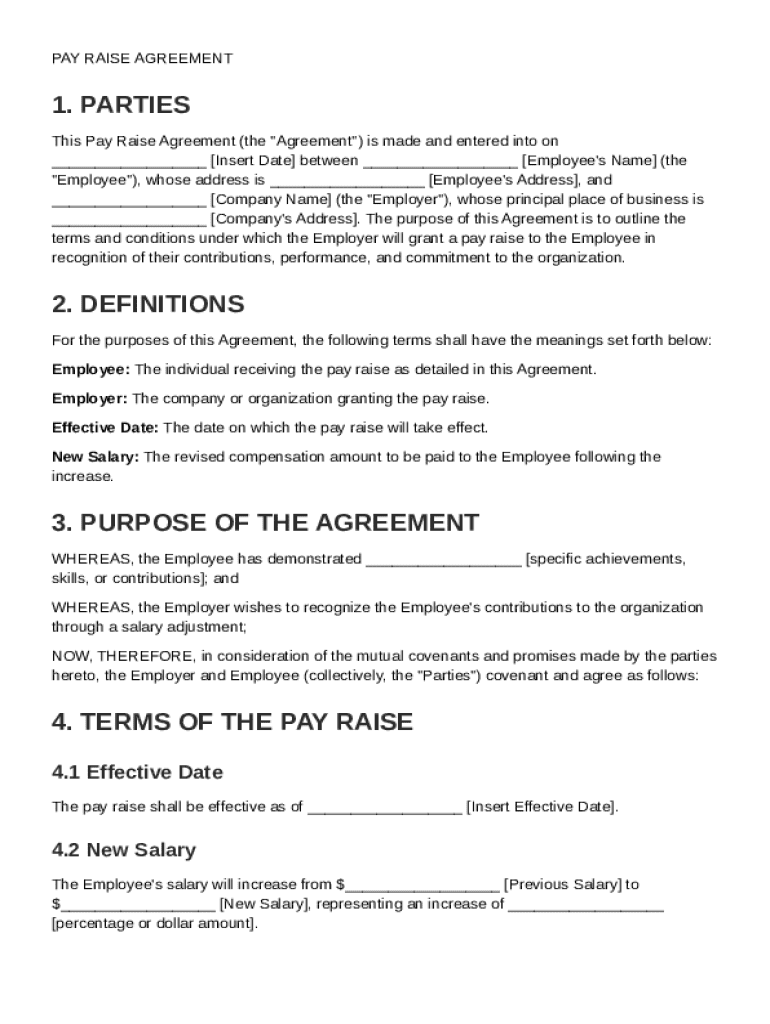
Employee's Name (the "Employee"), whose address is Employee's Address , and Company Name (the "Employer"), whose principal place of business is Company's Address . The purpose of this Agreement is to outline the terms and conditions under which the Employer will grant a pay raise to the Employee in recognition of their contributions, performance, and commitment to the organization. 2. DEFINITIONS For the purposes of this Agreemen.

Open form follow the instructions

Easily sign the form with your finger

Send filled & signed form or save
How to fill out and sign Pay Raise Contract Template online?
Get your online template and fill it in using progressive features. Enjoy smart fillable fields and interactivity.Follow the simple instructions below:
The preparing of lawful papers can be high-priced and time-consuming. However, with our predesigned online templates, things get simpler. Now, working with a Pay Raise Contract Template requires no more than 5 minutes. Our state-specific browser-based samples and simple recommendations eradicate human-prone errors.
Adhere to our easy steps to have your Pay Raise Contract Template ready rapidly:
- Choose the web sample from the library.
- Enter all necessary information in the required fillable areas. The easy-to-use drag&drop graphical user interface makes it easy to add or move areas.
- Make sure everything is filled out appropriately, without typos or lacking blocks.
- Use your e-signature to the page.
- Click Done to confirm the changes.
- Save the record or print out your copy.
- Distribute instantly towards the receiver.
Make use of the quick search and innovative cloud editor to create an accurate Pay Raise Contract Template. Eliminate the routine and produce documents on the internet!
Tips on how to fill out, edit and sign Pay Raise Contract Template online
How to fill and sign Pay Raise Contract Template
Get your online template and fill it in using progressive features. Enjoy smart fillable fields and interactivity.Follow the simple instructions below:
The preparing of lawful papers can be high-priced and time-consuming. However, with our predesigned online templates, things get simpler. Now, working with a Pay Raise Contract Template requires no more than 5 minutes. Our state-specific browser-based samples and simple recommendations eradicate human-prone errors.
Adhere to our easy steps to have your Pay Raise Contract Template ready rapidly:
- Choose the web sample from the library.
- Enter all necessary information in the required fillable areas. The easy-to-use drag&drop graphical user interface makes it easy to add or move areas.
- Make sure everything is filled out appropriately, without typos or lacking blocks.
- Use your e-signature to the page.
- Click Done to confirm the changes.
- Save the record or print out your copy.
- Distribute instantly towards the receiver.
Make use of the quick search and innovative cloud editor to create an accurate Pay Raise Contract Template. Eliminate the routine and produce documents on the internet!
How to edit Pay Raise Contract Template
Fill out and sign your Pay Raise Contract Template quickly and error-free. Get and edit, and sign customizable form templates in a comfort of a single tab.
Your document workflow can be far more efficient if everything you need for modifying and handling the flow is organized in one place. If you are looking for a Pay Raise Contract Template form sample, this is a place to get it and fill it out without searching for third-party solutions. With this intelligent search engine and editing tool, you won’t need to look any further.
Simply type the name of the Pay Raise Contract Template or any other form and find the right sample. If the sample seems relevant, you can start modifying it right on the spot by clicking Get form. No need to print or even download it. Hover and click on the interactive fillable fields to place your details and sign the form in a single editor.
Use more modifying tools to customize your template:
- Check interactive checkboxes in forms by clicking on them. Check other areas of the Pay Raise Contract Template form text by using the Cross, Check, and Circle tools
- If you need to insert more textual content into the document, utilize the Text tool or add fillable fields with the respective button. You can even specify the content of each fillable field.
- Add images to forms with the Image button. Upload images from your device or capture them with your computer camera.
- Add custom graphic elements to the document. Use Draw, Line, and Arrow tools to draw on the document.
- Draw over the text in the document if you wish to conceal it or stress it. Cover text fragments with theErase and Highlight, or Blackout instrument.
- Add custom elements such as Initials or Date with the respective tools. They will be generated automatically.
- Save the form on your device or convert its format to the one you want.
When equipped with a smart forms catalog and a powerful document modifying solution, working with documentation is easier. Find the form you require, fill it out immediately, and sign it on the spot without downloading it. Get your paperwork routine simplified with a solution designed for modifying forms.
How to fill and sign Pay Raise Contract Template
Get your online template and fill it in using progressive features. Enjoy smart fillable fields and interactivity.Follow the simple instructions below:
The preparing of lawful papers can be high-priced and time-consuming. However, with our predesigned online templates, things get simpler. Now, working with a Pay Raise Contract Template requires no more than 5 minutes. Our state-specific browser-based samples and simple recommendations eradicate human-prone errors.
Adhere to our easy steps to have your Pay Raise Contract Template ready rapidly:
- Choose the web sample from the library.
- Enter all necessary information in the required fillable areas. The easy-to-use drag&drop graphical user interface makes it easy to add or move areas.
- Make sure everything is filled out appropriately, without typos or lacking blocks.
- Use your e-signature to the page.
- Click Done to confirm the changes.
- Save the record or print out your copy.
- Distribute instantly towards the receiver.
Make use of the quick search and innovative cloud editor to create an accurate Pay Raise Contract Template. Eliminate the routine and produce documents on the internet!
Experience a faster way to fill out and sign forms on the web. Access the most extensive library of templates available.
Related content
We (Union and Management) agree that above all else, customer service comes first. We...
Mar 12, 2025 — In this article, we'll walk you through everything you need to know about...
REGULAR PAY INCREASES. Career employees receive regular wage and step increases in...
Get answers to your most pressing questions about US Legal Forms API.
Is a 20% raise crazy to ask for?
Asking for a 20% raise is not crazy if justified by your accomplishments and market research. Factors like increased responsibilities or significant contributions to projects can make this request reasonable. To ensure your ask is presented convincingly, consider leveraging a Pay Raise Contract Template, which can help you document your case effectively.
How to write up a salary contract?
Writing a salary contract involves clearly outlining the agreed salary, payment methods, and any relevant bonuses or benefits. It's important to include performance expectations and the timeline for future salary reviews. A Pay Raise Contract Template from UsLegalForms can simplify this process, ensuring that you include all necessary components, promoting transparency between you and your employer.
How to negotiate a 20% raise?
To negotiate a 20% raise, start by preparing a detailed case that showcases your accomplishments and how they benefit the organization. Gather market data to support your request and practice your delivery to build confidence. Using a Pay Raise Contract Template can help you frame this request in a structured way, increasing your chances of success.
Is a 20% raise a good raise?
Absolutely, a 20% raise can be seen as a rewarding acknowledgment of your hard work and commitment to the company. Many factors contribute to such a decision, including inflation trends and your current salary. To approach this confidently, consider using a Pay Raise Contract Template to outline your request clearly.
Is 20% a good raise?
Yes, a 20% raise can be considered a substantial increase, especially if it reflects your contributions and market demands. It often signals that an employee has greatly exceeded expectations or taken on new roles. If you plan to ask for this amount, a Pay Raise Contract Template will aid in presenting your case professionally.
What is a respectable salary increase?
A respectable salary increase typically falls within a range of 3% to 5% annually, depending on industry standards and personal performance. However, when considering a significant change in duties or responsibilities, a larger raise may be warranted. Utilizing tools like a Pay Raise Contract Template can help formalize your request and ensure clarity in your negotiations.
How to propose a salary increase for an employee?
To propose a salary increase for an employee, schedule a formal meeting to discuss their achievements and contributions. Provide data to support your proposal, such as industry benchmarks and specific performance metrics. Consider using a Pay Raise Contract Template from US Legal Forms to formalize your proposal, ensuring you cover all necessary information in a clear and professional manner.
How do you write a memorandum informing an employee about the raise in his salary?
When writing a memorandum to inform an employee about a salary raise, be clear and concise. Begin with a positive introduction, then state the specifics of the raise, including the new salary amount and effective date. Utilize a Pay Raise Contract Template from US Legal Forms for guidance, as it provides a solid framework to ensure you cover all important details professionally.
How to put together a salary increase proposal template?
To create a salary increase proposal template, start by gathering relevant data such as employee performance, market salary trends, and budget considerations. Clearly outline the reasons for the proposed pay raise, and use a structured format to present your case. You can find a convenient Pay Raise Contract Template on US Legal Forms, which streamlines this process and ensures you include all necessary elements.
What's a good percent increase for promotion?
Typically, a good percent increase for a promotion ranges from 10% to 20%, depending on various factors like industry norms and job performance. A well-considered increase reflects your new role's demands and your contributions. To ensure your request is taken seriously, a Pay Raise Contract Template can provide a structured approach to detail your achievements and expectations.
Use professional pre-built templates to fill in and sign documents online faster. Get access to thousands of forms.
If you believe that this page should be taken down, please follow our DMCA take down process here.