Loading
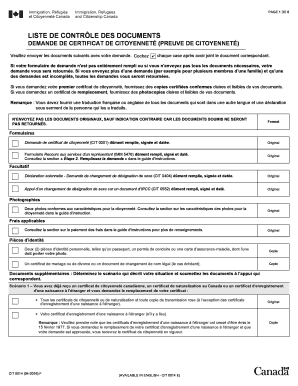
Get Canada Cit 0014 F 2016-2026
How it works
-

Open form follow the instructions
-

Easily sign the form with your finger
-

Send filled & signed form or save
How to fill out the Canada CIT 0014 F online
This guide provides comprehensive instructions on filling out the Canada CIT 0014 F form online. Designed for individuals seeking to apply for proof of Canadian citizenship, it offers a clear and structured approach to each section.
Follow the steps to successfully complete your application.
- Click ‘Get Form’ button to obtain the CIT 0014 F and open it in your browser.
- Carefully read the form's instructions. Verify you have all necessary documents, such as identity proof and photographs, before starting to fill it out.
- Begin filling out your personal information in the designated fields. Ensure that all details are accurate and match your supporting documents.
- In sections requiring identification, provide clear and readable photocopies of your identification documents, ensuring at least one includes your photo.
- For each scenario provided, select and attach the appropriate supporting documents. Follow the detailed guidance for submissions based on your specific situation.
- After you have completed all sections, review the entire form for completeness and accuracy. Incomplete forms will delay processing.
- Once all modifications are finalized, you can save the changes, download a copy, print the form for your records, or share it as needed.
Start filling out your Canada CIT 0014 F form online today!
In Canada, your national identification number is typically found in your provincial or territorial ID cards. If you’re looking for information related to social services, it might be present on your health card or tax documents. For comprehensive help, you can explore resources provided by uslegalforms for guidance on navigating these numbers in the context of Canada CIT 0014 F.