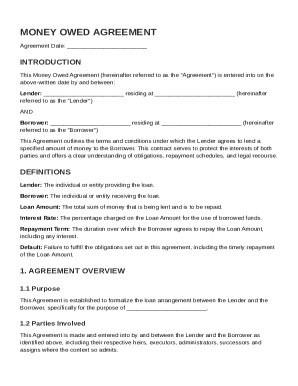
Get Money Owed Contract Template
How it works
-

Open form follow the instructions
-

Easily sign the form with your finger
-

Send filled & signed form or save
How to fill out and sign Money Owed Contract Template online?
Get your online template and fill it in using progressive features. Enjoy smart fillable fields and interactivity.Follow the simple instructions below:Are you looking for a quick and efficient solution to complete Money Owed Contract Template at a reasonable price? Our service provides you with an extensive library of templates that are offered for filling in online. It only takes a couple of minutes.
Follow these simple instructions to get Money Owed Contract Template completely ready for sending:
- Get the form you require in our collection of templates.
- Open the document in the online editor.
- Go through the recommendations to discover which details you need to provide.
- Click the fillable fields and put the necessary details.
- Put the relevant date and place your electronic signature after you fill in all of the fields.
- Double-check the document for misprints and other errors. If there?s a necessity to correct some information, our online editor as well as its wide variety of tools are at your disposal.
- Save the filled out document to your gadget by clicking Done.
- Send the electronic form to the parties involved.
Filling out Money Owed Contract Template doesn?t have to be complicated any longer. From now on simply cope with it from your apartment or at your office straight from your mobile or desktop computer.
Tips on how to fill out, edit and sign Money Owed Contract Template online
How to fill out and sign Money Owed Contract Template online?
Get your online template and fill it in using progressive features. Enjoy smart fillable fields and interactivity.Follow the simple instructions below:
Are you looking for a quick and efficient solution to complete Money Owed Contract Template at a reasonable price? Our service provides you with an extensive library of templates that are offered for filling in online. It only takes a couple of minutes.
Follow these simple instructions to get Money Owed Contract Template completely ready for sending:
- Get the form you require in our collection of templates.
- Open the document in the online editor.
- Go through the recommendations to discover which details you need to provide.
- Click the fillable fields and put the necessary details.
- Put the relevant date and place your electronic signature after you fill in all of the fields.
- Double-check the document for misprints and other errors. If there?s a necessity to correct some information, our online editor as well as its wide variety of tools are at your disposal.
- Save the filled out document to your gadget by clicking Done.
- Send the electronic form to the parties involved.
Filling out Money Owed Contract Template doesn?t have to be complicated any longer. From now on simply cope with it from your apartment or at your office straight from your mobile or desktop computer.
How to edit Money Owed Contract Template: customize forms online
Finishing paperwork is easy with smart online instruments. Eliminate paperwork with easily downloadable Money Owed Contract Template templates you can edit online and print.
Preparing papers and forms must be more reachable, whether it is a day-to-day component of one’s job or occasional work. When a person must file a Money Owed Contract Template, studying regulations and tutorials on how to complete a form properly and what it should include may take a lot of time and effort. Nonetheless, if you find the proper Money Owed Contract Template template, finishing a document will stop being a challenge with a smart editor at hand.
Discover a broader variety of functions you can add to your document flow routine. No need to print, fill out, and annotate forms manually. With a smart editing platform, all the essential document processing functions will always be at hand. If you want to make your work process with Money Owed Contract Template forms more efficient, find the template in the catalog, select it, and see a less complicated method to fill it in.
- If you want to add text in a random area of the form or insert a text field, use the Text and Text field tools and expand the text in the form as much as you need.
- Take advantage of the Highlight tool to stress the key parts of the form. If you want to cover or remove some text parts, use the Blackout or Erase instruments.
- Customize the form by adding default graphic components to it. Use the Circle, Check, and Cross instruments to add these elements to the forms, if needed.
- If you need additional annotations, use the Sticky note tool and put as many notes on the forms page as required.
- If the form needs your initials or date, the editor has instruments for that too. Reduce the risk of errors by using the Initials and Date tools.
- It is also easy to add custom graphic components to the form. Use the Arrow, Line, and Draw instruments to customize the file.
The more instruments you are familiar with, the simpler it is to work with Money Owed Contract Template. Try the solution that offers everything essential to find and edit forms in a single tab of your browser and forget about manual paperwork.
To make a contract for debt, first define the parties involved and the specific debt amount. Clearly outline the payment schedule, including due dates and interest, if applicable. It’s crucial to include what happens if the debt is not repaid as agreed. Utilizing a Money Owed Contract Template from US Legal Forms can help you create a comprehensive and legally sound agreement that meets your needs.