Loading
Form preview
  • US Legal Forms
  • Other Templates
  • More Forms
  • More Multi-State Forms
  • E Commerce Vendor Contract Template

Get E Commerce Vendor Contract Template

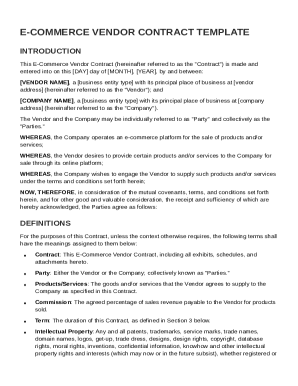
Etween: VENDOR NAME , a business entity type with its principal place of business at vendor address (hereinafter referred to as the "Vendor"); and COMPANY NAME , a business entity type with its principal place of business at company address (hereinafter referred to as the "Company"). The Vendor and the Company may be individually referred to as "Party" and collectively as the "Parties." WHEREAS, the Company operates an e-commerce platform for the sale of products and/or services; WHERE.

How it works

  1. Open form

    Open form follow the instructions

  2. Easily sign form

    Easily sign the form with your finger

  3. Share form

    Send filled & signed form or save

How to fill out and sign E Commerce Vendor Contract Template online?

Get your online template and fill it in using progressive features. Enjoy smart fillable fields and interactivity.Follow the simple instructions below:

The prep of legal documents can be expensive and time-ingesting. However, with our pre-built web templates, things get simpler. Now, using a E Commerce Vendor Contract Template takes not more than 5 minutes. Our state web-based samples and crystal-clear recommendations eradicate human-prone errors.

Comply with our easy steps to get your E Commerce Vendor Contract Template well prepared quickly:

  1. Choose the web sample in the catalogue.
  2. Complete all necessary information in the required fillable areas. The intuitive drag&drop interface allows you to add or move areas.
  3. Ensure everything is filled in appropriately, without typos or absent blocks.
  4. Apply your e-signature to the PDF page.
  5. Simply click Done to confirm the changes.
  6. Save the data file or print your copy.
  7. Send instantly towards the recipient.

Use the quick search and innovative cloud editor to generate a correct E Commerce Vendor Contract Template. Get rid of the routine and produce paperwork on the internet!

Tips on how to fill out, edit and sign E Commerce Vendor Contract Template online

How to fill out and sign E Commerce Vendor Contract Template online?

Get your online template and fill it in using progressive features. Enjoy smart fillable fields and interactivity.Follow the simple instructions below:

The prep of legal documents can be expensive and time-ingesting. However, with our pre-built web templates, things get simpler. Now, using a E Commerce Vendor Contract Template takes not more than 5 minutes. Our state web-based samples and crystal-clear recommendations eradicate human-prone errors.

Comply with our easy steps to get your E Commerce Vendor Contract Template well prepared quickly:

  1. Choose the web sample in the catalogue.
  2. Complete all necessary information in the required fillable areas. The intuitive drag&drop interface allows you to add or move areas.
  3. Ensure everything is filled in appropriately, without typos or absent blocks.
  4. Apply your e-signature to the PDF page.
  5. Simply click Done to confirm the changes.
  6. Save the data file or print your copy.
  7. Send instantly towards the recipient.

Use the quick search and innovative cloud editor to generate a correct E Commerce Vendor Contract Template. Get rid of the routine and produce paperwork on the internet!

How to edit E Commerce Vendor Contract Template: customize forms online

Benefit from the usability of the multi-featured online editor while filling out your E Commerce Vendor Contract Template. Use the variety of tools to quickly complete the blanks and provide the requested information right away.

Preparing documents is time-consuming and pricey unless you have ready-made fillable templates and complete them electronically. The easiest way to cope with the E Commerce Vendor Contract Template is to use our professional and multi-functional online editing solutions. We provide you with all the important tools for quick form fill-out and allow you to make any adjustments to your forms, adapting them to any requirements. Apart from that, you can make comments on the changes and leave notes for other people involved.

Here’s what you can do with your E Commerce Vendor Contract Template in our editor:

  1. Fill out the blanks utilizing Text, Cross, Check, Initials, Date, and Sign options.
  2. Highlight important information with a desired color or underline them.
  3. Hide sensitive details using the Blackout option or simply remove them.
  4. Add pictures to visualize your E Commerce Vendor Contract Template.
  5. Replace the original text using the one corresponding with your needs.
  6. Leave comments or sticky notes to communicate with others about the updates.
  7. Create extra fillable areas and assign them to particular people.
  8. Protect the sample with watermarks, add dates, and bates numbers.
  9. Share the paperwork in various ways and save it on your device or the cloud in different formats once you finish editing.

Working with E Commerce Vendor Contract Template in our robust online editor is the quickest and most productive way to manage, submit, and share your documentation the way you need it from anywhere. The tool operates from the cloud so that you can utilize it from any place on any internet-connected device. All forms you create or fill out are safely kept in the cloud, so you can always access them whenever needed and be confident of not losing them. Stop wasting time on manual document completion and get rid of papers; make it all online with minimum effort.

Get form

Experience a faster way to fill out and sign forms on the web. Access the most extensive library of templates available.
Get form

Related content

E-Commerce Automation System License Agreement
Subject to the terms and conditions of this Agreement, Licensor hereby grants to Licensee...
Learn more
E-Commerce and Retail Agreement
The Institution may grant the Operator the right to open and operate certain off-campus...
Learn more
ELECTRONIC DATA INTERCHANGE AGREEMENT
May 31, 2016 — This Electronic Data Interchange Agreement (this "Agreement") is made as...
Learn more

Related links form

Student Awards Ceremony Speech Application - University Of South ... Miscellaneous Analysis Form - Chemistry Authorization To Implement An Honors Research Major In The Honors Graduation Application Worksheet

Questions & Answers

Get answers to your most pressing questions about US Legal Forms API.

Contact support

To create your own contract, begin by identifying the key terms you wish to include, like services provided or payment terms. Draft the agreement clearly, using straightforward language. Using an E Commerce Vendor Contract Template can simplify this process, helping you ensure that you don’t miss vital components in your contract.

To create an online contract form, you need to choose a platform that allows you to customize templates and collect signatures electronically. Include all essential fields, such as contact information and terms of service. Utilizing a reliable E Commerce Vendor Contract Template can save time and ensure your form captures all necessary information.

An e-commerce contract is formed when one party makes an offer that the other party accepts, followed by an exchange of considerations, such as payment for goods. The crucial aspect is that both parties must agree to the terms, whether through written documentation or electronic acceptance. Using an E Commerce Vendor Contract Template can facilitate this process by providing a clear structure.

Yes, you can draft a contract without a lawyer, especially if you have a clear understanding of the terms you want to include. However, it's important to ensure your contract follows legal standards. An E Commerce Vendor Contract Template can guide you through the process and help you avoid common pitfalls.

The seven basic elements of a contract are offer, acceptance, consideration, mutual consent, capacity, legality, and written format. Each of these components must be present to create a legally binding agreement. Utilizing an E Commerce Vendor Contract Template can help you incorporate all these elements effectively in your document.

To create a vendor contract, start by defining the scope of services or products to be provided. Next, specify the payment terms, delivery timelines, and any other relevant details. You can simplify this process by utilizing an E Commerce Vendor Contract Template, ensuring you include all necessary clauses to protect your business.

A vendor agreement template is a pre-made document that outlines the terms and conditions for a business relationship between a vendor and a buyer. It serves as a guideline to ensure both parties understand their roles and responsibilities. Using an E Commerce Vendor Contract Template ensures you cover important aspects like payment terms, delivery schedules, and product specifications.

Get This Form Now!

Use professional pre-built templates to fill in and sign documents online faster. Get access to thousands of forms.
Get form
If you believe that this page should be taken down, please follow our DMCA take down processhere.
Get E Commerce Vendor Contract Template
Get form
  • Adoption
  • Bankruptcy
  • Contractors
  • Divorce
  • Home Sales
  • Employment
  • Identity Theft
  • Incorporation
  • Landlord Tenant
  • Living Trust
  • Name Change
  • Personal Planning
  • Small Business
  • Wills & Estates
  • Packages A-Z
  • Affidavits
  • Bankruptcy
  • Bill of Sale
  • Corporate - LLC
  • Divorce
  • Employment
  • Identity Theft
  • Internet Technology
  • Landlord Tenant
  • Living Wills
  • Name Change
  • Power of Attorney
  • Real Estate
  • Small Estates
  • Wills
  • All Forms
  • Forms A-Z
  • Other Templates
  • Legal Hub
  • About Us
  • Help Portal
  • Legal Resources
  • Blog
  • Affiliates
  • Contact Us
  • Delete My Account
  • Site Map
  • Industries
  • Forms in Spanish
  • Localized Forms
  • State-specific Forms
  • Forms Kit
  • Real Estate Handbook
  • All Guides
  • Notarize
  • Incorporation services
  • For Consumers
  • For Small Business
  • For Attorneys
  • USLegal
  • FormsPass
  • pdfFiller
  • signNow
  • altaFlow
  • DocHub
  • Instapage
Form Packages
  • Adoption
  • Bankruptcy
  • Contractors
  • Divorce
  • Home Sales
  • Employment
  • Identity Theft
  • Incorporation
  • Landlord Tenant
  • Living Trust
  • Name Change
  • Personal Planning
  • Small Business
  • Wills & Estates
  • Packages A-Z
Form Categories
  • Affidavits
  • Bankruptcy
  • Bill of Sale
  • Corporate - LLC
  • Divorce
  • Employment
  • Identity Theft
  • Internet Technology
  • Landlord Tenant
  • Living Wills
  • Name Change
  • Power of Attorney
  • Real Estate
  • Small Estates
  • Wills
  • All Forms
  • Forms A-Z
  • Other Templates
Customer Service
  • Legal Hub
  • About Us
  • Help Portal
  • Legal Resources
  • Blog
  • Affiliates
  • Contact Us
  • Delete My Account
  • Site Map
  • Industries
  • Forms in Spanish
  • Localized Forms
  • State-specific Forms
  • Forms Kit
Legal Guides
  • Real Estate Handbook
  • All Guides
Prepared for you
  • Notarize
  • Incorporation services
Our Customers
  • For Consumers
  • For Small Business
  • For Attorneys
Our Sites
  • USLegal
  • FormsPass
  • pdfFiller
  • signNow
  • altaFlow
  • DocHub
  • Instapage
Social Media
Call us now toll free:
+1 833 426 79 33
As seen in:
© Copyright 1999-2026 airSlate Legal Forms, Inc. 17 Station Street, Ste. 203, Brookline, MA 02445
  • Your Privacy Choices
  • Terms of Service
  • Privacy Notice
  • Content Takedown Policy
  • Bug Bounty Program