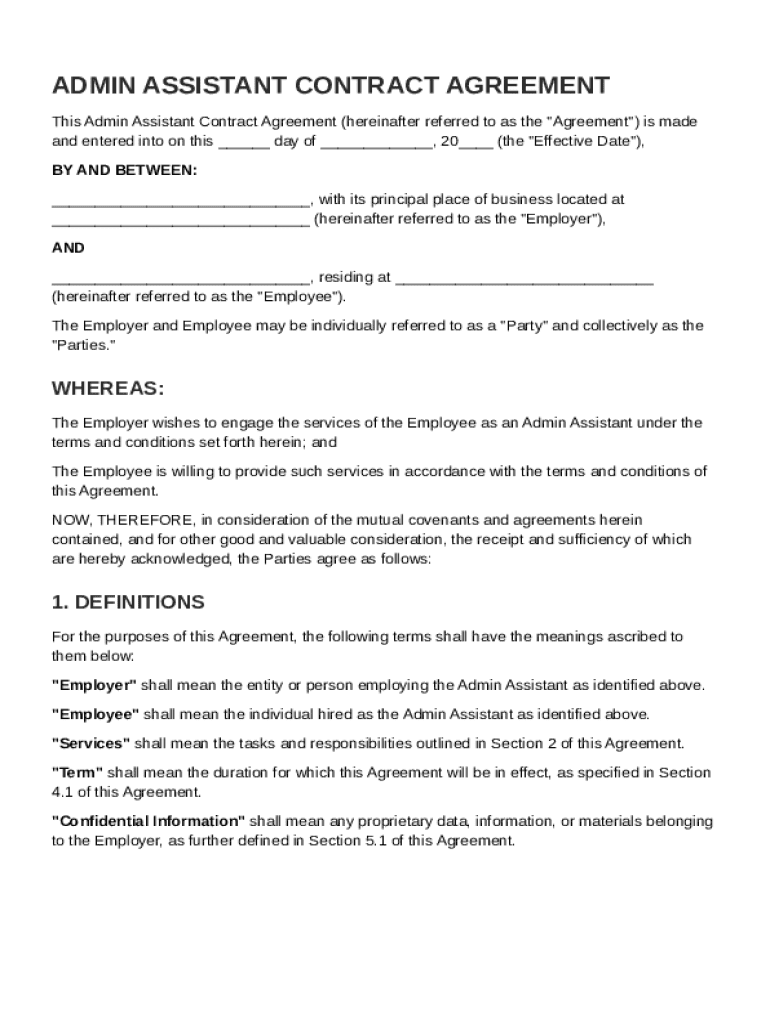
Y of , 20 (the "Effective Date"), BY AND BETWEEN: , with its principal place of business located at (hereinafter referred to as the "Employer"), AND , residing at (hereinafter referred to as the "Employee"). The Employer and Employee may be individually referred to as a "Party" and collectively as the "Parties." WHEREAS: The Employer wishes to engage the ser.
Loading

Open form follow the instructions

Easily sign the form with your finger

Send filled & signed form or save
How to fill out and sign Admin Assistant Contract Template online?
Get your online template and fill it in using progressive features. Enjoy smart fillable fields and interactivity.Follow the simple instructions below:
The times of distressing complicated tax and legal documents are over. With US Legal Forms the process of submitting official documents is anxiety-free. The leading editor is right close at hand giving you a wide variety of advantageous tools for filling out a Admin Assistant Contract Template. These guidelines, together with the editor will help you with the whole process.
- Select the orange Get Form option to start editing and enhancing.
- Activate the Wizard mode in the top toolbar to get additional tips.
- Fill in every fillable field.
- Ensure the details you add to the Admin Assistant Contract Template is updated and correct.
- Include the date to the template using the Date function.
- Click the Sign tool and create an e-signature. You will find 3 options; typing, drawing, or capturing one.
- Re-check each field has been filled in correctly.
- Select Done in the top right corne to export the document. There are various alternatives for receiving the doc. An attachment in an email or through the mail as a hard copy, as an instant download.
We make completing any Admin Assistant Contract Template much easier. Get started now!
Tips on how to fill out, edit and sign Admin Assistant Contract Template online
How to fill and sign Admin Assistant Contract Template
Get your online template and fill it in using progressive features. Enjoy smart fillable fields and interactivity.Follow the simple instructions below:
The times of distressing complicated tax and legal documents are over. With US Legal Forms the process of submitting official documents is anxiety-free. The leading editor is right close at hand giving you a wide variety of advantageous tools for filling out a Admin Assistant Contract Template. These guidelines, together with the editor will help you with the whole process.
- Select the orange Get Form option to start editing and enhancing.
- Activate the Wizard mode in the top toolbar to get additional tips.
- Fill in every fillable field.
- Ensure the details you add to the Admin Assistant Contract Template is updated and correct.
- Include the date to the template using the Date function.
- Click the Sign tool and create an e-signature. You will find 3 options; typing, drawing, or capturing one.
- Re-check each field has been filled in correctly.
- Select Done in the top right corne to export the document. There are various alternatives for receiving the doc. An attachment in an email or through the mail as a hard copy, as an instant download.
We make completing any Admin Assistant Contract Template much easier. Get started now!
How to edit Admin Assistant Contract Template
Enjoy the user friendliness of the multi-featured online editor while completing your Admin Assistant Contract Template. Make use of the variety of tools to quickly fill out the blanks and provide the required data in no time.
Preparing documentation is time-consuming and expensive unless you have ready-made fillable forms and complete them electronically. The most effective way to deal with the Admin Assistant Contract Template is to use our professional and multi-featured online editing tools. We provide you with all the essential tools for quick document fill-out and enable you to make any adjustments to your forms, adapting them to any demands. In addition to that, you can make comments on the updates and leave notes for other parties involved.
Here’s what you can do with your Admin Assistant Contract Template in our editor:
- Fill out the blanks using Text, Cross, Check, Initials, Date, and Sign tools.
- Highlight crucial information with a favorite color or underline them.
- Hide confidential details using the Blackout option or simply erase them.
- Add pictures to visualize your Admin Assistant Contract Template.
- Replace the original text using the one suiting your requirements.
- Add comments or sticky notes to inform others about the updates.
- Create extra fillable areas and assign them to particular people.
- Protect the template with watermarks, add dates, and bates numbers.
- Share the document in various ways and save it on your device or the cloud in different formats after you finish adjusting.
Working with Admin Assistant Contract Template in our robust online editor is the quickest and most productive way to manage, submit, and share your paperwork the way you need it from anywhere. The tool operates from the cloud so that you can access it from any location on any internet-connected device. All forms you create or complete are safely kept in the cloud, so you can always open them whenever needed and be assured of not losing them. Stop wasting time on manual document completion and eliminate papers; make it all online with minimum effort.
How to fill and sign Admin Assistant Contract Template
Get your online template and fill it in using progressive features. Enjoy smart fillable fields and interactivity.Follow the simple instructions below:
The times of distressing complicated tax and legal documents are over. With US Legal Forms the process of submitting official documents is anxiety-free. The leading editor is right close at hand giving you a wide variety of advantageous tools for filling out a Admin Assistant Contract Template. These guidelines, together with the editor will help you with the whole process.
- Select the orange Get Form option to start editing and enhancing.
- Activate the Wizard mode in the top toolbar to get additional tips.
- Fill in every fillable field.
- Ensure the details you add to the Admin Assistant Contract Template is updated and correct.
- Include the date to the template using the Date function.
- Click the Sign tool and create an e-signature. You will find 3 options; typing, drawing, or capturing one.
- Re-check each field has been filled in correctly.
- Select Done in the top right corne to export the document. There are various alternatives for receiving the doc. An attachment in an email or through the mail as a hard copy, as an instant download.
We make completing any Admin Assistant Contract Template much easier. Get started now!
Experience a faster way to fill out and sign forms on the web. Access the most extensive library of templates available.
Related content
This Agreement represents the entire agreement between the parties and supersedes any and...
Jul 23, 2024 — Given the wide variety of research, administrative, and teaching...
This guide provides the conventions for writing the Federal Acquisition. Regulation (FAR)...
Get answers to your most pressing questions about US Legal Forms API.
What is an example of a simple contract?
A simple contract might include basic elements such as two parties, a description of services, payment, and duration. For instance, an Admin Assistant Contract Template would outline the tasks expected from the assistant and the compensation agreed upon. This straightforward format ensures clarity and outlines each party's responsibilities.
What is the minimum salary for an administrative assistant?
The minimum salary for an administrative assistant can vary widely, depending on geographic location and industry. Nationally, it often starts around $30,000 per year. When drafting your Admin Assistant Contract Template, it is essential to specify salary and payment structures to attract suitable candidates.
What are the 5 smart goals for an administrative assistant?
The five smart goals for an administrative assistant typically include improving organization skills, enhancing communication abilities, mastering software applications, developing time management proficiency, and increasing overall productivity. These goals should be Specific, Measurable, Achievable, Relevant, and Time-bound, helping you to progress in your role. Consider these goals when creating an Admin Assistant Contract Template to align expectations.
How do I write a simple contract agreement?
To write a simple contract agreement, use straightforward language and cover key elements: the parties, the work to be done, payment terms, and a signature section. Keeping the language simple ensures that all parties easily understand their commitments. An Admin Assistant Contract Template can assist you in crafting a clear and effective agreement.
How do I write a basic contract agreement?
Writing a basic contract agreement involves outlining the parties, the contract’s purpose, and the terms of engagement. Ensure you specify the scope of work, payment details, and the duration of the contract. Using an Admin Assistant Contract Template can simplify writing a well-structured agreement from the start.
How to write a short agreement?
To write a short agreement, focus on clarity and brevity. Start by defining the parties involved, the purpose of the agreement, and the key terms. An Admin Assistant Contract Template can streamline this process, helping you to include essential details without excessive length.
What is the going rate for an admin assistant?
The going rate for an admin assistant varies based on factors such as location, experience, and job duties. On average, you might find salaries ranging from $40,000 to $60,000 per year in the United States. Consider using an Admin Assistant Contract Template to outline specific compensation to avoid misunderstandings.
Can I just make my own contract?
Yes, you can create your own contract; however, it is advisable to use a structured approach. Without a clear format, important elements may be missed. Using an Admin Assistant Contract Template can guide you through the essential components, ensuring your contract protects both parties.
How to fill out a contract agreement?
Filling out a contract agreement requires attention to detail. Begin by entering the details of both parties, followed by the scope of work and terms of payment. Utilizing an Admin Assistant Contract Template can streamline this process, guiding you in including all vital information. This ensures both parties have a clear understanding of their obligations, leading to a smoother working relationship.
How do I write a simple contract template?
Writing a simple contract template involves outlining the essential components, such as the parties involved, the scope of work, and terms of payment. Start by drafting a clear introduction about the purpose of the contract. Using an Admin Assistant Contract Template can provide a solid foundation, allowing you to focus on specific details relevant to your situation. This method saves time and ensures all necessary information is included.
Use professional pre-built templates to fill in and sign documents online faster. Get access to thousands of forms.
If you believe that this page should be taken down, please follow our DMCA take down process here.