Loading
Form preview
  • US Legal Forms
  • Form Library
  • More Forms
  • More Multi-State Forms
  • Management Dashboard Contract Template

Get Management Dashboard Contract Template

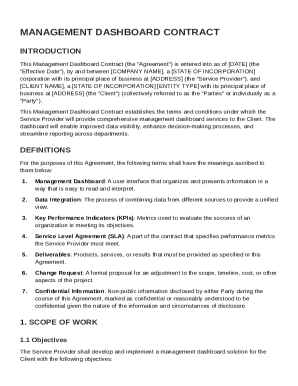
ORPORATION corporation with its principal place of business at ADDRESS (the "Service Provider"), and CLIENT NAME , a STATE OF INCORPORATION ENTITY TYPE with its principal place of business at ADDRESS (the "Client") (collectively referred to as the "Parties" or individually as a "Party"). This Management Dashboard Contract establishes the terms and conditions under which the Service Provider will provide comprehensive management dashboard services to the Client. The dashboard will enabl.

How it works

  1. Open form

    Open form follow the instructions

  2. Easily sign form

    Easily sign the form with your finger

  3. Share form

    Send filled & signed form or save

How to fill out and sign Management Dashboard Contract Template online?

Get your online template and fill it in using progressive features. Enjoy smart fillable fields and interactivity.Follow the simple instructions below:

Are you searching for a fast and convenient solution to complete Management Dashboard Contract Template at a reasonable cost? Our platform will provide you with an extensive collection of templates available for filling out online. It takes only a couple of minutes.

Follow these simple steps to get Management Dashboard Contract Template prepared for submitting:

  1. Choose the form you need in our collection of legal forms.
  2. Open the document in the online editing tool.
  3. Read through the instructions to find out which information you have to provide.
  4. Select the fillable fields and add the requested data.
  5. Add the date and insert your electronic autograph once you complete all of the boxes.
  6. Check the document for misprints along with other mistakes. If there?s a need to correct some information, the online editor along with its wide range of tools are ready for your use.
  7. Download the filled out template to your device by clicking Done.
  8. Send the e-document to the intended recipient.

Filling out Management Dashboard Contract Template doesn?t need to be perplexing anymore. From now on comfortably get through it from home or at the workplace right from your smartphone or desktop computer.

Tips on how to fill out, edit and sign Management Dashboard Contract Template online

How to fill out and sign Management Dashboard Contract Template online?

Get your online template and fill it in using progressive features. Enjoy smart fillable fields and interactivity.Follow the simple instructions below:

Are you searching for a fast and convenient solution to complete Management Dashboard Contract Template at a reasonable cost? Our platform will provide you with an extensive collection of templates available for filling out online. It takes only a couple of minutes.

Follow these simple steps to get Management Dashboard Contract Template prepared for submitting:

  1. Choose the form you need in our collection of legal forms.
  2. Open the document in the online editing tool.
  3. Read through the instructions to find out which information you have to provide.
  4. Select the fillable fields and add the requested data.
  5. Add the date and insert your electronic autograph once you complete all of the boxes.
  6. Check the document for misprints along with other mistakes. If there?s a need to correct some information, the online editor along with its wide range of tools are ready for your use.
  7. Download the filled out template to your device by clicking Done.
  8. Send the e-document to the intended recipient.

Filling out Management Dashboard Contract Template doesn?t need to be perplexing anymore. From now on comfortably get through it from home or at the workplace right from your smartphone or desktop computer.

How to edit Management Dashboard Contract Template: customize forms online

Sign and share Management Dashboard Contract Template together with any other business and personal documentation online without wasting time and resources on printing and postal delivery. Get the most out of our online form editor with a built-in compliant electronic signature tool.

Signing and submitting Management Dashboard Contract Template documents electronically is faster and more productive than managing them on paper. However, it requires using online solutions that ensure a high level of data safety and provide you with a compliant tool for generating eSignatures. Our robust online editor is just the one you need to complete your Management Dashboard Contract Template and other personal and business or tax forms in a precise and proper way in accordance with all the requirements. It offers all the essential tools to easily and quickly complete, edit, and sign paperwork online and add Signature fields for other parties, specifying who and where should sign.

It takes just a few simple actions to complete and sign Management Dashboard Contract Template online:

  1. Open the chosen file for further processing.
  2. Make use of the upper toolkit to add Text, Initials, Image, Check, and Cross marks to your template.
  3. Underline the key details and blackout or remove the sensitive ones if required.
  4. Click on the Sign tool above and decide on how you prefer to eSign your form.
  5. Draw your signature, type it, upload its picture, or use an alternative option that suits you.
  6. Switch to the Edit Fillable Fileds panel and place Signature areas for other people.
  7. Click on Add Signer and enter your recipient’s email to assign this field to them.
  8. Make sure that all data provided is complete and accurate before you click Done.
  9. Share your documentation with others utilizing one of the available options.

When signing Management Dashboard Contract Template with our robust online solution, you can always be sure to get it legally binding and court-admissible. Prepare and submit paperwork in the most efficient way possible!

Get form

Experience a faster way to fill out and sign forms on the web. Access the most extensive library of templates available.
Get form

Related content

STATEMENT OF WORK National Dashboard Contract ...
Have an architecture that includes a management process to log all stages of the...
Learn more
Contract-Management-Plan-Template. ...
The following table lists the dashboard performance measures or metrics to track according...
Learn more
The Definitive Guide to Implementing Data...
Apr 10, 2025 — This guide takes a practical approach. If you want to start implementing...
Learn more

Related links form

Enrollment At Another Institution-Permission Request Form Download An EDITABLE PDF Registration Form And Send It By Fax ... Continuation Projects Form (7) Required For Projects That Are A Continuation In The Same Field Of Requirements Specification - Siena College

Questions & Answers

Get answers to your most pressing questions about US Legal Forms API.

Contact support

Filling out a contract agreement requires careful attention to detail. Begin by entering the parties' full names and addresses, followed by the agreement's purpose. Clearly state the terms of the contract, including responsibilities and timelines. Utilizing a Management Dashboard Contract Template streamlines this task, helping you ensure that you cover all necessary elements thoroughly.

Filling a contract involves accurately completing each section, starting with the title, parties' names, and signatures. Ensure that you read the entire document before filling it out to avoid overlooking critical details. Enter relevant dates, payment terms, and obligations clearly. A Management Dashboard Contract Template can assist you, providing a standardized format to follow, making the filling process easier.

To write a simple contract agreement, start with a clear title and date, then identify the parties involved. Next, outline the terms of the agreement, including services provided and payment terms. Be specific about timelines and expectations to avoid ambiguity. Using a Management Dashboard Contract Template can simplify the writing process, ensuring all vital details are included.

To form a valid contract, five key requirements must be met: offer, acceptance, consideration, capacity, and legality. First, one party makes a clear offer to another. Next, the second party accepts the offer, leading to a mutual agreement. Consideration involves a value exchange, while both parties must have the legal capacity to enter the contract. Lastly, the contract's purpose must be legal and not violate any laws, ensuring that your Management Dashboard Contract Template stands on solid ground.

Organizing contract files starts with creating a clear folder structure. Group contracts by category, such as vendor agreements, leases, or employee contracts. Make sure to use consistent naming conventions and include relevant details like dates and parties involved. Additionally, digital platforms like USLegalForms offer tools to help simplify this process and enhance accessibility.

To create a management dashboard, begin by selecting the key metrics you want to track. Use software tools that enable data integration and visualization so you can see trends at a glance. By leveraging a Management Dashboard Contract Template, you streamline the presentation of contract-related data, making it easy to monitor progress, compliance, and performance over time.

Creating dashboard templates involves identifying key performance indicators and visualizing them through graphs or charts. Choose a user-friendly software that allows customization to match your specific needs. With a Management Dashboard Contract Template, you can quickly incorporate contract data into your dashboards, helping you make informed decisions based on real-time information.

The structure of a management contract typically includes an introduction, definitions, scope of services, performance standards, and termination clauses. Each section clearly outlines expectations and the specific duties of each party. To ensure your contract is organized and comprehensive, consider using a Management Dashboard Contract Template that highlights these essential components.

CMS stands for Contract Management System, which focuses on the overall management of contracts, including creation, execution, and storage. In contrast, CLM refers to Contract Lifecycle Management, emphasizing the processes and strategies used throughout a contract's lifespan. Understanding this difference is key to effectively utilizing a Management Dashboard Contract Template, as it helps you choose the right tools for your contract management needs.

Writing a management contract requires careful attention to detail and clarity. Start with an introduction that identifies the parties involved, followed by sections detailing the scope of work, payment terms, and duration of the contract. Incorporating a Management Dashboard Contract Template can streamline your writing process, enabling you to focus on key terms while ensuring all necessary components are present.

Get This Form Now!

Use professional pre-built templates to fill in and sign documents online faster. Get access to thousands of forms.
Get form
If you believe that this page should be taken down, please follow our DMCA take down processhere.

Industry-leading security and compliance

US Legal Forms protects your data by complying with industry-specific security standards.
  • In businnes since 1997
    25+ years providing professional legal documents.
  • Accredited business
    Guarantees that a business meets BBB accreditation standards in the US and Canada.
  • Secured by Braintree
    Validated Level 1 PCI DSS compliant payment gateway that accepts most major credit and debit card brands from across the globe.
Get Management Dashboard Contract Template
Get form
  • Adoption
  • Bankruptcy
  • Contractors
  • Divorce
  • Home Sales
  • Employment
  • Identity Theft
  • Incorporation
  • Landlord Tenant
  • Living Trust
  • Name Change
  • Personal Planning
  • Small Business
  • Wills & Estates
  • Packages A-Z
  • Affidavits
  • Bankruptcy
  • Bill of Sale
  • Corporate - LLC
  • Divorce
  • Employment
  • Identity Theft
  • Internet Technology
  • Landlord Tenant
  • Living Wills
  • Name Change
  • Power of Attorney
  • Real Estate
  • Small Estates
  • Wills
  • All Forms
  • Forms A-Z
  • Form Library
  • Legal Hub
  • About Us
  • Help Portal
  • Legal Resources
  • Blog
  • Affiliates
  • Contact Us
  • Delete My Account
  • Site Map
  • Industries
  • Forms in Spanish
  • Localized Forms
  • State-specific Forms
  • Forms Kit
  • Real Estate Handbook
  • All Guides
  • Notarize
  • Incorporation services
  • For Consumers
  • For Small Business
  • For Attorneys
  • USLegal
  • FormsPass
  • pdfFiller
  • signNow
  • altaFlow
  • DocHub
  • Instapage
Form Packages
  • Adoption
  • Bankruptcy
  • Contractors
  • Divorce
  • Home Sales
  • Employment
  • Identity Theft
  • Incorporation
  • Landlord Tenant
  • Living Trust
  • Name Change
  • Personal Planning
  • Small Business
  • Wills & Estates
  • Packages A-Z
Form Categories
  • Affidavits
  • Bankruptcy
  • Bill of Sale
  • Corporate - LLC
  • Divorce
  • Employment
  • Identity Theft
  • Internet Technology
  • Landlord Tenant
  • Living Wills
  • Name Change
  • Power of Attorney
  • Real Estate
  • Small Estates
  • Wills
  • All Forms
  • Forms A-Z
  • Form Library
Customer Service
  • Legal Hub
  • About Us
  • Help Portal
  • Legal Resources
  • Blog
  • Affiliates
  • Contact Us
  • Delete My Account
  • Site Map
  • Industries
  • Forms in Spanish
  • Localized Forms
  • State-specific Forms
  • Forms Kit
Legal Guides
  • Real Estate Handbook
  • All Guides
Prepared for you
  • Notarize
  • Incorporation services
Our Customers
  • For Consumers
  • For Small Business
  • For Attorneys
Our Sites
  • USLegal
  • FormsPass
  • pdfFiller
  • signNow
  • altaFlow
  • DocHub
  • Instapage
Social Media
Call us now toll free:
+1 833 426 79 33
As seen in:
© Copyright 1999-2026 airSlate Legal Forms, Inc. 3720 Flowood Dr, Flowood, Mississippi 39232
  • Your Privacy Choices
  • Terms of Service
  • Privacy Notice
  • Content Takedown Policy
  • Bug Bounty Program