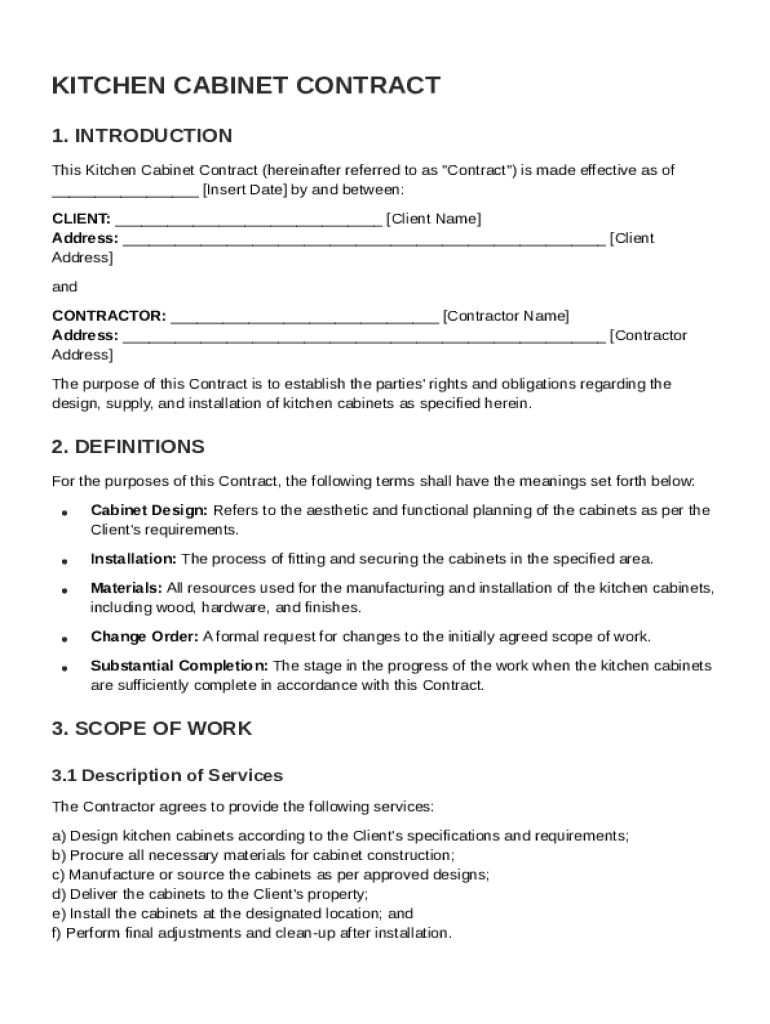
Client Name Address: Client Address and CONTRACTOR: Contractor Name Address: Contractor Address The purpose of this Contract is to establish the parties' rights and obligations regarding the design, supply, and installation of kitchen cabinets as specified herein. 2. DEFINITIONS For the purposes of this Contract, the fo.

Open form follow the instructions

Easily sign the form with your finger

Send filled & signed form or save
How to fill out and sign Kitchen Cabinet Contract Template online?
Get your online template and fill it in using progressive features. Enjoy smart fillable fields and interactivity.Follow the simple instructions below:
Business, legal, tax along with other electronic documents need a top level of compliance with the law and protection. Our documents are updated on a regular basis according to the latest legislative changes. In addition, with us, all of the details you provide in your Kitchen Cabinet Contract Template is protected against loss or damage with the help of industry-leading encryption.
The following tips will help you complete Kitchen Cabinet Contract Template easily and quickly:
- Open the document in our full-fledged online editor by clicking Get form.
- Fill out the requested fields that are yellow-colored.
- Click the arrow with the inscription Next to move on from box to box.
- Go to the e-autograph tool to e-sign the template.
- Insert the date.
- Look through the whole template to make sure you have not skipped anything.
- Press Done and save the new form.
Our solution allows you to take the whole procedure of executing legal forms online. Consequently, you save hours (if not days or weeks) and get rid of additional costs. From now on, complete Kitchen Cabinet Contract Template from your home, workplace, and even while on the move.
Tips on how to fill out, edit and sign Kitchen Cabinet Contract Template online
How to fill and sign Kitchen Cabinet Contract Template
Get your online template and fill it in using progressive features. Enjoy smart fillable fields and interactivity.Follow the simple instructions below:
Business, legal, tax along with other electronic documents need a top level of compliance with the law and protection. Our documents are updated on a regular basis according to the latest legislative changes. In addition, with us, all of the details you provide in your Kitchen Cabinet Contract Template is protected against loss or damage with the help of industry-leading encryption.
The following tips will help you complete Kitchen Cabinet Contract Template easily and quickly:
- Open the document in our full-fledged online editor by clicking Get form.
- Fill out the requested fields that are yellow-colored.
- Click the arrow with the inscription Next to move on from box to box.
- Go to the e-autograph tool to e-sign the template.
- Insert the date.
- Look through the whole template to make sure you have not skipped anything.
- Press Done and save the new form.
Our solution allows you to take the whole procedure of executing legal forms online. Consequently, you save hours (if not days or weeks) and get rid of additional costs. From now on, complete Kitchen Cabinet Contract Template from your home, workplace, and even while on the move.
How to edit Kitchen Cabinet Contract Template
Use our comprehensive editor to turn a simple online template into a completed document. Keep reading to learn how to modify Kitchen Cabinet Contract Template online easily.
Once you find a perfect Kitchen Cabinet Contract Template, all you have to do is adjust the template to your preferences or legal requirements. In addition to completing the fillable form with accurate details, you may want to erase some provisions in the document that are irrelevant to your circumstance. Alternatively, you might want to add some missing conditions in the original template. Our advanced document editing features are the best way to fix and adjust the document.
The editor lets you change the content of any form, even if the document is in PDF format. You can add and remove text, insert fillable fields, and make extra changes while keeping the initial formatting of the document. Also you can rearrange the structure of the form by changing page order.
You don’t have to print the Kitchen Cabinet Contract Template to sign it. The editor comes along with electronic signature capabilities. Most of the forms already have signature fields. So, you only need to add your signature and request one from the other signing party with a few clicks.
Follow this step-by-step guide to make your Kitchen Cabinet Contract Template:
- Open the preferred template.
- Use the toolbar to adjust the form to your preferences.
- Complete the form providing accurate information.
- Click on the signature field and add your eSignature.
- Send the document for signature to other signers if needed.
Once all parties sign the document, you will get a signed copy which you can download, print, and share with other people.
Our services allow you to save tons of your time and minimize the chance of an error in your documents. Enhance your document workflows with efficient editing capabilities and a powerful eSignature solution.
How to fill and sign Kitchen Cabinet Contract Template
Get your online template and fill it in using progressive features. Enjoy smart fillable fields and interactivity.Follow the simple instructions below:
Business, legal, tax along with other electronic documents need a top level of compliance with the law and protection. Our documents are updated on a regular basis according to the latest legislative changes. In addition, with us, all of the details you provide in your Kitchen Cabinet Contract Template is protected against loss or damage with the help of industry-leading encryption.
The following tips will help you complete Kitchen Cabinet Contract Template easily and quickly:
- Open the document in our full-fledged online editor by clicking Get form.
- Fill out the requested fields that are yellow-colored.
- Click the arrow with the inscription Next to move on from box to box.
- Go to the e-autograph tool to e-sign the template.
- Insert the date.
- Look through the whole template to make sure you have not skipped anything.
- Press Done and save the new form.
Our solution allows you to take the whole procedure of executing legal forms online. Consequently, you save hours (if not days or weeks) and get rid of additional costs. From now on, complete Kitchen Cabinet Contract Template from your home, workplace, and even while on the move.
Experience a faster way to fill out and sign forms on the web. Access the most extensive library of templates available.
Related content
The Request for Proposals will specify which contract will be used for the intended...
Include dimensions, measurements, and any special requests. Example: "The Contractor shall...
Place the cabinets in order. Arrange the cabinets into the order you will be installing...
Get answers to your most pressing questions about US Legal Forms API.
What is the profit margin on kitchen cabinets?
The profit margin on kitchen cabinets can vary but typically ranges from 30% to 50%. Understanding these margins can help you make informed decisions when selecting cabinets for your remodel. Using a Kitchen Cabinet Contract Template can clarify your budget considerations and help you understand the financial implications involved.
Can you renovate a kitchen for $10,000?
Renovating a kitchen for $10,000 is challenging but not impossible. Focusing on cosmetic updates and prioritizing necessary repairs can make it work. Utilizing a Kitchen Cabinet Contract Template can assist in planning these updates effectively while keeping costs in check.
What is the most expensive part of a kitchen remodel?
The most expensive part of a kitchen remodel is often the cabinetry. High-quality cabinets can significantly increase your overall costs. Implementing a Kitchen Cabinet Contract Template can ensure a clear agreement on what type of cabinets fit your budget and design needs.
Can you redo a kitchen for $15,000?
Yes, a $15,000 budget can facilitate a kitchen renovation, especially if you focus on essential updates. You might be able to refresh cabinets, upgrade appliances, and make cosmetic changes. Using a Kitchen Cabinet Contract Template can help you allocate your budget effectively and track your spending.
What is a realistic budget for a kitchen remodel?
A realistic budget for a kitchen remodel typically ranges from $15,000 to $50,000, depending on your design choices. Key components like cabinets, countertops, and appliances will affect your total. To manage your expenses effectively, consider utilizing a Kitchen Cabinet Contract Template to set clear financial parameters.
Does Microsoft Word have a contract template?
Yes, Microsoft Word offers various templates, including some for contracts. While you can find options, consider using a specialized Kitchen Cabinet Contract Template for more tailored features. This will not only streamline your process but also ensure relevant clauses are included.
Can you make your own contract template?
Creating your own contract template is completely feasible, especially with resources available online. However, a well-structured Kitchen Cabinet Contract Template can save you time and ensure you include all necessary details. Using such a template can help you avoid common pitfalls and keep everything organized.
Is $10,000 enough for a kitchen remodel?
A kitchen remodel can vary greatly depending on your choices. While $10,000 might cover basic updates such as painting or new fixtures, it often falls short for a full renovation. To ensure you meet your goals, consider using a Kitchen Cabinet Contract Template to outline your budget and expected outcomes.
How to make a contract file?
Making a contract file starts with gathering all necessary documents, including a Kitchen Cabinet Contract Template. Once you complete the contract, save it in an organized format, such as a PDF, and store it securely. This organized approach ensures easy access and reference in future discussions regarding the project.
How to create a contract document?
Creating a contract document involves organizing important agreement details in a written format, like a Kitchen Cabinet Contract Template. Start by specifying the parties, project terms, and compensation. Always ensure that the document is clear, concise, and legally sound to protect everyone involved.
Use professional pre-built templates to fill in and sign documents online faster. Get access to thousands of forms.
If you believe that this page should be taken down, please follow our DMCA take down process here.