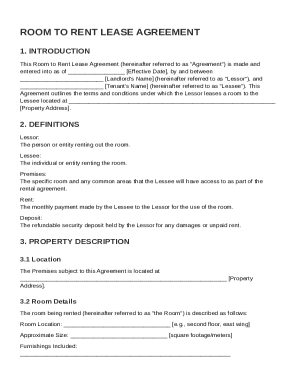
Get Room To Rent Lease Agreement Template
How it works
-

Open form follow the instructions
-

Easily sign the form with your finger
-

Send filled & signed form or save
How to fill out and sign Room To Rent Lease Agreement Template online?
Get your online template and fill it in using progressive features. Enjoy smart fillable fields and interactivity.Follow the simple instructions below:Experience all the key benefits of submitting and completing documents online. Using our solution filling in Room To Rent Lease Agreement Template only takes a matter of minutes. We make that possible by offering you access to our full-fledged editor capable of transforming/fixing a document?s original textual content, adding unique boxes, and putting your signature on.
Execute Room To Rent Lease Agreement Template within several clicks following the recommendations listed below:
- Pick the document template you will need from the collection of legal form samples.
- Select the Get form button to open the document and start editing.
- Fill out all of the requested fields (they will be yellow-colored).
- The Signature Wizard will enable you to insert your electronic signature as soon as you have finished imputing information.
- Put the relevant date.
- Double-check the entire template to make sure you?ve filled in all the data and no changes are required.
- Press Done and save the filled out document to the gadget.
Send your Room To Rent Lease Agreement Template in an electronic form as soon as you finish filling it out. Your information is securely protected, since we keep to the most up-to-date security requirements. Join millions of satisfied users that are already filling out legal forms straight from their houses.
Tips on how to fill out, edit and sign Room To Rent Lease Agreement Template online
How to fill out and sign Room To Rent Lease Agreement Template online?
Get your online template and fill it in using progressive features. Enjoy smart fillable fields and interactivity.Follow the simple instructions below:
Experience all the key benefits of submitting and completing documents online. Using our solution filling in Room To Rent Lease Agreement Template only takes a matter of minutes. We make that possible by offering you access to our full-fledged editor capable of transforming/fixing a document?s original textual content, adding unique boxes, and putting your signature on.
Execute Room To Rent Lease Agreement Template within several clicks following the recommendations listed below:
- Pick the document template you will need from the collection of legal form samples.
- Select the Get form button to open the document and start editing.
- Fill out all of the requested fields (they will be yellow-colored).
- The Signature Wizard will enable you to insert your electronic signature as soon as you have finished imputing information.
- Put the relevant date.
- Double-check the entire template to make sure you?ve filled in all the data and no changes are required.
- Press Done and save the filled out document to the gadget.
Send your Room To Rent Lease Agreement Template in an electronic form as soon as you finish filling it out. Your information is securely protected, since we keep to the most up-to-date security requirements. Join millions of satisfied users that are already filling out legal forms straight from their houses.
How to edit Room To Rent Lease Agreement Template: customize forms online
Find the correct Room To Rent Lease Agreement Template template and modify it on the spot. Streamline your paperwork with a smart document editing solution for online forms.
Your day-to-day workflow with documents and forms can be more effective when you have everything required in one place. For instance, you can find, obtain, and modify Room To Rent Lease Agreement Template in just one browser tab. Should you need a particular Room To Rent Lease Agreement Template, it is simple to find it with the help of the smart search engine and access it instantly. You don’t need to download it or look for a third-party editor to modify it and add your information. All of the tools for efficient work go in just one packaged solution.
This modifying solution allows you to customize, fill, and sign your Room To Rent Lease Agreement Template form right on the spot. Once you see a suitable template, click on it to open the modifying mode. Once you open the form in the editor, you have all the needed instruments at your fingertips. You can easily fill in the dedicated fields and erase them if necessary with the help of a simple yet multifunctional toolbar. Apply all the modifications instantly, and sign the form without exiting the tab by simply clicking the signature field. After that, you can send or print your file if required.
Make more custom edits with available instruments.
- Annotate your file using the Sticky note tool by placing a note at any spot within the document.
- Add required visual components, if needed, with the Circle, Check, or Cross instruments.
- Modify or add text anywhere in the document using Texts and Text box instruments. Add content with the Initials or Date tool.
- Modify the template text using the Highlight and Blackout, or Erase instruments.
- Add custom visual components using the Arrow and Line, or Draw tools.
Discover new possibilities in efficient and simple paperwork. Find the Room To Rent Lease Agreement Template you need in minutes and fill it out in in the same tab. Clear the mess in your paperwork once and for all with the help of online forms.
To complete a lease, ensure that all parties have signed and dated the document after filling in all necessary information. Double-check to confirm that terms are clearly stated and agreed upon by everyone involved. A Room To Rent Lease Agreement Template can help you easily walk through this completion process with confidence.