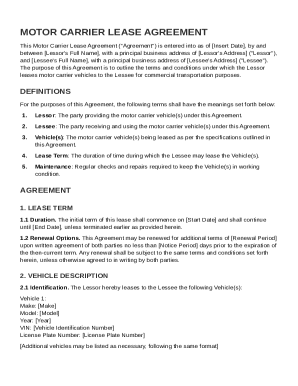
Get Motor Carrier Lease Agreement Template
How it works
-

Open form follow the instructions
-

Easily sign the form with your finger
-

Send filled & signed form or save
How to fill out and sign Motor Carrier Lease Agreement Template online?
Get your online template and fill it in using progressive features. Enjoy smart fillable fields and interactivity.Follow the simple instructions below:The times of distressing complex legal and tax documents are over. With US Legal Forms the procedure of completing legal documents is anxiety-free. The leading editor is directly at your fingertips giving you a wide variety of beneficial tools for submitting a Motor Carrier Lease Agreement Template. These guidelines, combined with the editor will guide you with the entire process.
- Click the Get Form button to begin enhancing.
- Turn on the Wizard mode in the top toolbar to have additional recommendations.
- Fill out every fillable field.
- Be sure the details you fill in Motor Carrier Lease Agreement Template is updated and accurate.
- Include the date to the sample using the Date option.
- Select the Sign button and create a signature. There are 3 available alternatives; typing, drawing, or capturing one.
- Check once more each area has been filled in correctly.
- Select Done in the top right corne to save the file. There are various ways for receiving the doc. As an instant download, an attachment in an email or through the mail as a hard copy.
We make completing any Motor Carrier Lease Agreement Template more straightforward. Start now!
Tips on how to fill out, edit and sign Motor Carrier Lease Agreement Template online
How to fill out and sign Motor Carrier Lease Agreement Template online?
Get your online template and fill it in using progressive features. Enjoy smart fillable fields and interactivity.Follow the simple instructions below:
The times of distressing complex legal and tax documents are over. With US Legal Forms the procedure of completing legal documents is anxiety-free. The leading editor is directly at your fingertips giving you a wide variety of beneficial tools for submitting a Motor Carrier Lease Agreement Template. These guidelines, combined with the editor will guide you with the entire process.
- Click the Get Form button to begin enhancing.
- Turn on the Wizard mode in the top toolbar to have additional recommendations.
- Fill out every fillable field.
- Be sure the details you fill in Motor Carrier Lease Agreement Template is updated and accurate.
- Include the date to the sample using the Date option.
- Select the Sign button and create a signature. There are 3 available alternatives; typing, drawing, or capturing one.
- Check once more each area has been filled in correctly.
- Select Done in the top right corne to save the file. There are various ways for receiving the doc. As an instant download, an attachment in an email or through the mail as a hard copy.
We make completing any Motor Carrier Lease Agreement Template more straightforward. Start now!
How to edit Motor Carrier Lease Agreement Template: customize forms online
Fill out and sign your Motor Carrier Lease Agreement Template quickly and error-free. Find and edit, and sign customizable form samples in a comfort of a single tab.
Your document workflow can be considerably more efficient if everything you need for editing and managing the flow is arranged in one place. If you are looking for a Motor Carrier Lease Agreement Template form sample, this is a place to get it and fill it out without looking for third-party solutions. With this intelligent search engine and editing tool, you won’t need to look any further.
Just type the name of the Motor Carrier Lease Agreement Template or any other form and find the right template. If the sample seems relevant, you can start editing it right on the spot by clicking Get form. No need to print out or even download it. Hover and click on the interactive fillable fields to place your details and sign the form in a single editor.
Use more editing instruments to customize your template:
- Check interactive checkboxes in forms by clicking on them. Check other areas of the Motor Carrier Lease Agreement Template form text by using the Cross, Check, and Circle instruments
- If you need to insert more text into the document, use the Text tool or add fillable fields with the respective button. You may also specify the content of each fillable field.
- Add pictures to forms with the Image button. Add pictures from your device or capture them with your computer camera.
- Add custom graphic components to the document. Use Draw, Line, and Arrow instruments to draw on the document.
- Draw over the text in the document if you want to conceal it or stress it. Cover text fragments using theErase and Highlight, or Blackout instrument.
- Add custom components like Initials or Date using the respective instruments. They will be generated automatically.
- Save the form on your device or convert its format to the one you want.
When equipped with a smart forms catalog and a powerful document editing solution, working with documentation is easier. Find the form you need, fill it out instantly, and sign it on the spot without downloading it. Get your paperwork routine simplified with a solution tailored for editing forms.
The best lease to own a trucking company is often one that combines low monthly payments with options for equity. This approach allows you to gradually acquire ownership while minimizing upfront costs. A tailored Motor Carrier Lease Agreement Template can help you create a lease that supports your journey toward ownership while addressing all key aspects of the agreement.