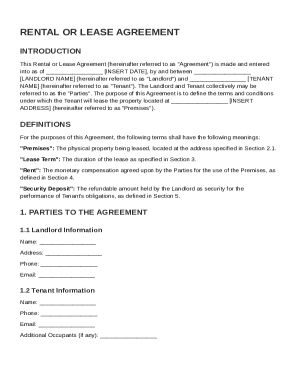
Get Rental Or Lease Agreement Template
How it works
-

Open form follow the instructions
-

Easily sign the form with your finger
-

Send filled & signed form or save
How to fill out and sign Rental Or Lease Agreement Template online?
Get your online template and fill it in using progressive features. Enjoy smart fillable fields and interactivity.Follow the simple instructions below:The times of terrifying complex tax and legal documents are over. With US Legal Forms the procedure of submitting legal documents is anxiety-free. The leading editor is directly at your fingertips offering you a wide range of useful tools for completing a Rental Or Lease Agreement Template. These guidelines, along with the editor will guide you with the whole procedure.
- Click the orange Get Form option to start enhancing.
- Activate the Wizard mode in the top toolbar to get more pieces of advice.
- Fill out each fillable field.
- Ensure the info you add to the Rental Or Lease Agreement Template is updated and correct.
- Add the date to the form with the Date feature.
- Click the Sign button and make a digital signature. You can find 3 available options; typing, drawing, or uploading one.
- Check once more each and every area has been filled in properly.
- Click Done in the top right corne to save the record. There are many options for receiving the doc. An attachment in an email or through the mail as a hard copy, as an instant download.
We make completing any Rental Or Lease Agreement Template more convenient. Get started now!
Tips on how to fill out, edit and sign Rental Or Lease Agreement Template online
How to fill out and sign Rental Or Lease Agreement Template online?
Get your online template and fill it in using progressive features. Enjoy smart fillable fields and interactivity.Follow the simple instructions below:
The times of terrifying complex tax and legal documents are over. With US Legal Forms the procedure of submitting legal documents is anxiety-free. The leading editor is directly at your fingertips offering you a wide range of useful tools for completing a Rental Or Lease Agreement Template. These guidelines, along with the editor will guide you with the whole procedure.
- Click the orange Get Form option to start enhancing.
- Activate the Wizard mode in the top toolbar to get more pieces of advice.
- Fill out each fillable field.
- Ensure the info you add to the Rental Or Lease Agreement Template is updated and correct.
- Add the date to the form with the Date feature.
- Click the Sign button and make a digital signature. You can find 3 available options; typing, drawing, or uploading one.
- Check once more each and every area has been filled in properly.
- Click Done in the top right corne to save the record. There are many options for receiving the doc. An attachment in an email or through the mail as a hard copy, as an instant download.
We make completing any Rental Or Lease Agreement Template more convenient. Get started now!
How to edit Rental Or Lease Agreement Template: customize forms online
Have your stressless and paper-free way of editing Rental Or Lease Agreement Template. Use our trusted online solution and save a lot of time.
Drafting every document, including Rental Or Lease Agreement Template, from scratch requires too much time, so having a tried-and-true platform of pre-uploaded form templates can do wonders for your productivity.
But editing them can be problem, especially when it comes to the files in PDF format. Luckily, our extensive catalog comes with a built-in editor that lets you easily complete and edit Rental Or Lease Agreement Template without leaving our website so that you don't need to waste your precious completing your documents. Here's what you can do with your form using our solution:
- Step 1. Locate the required form on our website.
- Step 2. Click Get Form to open it in the editor.
- Step 3. Take advantage of professional modifying tools that allow you to insert, remove, annotate and highlight or blackout text.
- Step 4. Create and add a legally-binding signature to your form by utilizing the sign option from the top toolbar.
- Step 5. If the document layout doesn’t look the way you want it, use the tools on the right to erase, add more, and re-order pages.
- step 6. Add fillable fields so other persons can be invited to complete the document (if applicable).
- Step 7. Pass around or send the document, print it out, or choose the format in which you’d like to get the document.
Whether you need to complete editable Rental Or Lease Agreement Template or any other document available in our catalog, you’re on the right track with our online document editor. It's easy and secure and doesn’t require you to have special skills. Our web-based solution is set up to handle virtually everything you can think of concerning file editing and completion.
No longer use traditional way of handling your forms. Choose a a professional option to help you streamline your activities and make them less reliant on paper.
A tenancy agreement can be prepared by various parties, including landlords, real estate agents, or legal professionals. If you prefer to handle it yourself, utilizing a Rental Or Lease Agreement Template can be a smart solution, as it provides a ready-made format to ensure you include all necessary provisions and comply with local laws.