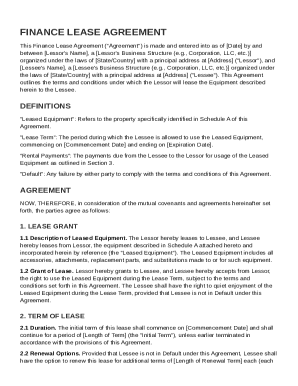
Get Finance Lease Agreement Template
How it works
-

Open form follow the instructions
-

Easily sign the form with your finger
-

Send filled & signed form or save
How to fill out and sign Finance Lease Agreement Template online?
Get your online template and fill it in using progressive features. Enjoy smart fillable fields and interactivity.Follow the simple instructions below:The days of terrifying complex tax and legal forms have ended. With US Legal Forms the procedure of creating official documents is anxiety-free. A powerhouse editor is already close at hand providing you with a wide variety of advantageous instruments for filling out a Finance Lease Agreement Template. These guidelines, together with the editor will guide you with the complete procedure.
- Select the Get Form button to begin filling out.
- Activate the Wizard mode in the top toolbar to get more suggestions.
- Fill out every fillable area.
- Ensure the info you add to the Finance Lease Agreement Template is up-to-date and correct.
- Add the date to the sample using the Date tool.
- Select the Sign tool and make an electronic signature. You will find 3 available options; typing, drawing, or capturing one.
- Make certain every field has been filled in correctly.
- Select Done in the top right corne to export the document. There are many ways for receiving the doc. An attachment in an email or through the mail as a hard copy, as an instant download.
We make completing any Finance Lease Agreement Template much easier. Get started now!
Tips on how to fill out, edit and sign Finance Lease Agreement Template online
How to fill out and sign Finance Lease Agreement Template online?
Get your online template and fill it in using progressive features. Enjoy smart fillable fields and interactivity.Follow the simple instructions below:
The days of terrifying complex tax and legal forms have ended. With US Legal Forms the procedure of creating official documents is anxiety-free. A powerhouse editor is already close at hand providing you with a wide variety of advantageous instruments for filling out a Finance Lease Agreement Template. These guidelines, together with the editor will guide you with the complete procedure.
- Select the Get Form button to begin filling out.
- Activate the Wizard mode in the top toolbar to get more suggestions.
- Fill out every fillable area.
- Ensure the info you add to the Finance Lease Agreement Template is up-to-date and correct.
- Add the date to the sample using the Date tool.
- Select the Sign tool and make an electronic signature. You will find 3 available options; typing, drawing, or capturing one.
- Make certain every field has been filled in correctly.
- Select Done in the top right corne to export the document. There are many ways for receiving the doc. An attachment in an email or through the mail as a hard copy, as an instant download.
We make completing any Finance Lease Agreement Template much easier. Get started now!
How to edit Finance Lease Agreement Template: customize forms online
Select a reliable file editing service you can trust. Revise, complete, and sign Finance Lease Agreement Template safely online.
Too often, working with forms, like Finance Lease Agreement Template, can be a challenge, especially if you got them in a digital format but don’t have access to specialized tools. Of course, you can find some workarounds to get around it, but you risk getting a document that won't meet the submission requirements. Utilizing a printer and scanner isn’t an option either because it's time- and resource-consuming.
We provide a smoother and more streamlined way of completing files. A rich catalog of document templates that are straightforward to edit and certify, and then make fillable for some individuals. Our platform extends way beyond a set of templates. One of the best parts of utilizing our services is that you can edit Finance Lease Agreement Template directly on our website.
Since it's an online-based option, it spares you from having to get any software. Additionally, not all company policies allow you to download it on your corporate laptop. Here's how you can easily and safely complete your documents with our solution.
- Hit the Get Form > you’ll be immediately redirected to our editor.
- Once opened, you can start the customization process.
- Select checkmark or circle, line, arrow and cross and other options to annotate your form.
- Pick the date option to add a specific date to your template.
- Add text boxes, photos and notes and more to enrich the content.
- Use the fillable fields option on the right to add fillable {fields.
- Select Sign from the top toolbar to create and add your legally-binding signature.
- Click DONE and save, print, and share or get the document.
Say goodbye to paper and other inefficient ways of completing your Finance Lease Agreement Template or other files. Use our tool instead that combines one of the richest libraries of ready-to-customize forms and a powerful file editing services. It's easy and secure, and can save you lots of time! Don’t take our word for it, give it a try yourself!
Microsoft Word does offer several lease agreement templates that you can use, including options for a Finance Lease Agreement Template. These built-in templates provide a solid starting point, but you should customize them to fit your specific needs. Additionally, considering services like US Legal Forms can enhance your document with state-specific requirements and legal insights. This way, you can be confident in the completeness and legality of your lease agreement.