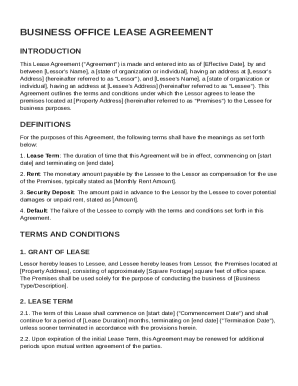
Get Business Office Lease Agreement Template
How it works
-

Open form follow the instructions
-

Easily sign the form with your finger
-

Send filled & signed form or save
How to fill out and sign Business Office Lease Agreement Template online?
Get your online template and fill it in using progressive features. Enjoy smart fillable fields and interactivity.Follow the simple instructions below:The days of distressing complicated legal and tax documents have ended. With US Legal Forms the whole process of filling out legal documents is anxiety-free. The leading editor is already at your fingertips offering you various advantageous instruments for filling out a Business Office Lease Agreement Template. These guidelines, together with the editor will assist you with the complete procedure.
- Select the Get Form button to start enhancing.
- Switch on the Wizard mode on the top toolbar to get more pieces of advice.
- Fill out each fillable field.
- Ensure that the info you fill in Business Office Lease Agreement Template is updated and accurate.
- Include the date to the record using the Date function.
- Click on the Sign button and make a digital signature. There are three available alternatives; typing, drawing, or uploading one.
- Check once more each area has been filled in properly.
- Select Done in the top right corne to export the sample. There are many alternatives for getting the doc. As an instant download, an attachment in an email or through the mail as a hard copy.
We make completing any Business Office Lease Agreement Template simpler. Start now!
Tips on how to fill out, edit and sign Business Office Lease Agreement Template online
How to fill out and sign Business Office Lease Agreement Template online?
Get your online template and fill it in using progressive features. Enjoy smart fillable fields and interactivity.Follow the simple instructions below:
The days of distressing complicated legal and tax documents have ended. With US Legal Forms the whole process of filling out legal documents is anxiety-free. The leading editor is already at your fingertips offering you various advantageous instruments for filling out a Business Office Lease Agreement Template. These guidelines, together with the editor will assist you with the complete procedure.
- Select the Get Form button to start enhancing.
- Switch on the Wizard mode on the top toolbar to get more pieces of advice.
- Fill out each fillable field.
- Ensure that the info you fill in Business Office Lease Agreement Template is updated and accurate.
- Include the date to the record using the Date function.
- Click on the Sign button and make a digital signature. There are three available alternatives; typing, drawing, or uploading one.
- Check once more each area has been filled in properly.
- Select Done in the top right corne to export the sample. There are many alternatives for getting the doc. As an instant download, an attachment in an email or through the mail as a hard copy.
We make completing any Business Office Lease Agreement Template simpler. Start now!
How to modify Business Office Lease Agreement Template: customize forms online
Check out a standalone service to handle all of your paperwork effortlessly. Find, modify, and complete your Business Office Lease Agreement Template in a single interface with the help of smart instruments.
The times when people needed to print forms or even write them manually are long gone. Today, all it takes to find and complete any form, such as Business Office Lease Agreement Template, is opening a single browser tab. Here, you will find the Business Office Lease Agreement Template form and customize it any way you need, from inserting the text straight in the document to drawing it on a digital sticky note and attaching it to the record. Discover instruments that will streamline your paperwork without additional effort.
Click the Get form button to prepare your Business Office Lease Agreement Template paperwork quickly and start editing it instantly. In the editing mode, you can easily complete the template with your information for submission. Just click on the field you need to modify and enter the data right away. The editor's interface does not require any specific skills to use it. When done with the edits, check the information's accuracy once again and sign the document. Click on the signature field and follow the instructions to eSign the form in a moment.
Use More instruments to customize your form:
- Use Cross, Check, or Circle instruments to pinpoint the document's data.
- Add textual content or fillable text fields with text customization tools.
- Erase, Highlight, or Blackout text blocks in the document using corresponding instruments.
- Add a date, initials, or even an image to the document if necessary.
- Use the Sticky note tool to annotate the form.
- Use the Arrow and Line, or Draw tool to add graphic components to your document.
Preparing Business Office Lease Agreement Template paperwork will never be complicated again if you know where to find the suitable template and prepare it quickly. Do not hesitate to try it yourself.
The three common types of leases include operating leases, capital leases, and rental agreements. Each type has its distinct implications for ownership and financial accounting. For a clear understanding of these differences, a Business Office Lease Agreement Template can provide valuable insights during your leasing process.