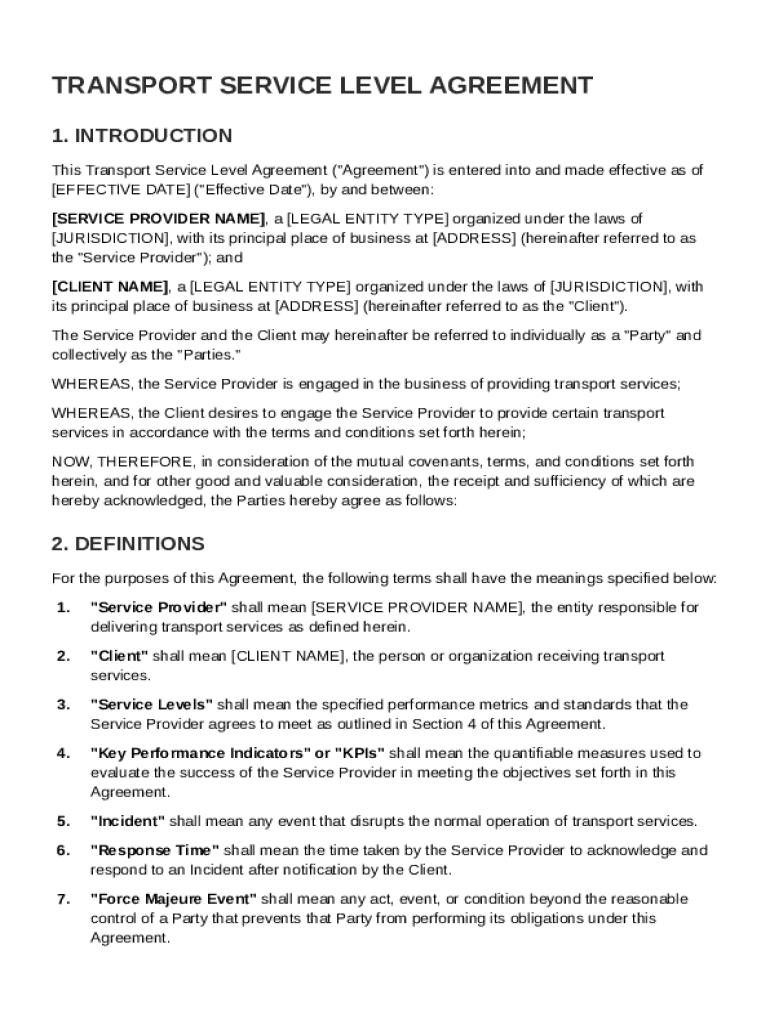
: SERVICE PROVIDER NAME , a LEGAL ENTITY TYPE organized under the laws of JURISDICTION , with its principal place of business at ADDRESS (hereinafter referred to as the "Service Provider"); and CLIENT NAME , a LEGAL ENTITY TYPE organized under the laws of JURISDICTION , with its principal place of business at ADDRESS (hereinafter referred to as the "Client"). The Service Provider and the Client may hereinafter be referred to individually as a "Party" and collectively as the "Parties.
Loading

Open form follow the instructions

Easily sign the form with your finger

Send filled & signed form or save
How to fill out and sign Transport Service Level Agreement Template online?
Get your online template and fill it in using progressive features. Enjoy smart fillable fields and interactivity.Follow the simple instructions below:
Experience all the key benefits of completing and submitting legal documents online. With our platform filling out Transport Service Level Agreement Template requires just a couple of minutes. We make that achievable by offering you access to our full-fledged editor effective at changing/correcting a document?s original textual content, adding special fields, and putting your signature on.
Execute Transport Service Level Agreement Template in just several clicks by simply following the guidelines below:
- Select the template you need from the library of legal forms.
- Click the Get form key to open it and start editing.
- Fill out all the requested fields (they will be marked in yellow).
- The Signature Wizard will allow you to insert your e-autograph as soon as you?ve finished imputing details.
- Insert the date.
- Look through the whole template to make certain you have filled in all the data and no changes are required.
- Click Done and save the resulting document to the gadget.
Send your new Transport Service Level Agreement Template in an electronic form when you finish filling it out. Your information is well-protected, as we keep to the newest security criteria. Become one of numerous happy clients that are already submitting legal templates from their homes.
Tips on how to fill out, edit and sign Transport Service Level Agreement Template online
How to fill and sign Transport Service Level Agreement Template
Get your online template and fill it in using progressive features. Enjoy smart fillable fields and interactivity.Follow the simple instructions below:
Experience all the key benefits of completing and submitting legal documents online. With our platform filling out Transport Service Level Agreement Template requires just a couple of minutes. We make that achievable by offering you access to our full-fledged editor effective at changing/correcting a document?s original textual content, adding special fields, and putting your signature on.
Execute Transport Service Level Agreement Template in just several clicks by simply following the guidelines below:
- Select the template you need from the library of legal forms.
- Click the Get form key to open it and start editing.
- Fill out all the requested fields (they will be marked in yellow).
- The Signature Wizard will allow you to insert your e-autograph as soon as you?ve finished imputing details.
- Insert the date.
- Look through the whole template to make certain you have filled in all the data and no changes are required.
- Click Done and save the resulting document to the gadget.
Send your new Transport Service Level Agreement Template in an electronic form when you finish filling it out. Your information is well-protected, as we keep to the newest security criteria. Become one of numerous happy clients that are already submitting legal templates from their homes.
How to edit Transport Service Level Agreement Template
Check out a single service to handle all your paperwork effortlessly. Find, edit, and complete your Transport Service Level Agreement Template in a single interface with the help of smart tools.
The days when people needed to print out forms or even write them by hand are gone. Right now, all it takes to find and complete any form, like Transport Service Level Agreement Template, is opening a single browser tab. Here, you will find the Transport Service Level Agreement Template form and customize it any way you need, from inserting the text straight in the document to drawing it on a digital sticky note and attaching it to the document. Discover tools that will simplify your paperwork without extra effort.
Simply click the Get form button to prepare your Transport Service Level Agreement Template paperwork quickly and start editing it instantly. In the editing mode, you can easily fill in the template with your information for submission. Simply click on the field you need to alter and enter the information right away. The editor's interface does not need any specific skills to use it. When finished with the edits, check the information's accuracy once again and sign the document. Click on the signature field and follow the instructions to eSign the form in a moment.
Use Additional tools to customize your form:
- Use Cross, Check, or Circle tools to pinpoint the document's data.
- Add text or fillable text fields with text customization tools.
- Erase, Highlight, or Blackout text blocks in the document using corresponding tools.
- Add a date, initials, or even an image to the document if necessary.
- Make use of the Sticky note tool to annotate the form.
- Use the Arrow and Line, or Draw tool to add graphic elements to your file.
Preparing Transport Service Level Agreement Template forms will never be confusing again if you know where to search for the suitable template and prepare it quickly. Do not hesitate to try it yourself.
How to fill and sign Transport Service Level Agreement Template
Get your online template and fill it in using progressive features. Enjoy smart fillable fields and interactivity.Follow the simple instructions below:
Experience all the key benefits of completing and submitting legal documents online. With our platform filling out Transport Service Level Agreement Template requires just a couple of minutes. We make that achievable by offering you access to our full-fledged editor effective at changing/correcting a document?s original textual content, adding special fields, and putting your signature on.
Execute Transport Service Level Agreement Template in just several clicks by simply following the guidelines below:
- Select the template you need from the library of legal forms.
- Click the Get form key to open it and start editing.
- Fill out all the requested fields (they will be marked in yellow).
- The Signature Wizard will allow you to insert your e-autograph as soon as you?ve finished imputing details.
- Insert the date.
- Look through the whole template to make certain you have filled in all the data and no changes are required.
- Click Done and save the resulting document to the gadget.
Send your new Transport Service Level Agreement Template in an electronic form when you finish filling it out. Your information is well-protected, as we keep to the newest security criteria. Become one of numerous happy clients that are already submitting legal templates from their homes.
Experience a faster way to fill out and sign forms on the web. Access the most extensive library of templates available.
Related content
NOTE: The Tool/Template/Work Product below includes an example service level agreement for...
Jul 1, 2025 — This Service Level Agreement (SLA) is intended to identify the basic...
-Revised Project Schedules, Specifications and Constructability Section to Contract...
Get answers to your most pressing questions about US Legal Forms API.
How to write a service level agreement template?
To write a service level agreement template, start by identifying the services and outlining each party's obligations. Include key performance indicators and define how success will be measured. Don’t forget to add terms regarding communication and dispute resolution. Using a pre-designed Transport Service Level Agreement Template can provide you with a solid foundation, saving you time and ensuring best practices.
How do you write a simple service level agreement?
Writing a simple service level agreement involves identifying the services to be provided and establishing the terms of those services. Clearly state what each party will deliver and the performance standards expected. Including a section on service monitoring and reporting can also enhance the agreement’s effectiveness. A Transport Service Level Agreement Template can guide you through this process, ensuring all important elements are included.
What is SLA P1, P2, P3, P4?
SLA P1, P2, P3, and P4 denote different priority levels for service requests. P1 refers to critical issues that require immediate attention, while P2 covers high-importance issues needing quick resolution. P3 includes medium-importance items, and P4 covers low-importance requests. Understanding these priorities is crucial, and employing a Transport Service Level Agreement Template can help categorize and document these accordingly.
How to fill SLA?
When filling out an SLA, begin with the basic information about the parties involved, including contact details and the effective date. Next, specify the services to be rendered, including measurable performance metrics and response times. Finally, remember to address the consequences of not meeting those metrics. A Transport Service Level Agreement Template can simplify this process and ensure you don’t overlook essential sections.
What is the full form of SLA in transportation?
In transportation, SLA stands for Service Level Agreement. This is a formal document that defines the level of service expected from a service provider, outlining key metrics and responsibilities. By employing a Transport Service Level Agreement Template, you can easily craft an SLA that meets your transportation needs.
What is an example of a service level agreement?
An example of a service level agreement (SLA) could involve a delivery service committing to transport goods within a specified timeframe. It details the expected delivery times, the penalties for failing to meet those times, and the remedies provided to the client. Utilizing a Transport Service Level Agreement Template can help ensure that all critical aspects are covered, promoting clarity and trust between the parties.
How to write a simple service agreement?
To write a simple service agreement, start by defining the scope of services to be provided. Clearly outline the responsibilities of each party, including timelines and payment terms. Additionally, consider including a section on dispute resolution to ensure both parties are prepared for any issues that may arise. For a comprehensive and effective approach, using a Transport Service Level Agreement Template can streamline this process.
How to get a service level agreement?
To get a service level agreement, consider reaching out to a service provider and discussing your specific needs. Additionally, you can download a Transport Service Level Agreement Template from a reputable source like UsLegalForms, which provides tailored solutions for your legal document needs. This makes the process more accessible and efficient for your organization.
How to achieve 100% SLA?
Achieving 100% SLA requires a proactive approach to service management, including regular monitoring and adjustment of performance practices. Communication with stakeholders is essential for addressing any potential issues promptly. By utilizing a Transport Service Level Agreement Template, you can set realistic expectations and improve your chances of SLA success.
How to create an SLA template?
Creating an SLA template starts with identifying the specific services and performance metrics you want to include. Next, structure the document to include sections on responsibilities, reporting, and penalties for non-compliance. You can find a user-friendly Transport Service Level Agreement Template online to help you get started efficiently.
Use professional pre-built templates to fill in and sign documents online faster. Get access to thousands of forms.
If you believe that this page should be taken down, please follow our DMCA take down process here.