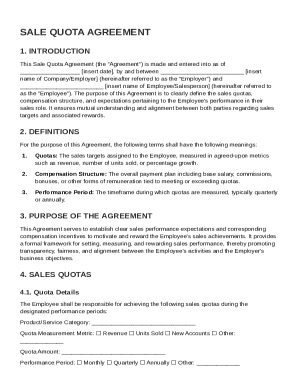
Get Sale Quota Agreement Template
How it works
-

Open form follow the instructions
-

Easily sign the form with your finger
-

Send filled & signed form or save
How to fill out and sign Sale Quota Agreement Template online?
Get your online template and fill it in using progressive features. Enjoy smart fillable fields and interactivity.Follow the simple instructions below:The times of terrifying complex legal and tax forms are over. With US Legal Forms completing official documents is anxiety-free. A powerhouse editor is already at your fingertips providing you with various useful tools for completing a Sale Quota Agreement Template. These tips, combined with the editor will guide you through the whole process.
- Hit the orange Get Form option to start enhancing.
- Turn on the Wizard mode on the top toolbar to get more suggestions.
- Fill out each fillable area.
- Ensure that the data you add to the Sale Quota Agreement Template is up-to-date and correct.
- Add the date to the document with the Date feature.
- Click on the Sign button and make an electronic signature. There are three available options; typing, drawing, or capturing one.
- Check once more each field has been filled in properly.
- Click Done in the top right corne to save and send or download the form. There are several choices for getting the doc. An attachment in an email or through the mail as a hard copy, as an instant download.
We make completing any Sale Quota Agreement Template much easier. Use it now!
Tips on how to fill out, edit and sign Sale Quota Agreement Template online
How to fill out and sign Sale Quota Agreement Template online?
Get your online template and fill it in using progressive features. Enjoy smart fillable fields and interactivity.Follow the simple instructions below:
The times of terrifying complex legal and tax forms are over. With US Legal Forms completing official documents is anxiety-free. A powerhouse editor is already at your fingertips providing you with various useful tools for completing a Sale Quota Agreement Template. These tips, combined with the editor will guide you through the whole process.
- Hit the orange Get Form option to start enhancing.
- Turn on the Wizard mode on the top toolbar to get more suggestions.
- Fill out each fillable area.
- Ensure that the data you add to the Sale Quota Agreement Template is up-to-date and correct.
- Add the date to the document with the Date feature.
- Click on the Sign button and make an electronic signature. There are three available options; typing, drawing, or capturing one.
- Check once more each field has been filled in properly.
- Click Done in the top right corne to save and send or download the form. There are several choices for getting the doc. An attachment in an email or through the mail as a hard copy, as an instant download.
We make completing any Sale Quota Agreement Template much easier. Use it now!
How to edit Sale Quota Agreement Template: customize forms online
Go with a rock-solid file editing service you can trust. Modify, execute, and certify Sale Quota Agreement Template safely online.
Very often, editing forms, like Sale Quota Agreement Template, can be pain, especially if you got them in a digital format but don’t have access to specialized software. Of course, you can find some workarounds to get around it, but you can end up getting a form that won't fulfill the submission requirements. Using a printer and scanner isn’t a way out either because it's time- and resource-consuming.
We offer a simpler and more efficient way of modifying forms. An extensive catalog of document templates that are easy to edit and certify, to make fillable for other individuals. Our platform extends way beyond a set of templates. One of the best aspects of using our services is that you can revise Sale Quota Agreement Template directly on our website.
Since it's an online-based platform, it saves you from having to get any computer software. Additionally, not all company rules allow you to install it on your corporate laptop. Here's the best way to effortlessly and safely execute your documents with our platform.
- Click the Get Form > you’ll be instantly redirected to our editor.
- As soon as opened, you can start the editing process.
- Select checkmark or circle, line, arrow and cross and other options to annotate your form.
- Pick the date field to include a particular date to your template.
- Add text boxes, images and notes and more to enrich the content.
- Use the fillable fields option on the right to create fillable {fields.
- Select Sign from the top toolbar to generate and create your legally-binding signature.
- Hit DONE and save, print, and pass around or get the end {file.
Forget about paper and other inefficient methods for completing your Sale Quota Agreement Template or other documents. Use our solution instead that includes one of the richest libraries of ready-to-edit forms and a powerful file editing services. It's easy and safe, and can save you lots of time! Don’t take our word for it, try it out yourself!
To draft a simple agreement, start by stating the purpose of the agreement and the involved parties. Keep the language clear and direct, specifying all major points like terms, conditions, and timelines. Consider employing a Sale Quota Agreement Template to facilitate this process, as it provides a tried-and-true format that can enhance clarity and legal protection.