Loading
Form preview
  • US Legal Forms
  • Other Templates
  • More Forms
  • More Multi-State Forms
  • Salary Confidentiality Agreement Template

Get Salary Confidentiality Agreement Template

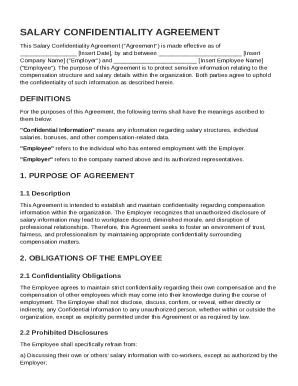
Ert Company Name ("Employer") and Insert Employee Name ("Employee"). The purpose of this Agreement is to protect sensitive information relating to the compensation structure and salary details within the organization. Both parties agree to uphold the confidentiality of such information as described herein. DEFINITIONS For the purposes of this Agreement, the following terms shall have the meanings ascribed to them below: "Confidential Information" means any informati.

How it works

  1. Open form

    Open form follow the instructions

  2. Easily sign form

    Easily sign the form with your finger

  3. Share form

    Send filled & signed form or save

How to fill out and sign Salary Confidentiality Agreement Template online?

Get your online template and fill it in using progressive features. Enjoy smart fillable fields and interactivity.Follow the simple instructions below:

Are you trying to find a quick and efficient tool to fill out Salary Confidentiality Agreement Template at a reasonable price? Our platform will provide you with an extensive variety of forms that are available for completing online. It takes only a couple of minutes.

Stick to these simple actions to get Salary Confidentiality Agreement Template completely ready for submitting:

  1. Find the document you want in the collection of legal templates.
  2. Open the form in our online editing tool.
  3. Read the recommendations to find out which information you must include.
  4. Select the fillable fields and include the requested data.
  5. Add the relevant date and place your e-signature when you fill in all other fields.
  6. Examine the form for misprints along with other errors. In case there?s a necessity to change some information, the online editing tool as well as its wide variety of instruments are at your disposal.
  7. Save the completed document to your computer by clicking on Done.
  8. Send the e-document to the intended recipient.

Completing Salary Confidentiality Agreement Template doesn?t need to be perplexing any longer. From now on comfortably cope with it from your home or at your business office from your mobile or personal computer.

Tips on how to fill out, edit and sign Salary Confidentiality Agreement Template online

How to fill out and sign Salary Confidentiality Agreement Template online?

Get your online template and fill it in using progressive features. Enjoy smart fillable fields and interactivity.Follow the simple instructions below:

Are you trying to find a quick and efficient tool to fill out Salary Confidentiality Agreement Template at a reasonable price? Our platform will provide you with an extensive variety of forms that are available for completing online. It takes only a couple of minutes.

Stick to these simple actions to get Salary Confidentiality Agreement Template completely ready for submitting:

  1. Find the document you want in the collection of legal templates.
  2. Open the form in our online editing tool.
  3. Read the recommendations to find out which information you must include.
  4. Select the fillable fields and include the requested data.
  5. Add the relevant date and place your e-signature when you fill in all other fields.
  6. Examine the form for misprints along with other errors. In case there?s a necessity to change some information, the online editing tool as well as its wide variety of instruments are at your disposal.
  7. Save the completed document to your computer by clicking on Done.
  8. Send the e-document to the intended recipient.

Completing Salary Confidentiality Agreement Template doesn?t need to be perplexing any longer. From now on comfortably cope with it from your home or at your business office from your mobile or personal computer.

How to edit Salary Confidentiality Agreement Template: customize forms online

Fill out and sign your Salary Confidentiality Agreement Template quickly and error-free. Find and edit, and sign customizable form templates in a comfort of a single tab.

Your document workflow can be much more efficient if everything required for editing and handling the flow is arranged in one place. If you are searching for a Salary Confidentiality Agreement Template form sample, this is a place to get it and fill it out without searching for third-party solutions. With this intelligent search engine and editing tool, you won’t need to look any further.

Simply type the name of the Salary Confidentiality Agreement Template or any other form and find the right template. If the sample seems relevant, you can start editing it right on the spot by clicking Get form. No need to print or even download it. Hover and click on the interactive fillable fields to place your information and sign the form in a single editor.

Use more editing tools to customize your template:

  • Check interactive checkboxes in forms by clicking on them. Check other areas of the Salary Confidentiality Agreement Template form text by using the Cross, Check, and Circle tools
  • If you need to insert more textual content into the file, use the Text tool or add fillable fields with the respective button. You can also specify the content of each fillable field.
  • Add images to forms with the Image button. Upload images from your device or capture them with your computer camera.
  • Add custom visual elements to the document. Use Draw, Line, and Arrow tools to draw on the document.
  • Draw over the text in the document if you wish to hide it or stress it. Cover text fragments using theErase and Highlight, or Blackout instrument.
  • Add custom elements such as Initials or Date using the respective tools. They will be generated automatically.
  • Save the form on your device or convert its format to the one you want.

When equipped with a smart forms catalog and a powerful document editing solution, working with documentation is easier. Find the form you require, fill it out immediately, and sign it on the spot without downloading it. Get your paperwork routine simplified with a solution designed for editing forms.

Get form

Experience a faster way to fill out and sign forms on the web. Access the most extensive library of templates available.
Get form

Related content

Employment and Confidentiality Agreement
“Confidential Information”, for the purpose of this Agreement, shall mean information...
Learn more
Human Resources Confidentiality Agreement
The agreement protects HR data, including employee and health information. It prohibits...
Learn more
Sample Policies and Standard Operating Procedures
May 8, 2021 — Staff.Wiki comes with a number of sample policies and procedures. We've...
Learn more

Related links form

Form - Tuscarawas County FEES SCHEDULE OF THE 54TH JUDICIAL CIRCUIT COURT ... - Tuscolacounty 12 CV 85 - Vilas County Assets And Liabilities Of Estate To Be Relieved Form - Tuscarawas ...

Questions & Answers

Get answers to your most pressing questions about US Legal Forms API.

Contact support

The basic confidentiality clause generally establishes that the parties must keep specific information confidential and not disclose it to third parties. It usually outlines the types of information covered and the obligations of each party. By using a Salary Confidentiality Agreement Template, you can create a solid foundation for this clause, helping safeguard your confidential information effectively.

An example of a confidentiality clause for employees might state: 'Employees are prohibited from disclosing any proprietary information obtained during their employment to unauthorized parties.' This ensures that all team members understand the importance of protecting company information. Incorporating such clauses directly from a Salary Confidentiality Agreement Template can simplify this process.

Yes, you can create your own confidentiality agreement tailored to the specific needs of your business or situation. However, it's crucial to ensure that the agreement includes all essential elements, such as the scope of confidentiality and terms of duration. For ease of mind, consider utilizing the Salary Confidentiality Agreement Template, which provides a reliable foundation tailored for your needs.

To write a confidentiality disclaimer, clearly announce that the information shared is confidential and should only be used for its intended purpose. Include a statement about the obligations of the recipient regarding the maintenance of confidentiality. Using a Salary Confidentiality Agreement Template can help you structure this disclaimer effectively, ensuring that all vital points are addressed.

A short confidentiality statement example might read: 'The receiving party agrees to keep all disclosed information confidential and not to disclose it to any third parties without prior written consent from the disclosing party.' This concise wording ensures clarity while protecting sensitive information. For a more comprehensive approach, consider using a Salary Confidentiality Agreement Template to cover various scenarios.

The new Employee confidentiality agreement emphasizes protecting sensitive company information while fostering a trust-based work environment. It typically includes clauses that outline the types of information considered confidential, the expectations for employees, and the consequences of any breach. To create a comprehensive document, you may want to explore the Salary Confidentiality Agreement Template available on our platform.

Writing a simple confidentiality agreement starts with clearly defining the parties involved and the information that will be kept confidential. Next, you should outline the obligations of both parties regarding the handling of this information and the duration of the agreement. Utilizing a Salary Confidentiality Agreement Template can streamline this process, providing a solid framework that covers essential legal points without unnecessary complexity.

A Confidentiality Disclosure Agreement (CDA) and a Non-Disclosure Agreement (NDA) are often used interchangeably, but they carry distinct nuances. A CDA is typically used when sharing sensitive information with potential business partners or clients, while an NDA is a more general agreement primarily aimed at protecting proprietary information. When creating these agreements, consider using the Salary Confidentiality Agreement Template to ensure clarity and compliance.

An example of a confidentiality agreement is one that protects a business's sensitive information shared with new employees. This agreement specifies the type of information that cannot be disclosed to outside parties. It also outlines legal repercussions if the terms are violated. For detailed examples and templates, check out a Salary Confidentiality Agreement Template from US Legal Forms.

An example of a confidential agreement is a contract where an employee agrees not to disclose proprietary company information. This may include trade secrets, financial data, or customer lists. Such an agreement typically includes stipulations on the duration of confidentiality. For a practical example, consider using a Salary Confidentiality Agreement Template.

Get This Form Now!

Use professional pre-built templates to fill in and sign documents online faster. Get access to thousands of forms.
Get form
If you believe that this page should be taken down, please follow our DMCA take down processhere.
Get Salary Confidentiality Agreement Template
Get form
  • Adoption
  • Bankruptcy
  • Contractors
  • Divorce
  • Home Sales
  • Employment
  • Identity Theft
  • Incorporation
  • Landlord Tenant
  • Living Trust
  • Name Change
  • Personal Planning
  • Small Business
  • Wills & Estates
  • Packages A-Z
  • Affidavits
  • Bankruptcy
  • Bill of Sale
  • Corporate - LLC
  • Divorce
  • Employment
  • Identity Theft
  • Internet Technology
  • Landlord Tenant
  • Living Wills
  • Name Change
  • Power of Attorney
  • Real Estate
  • Small Estates
  • Wills
  • All Forms
  • Forms A-Z
  • Other Templates
  • Legal Hub
  • About Us
  • Help Portal
  • Legal Resources
  • Blog
  • Affiliates
  • Contact Us
  • Delete My Account
  • Site Map
  • Industries
  • Forms in Spanish
  • Localized Forms
  • State-specific Forms
  • Forms Kit
  • Real Estate Handbook
  • All Guides
  • Notarize
  • Incorporation services
  • For Consumers
  • For Small Business
  • For Attorneys
  • USLegal
  • FormsPass
  • pdfFiller
  • signNow
  • altaFlow
  • DocHub
  • Instapage
Form Packages
  • Adoption
  • Bankruptcy
  • Contractors
  • Divorce
  • Home Sales
  • Employment
  • Identity Theft
  • Incorporation
  • Landlord Tenant
  • Living Trust
  • Name Change
  • Personal Planning
  • Small Business
  • Wills & Estates
  • Packages A-Z
Form Categories
  • Affidavits
  • Bankruptcy
  • Bill of Sale
  • Corporate - LLC
  • Divorce
  • Employment
  • Identity Theft
  • Internet Technology
  • Landlord Tenant
  • Living Wills
  • Name Change
  • Power of Attorney
  • Real Estate
  • Small Estates
  • Wills
  • All Forms
  • Forms A-Z
  • Other Templates
Customer Service
  • Legal Hub
  • About Us
  • Help Portal
  • Legal Resources
  • Blog
  • Affiliates
  • Contact Us
  • Delete My Account
  • Site Map
  • Industries
  • Forms in Spanish
  • Localized Forms
  • State-specific Forms
  • Forms Kit
Legal Guides
  • Real Estate Handbook
  • All Guides
Prepared for you
  • Notarize
  • Incorporation services
Our Customers
  • For Consumers
  • For Small Business
  • For Attorneys
Our Sites
  • USLegal
  • FormsPass
  • pdfFiller
  • signNow
  • altaFlow
  • DocHub
  • Instapage
Social Media
Call us now toll free:
+1 833 426 79 33
As seen in:
© Copyright 1999-2026 airSlate Legal Forms, Inc. 17 Station Street, Ste. 203, Brookline, MA 02445
  • Your Privacy Choices
  • Terms of Service
  • Privacy Notice
  • Content Takedown Policy
  • Bug Bounty Program