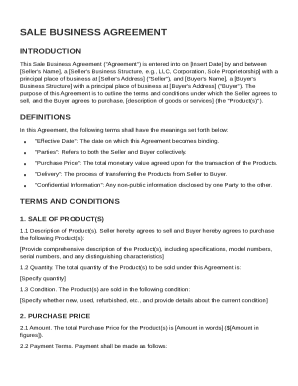
Get Sale Business Agreement Template
How it works
-

Open form follow the instructions
-

Easily sign the form with your finger
-

Send filled & signed form or save
How to fill out and sign Sale Business Agreement Template online?
Get your online template and fill it in using progressive features. Enjoy smart fillable fields and interactivity.Follow the simple instructions below:Experience all the key benefits of completing and submitting forms online. With our platform filling out Sale Business Agreement Template only takes a few minutes. We make that possible through giving you access to our full-fledged editor capable of changing/correcting a document?s initial text, inserting unique fields, and e-signing.
Execute Sale Business Agreement Template in several minutes by using the recommendations listed below:
- Select the document template you require in the library of legal form samples.
- Select the Get form key to open it and move to editing.
- Fill out the required boxes (they will be yellowish).
- The Signature Wizard will help you put your electronic autograph as soon as you?ve finished imputing info.
- Insert the date.
- Check the entire template to ensure you?ve filled out all the data and no corrections are required.
- Hit Done and save the filled out document to the device.
Send your new Sale Business Agreement Template in an electronic form when you finish completing it. Your data is well-protected, because we keep to the latest security standards. Become one of millions of happy clients who are already filling out legal documents right from their apartments.
Tips on how to fill out, edit and sign Sale Business Agreement Template online
How to fill out and sign Sale Business Agreement Template online?
Get your online template and fill it in using progressive features. Enjoy smart fillable fields and interactivity.Follow the simple instructions below:
Experience all the key benefits of completing and submitting forms online. With our platform filling out Sale Business Agreement Template only takes a few minutes. We make that possible through giving you access to our full-fledged editor capable of changing/correcting a document?s initial text, inserting unique fields, and e-signing.
Execute Sale Business Agreement Template in several minutes by using the recommendations listed below:
- Select the document template you require in the library of legal form samples.
- Select the Get form key to open it and move to editing.
- Fill out the required boxes (they will be yellowish).
- The Signature Wizard will help you put your electronic autograph as soon as you?ve finished imputing info.
- Insert the date.
- Check the entire template to ensure you?ve filled out all the data and no corrections are required.
- Hit Done and save the filled out document to the device.
Send your new Sale Business Agreement Template in an electronic form when you finish completing it. Your data is well-protected, because we keep to the latest security standards. Become one of millions of happy clients who are already filling out legal documents right from their apartments.
How to modify Sale Business Agreement Template: customize forms online
Doing documents is more comfortable with smart online instruments. Eliminate paperwork with easily downloadable Sale Business Agreement Template templates you can modify online and print.
Preparing documents and paperwork needs to be more accessible, whether it is a regular element of one’s profession or occasional work. When a person must file a Sale Business Agreement Template, studying regulations and tutorials on how to complete a form properly and what it should include might take a lot of time and effort. Nevertheless, if you find the right Sale Business Agreement Template template, completing a document will stop being a challenge with a smart editor at hand.
Discover a broader selection of features you can add to your document flow routine. No need to print, complete, and annotate forms manually. With a smart editing platform, all of the essential document processing features are always at hand. If you want to make your work process with Sale Business Agreement Template forms more efficient, find the template in the catalog, click on it, and discover a less complicated method to fill it in.
- If you need to add text in a random part of the form or insert a text field, use the Text and Text field instruments and expand the text in the form as much as you need.
- Use the Highlight tool to stress the important aspects of the form. If you need to hide or remove some text pieces, utilize the Blackout or Erase instruments.
- Customize the form by adding default graphic elements to it. Use the Circle, Check, and Cross instruments to add these components to the forms, if required.
- If you need additional annotations, use the Sticky note tool and place as many notes on the forms page as required.
- If the form requires your initials or date, the editor has instruments for that too. Reduce the risk of errors using the Initials and Date instruments.
- It is also easy to add custom graphic elements to the form. Use the Arrow, Line, and Draw instruments to customize the document.
The more instruments you are familiar with, the simpler it is to work with Sale Business Agreement Template. Try the solution that provides everything required to find and modify forms in one tab of your browser and forget about manual paperwork.
To draw up a contract of sale, ensure you outline all relevant details such as buyer and seller information, product descriptions, and payment arrangements. Be clear and thorough to prevent misunderstandings. A Sale Business Agreement Template can simplify this task, offering a ready-made structure for your contract.