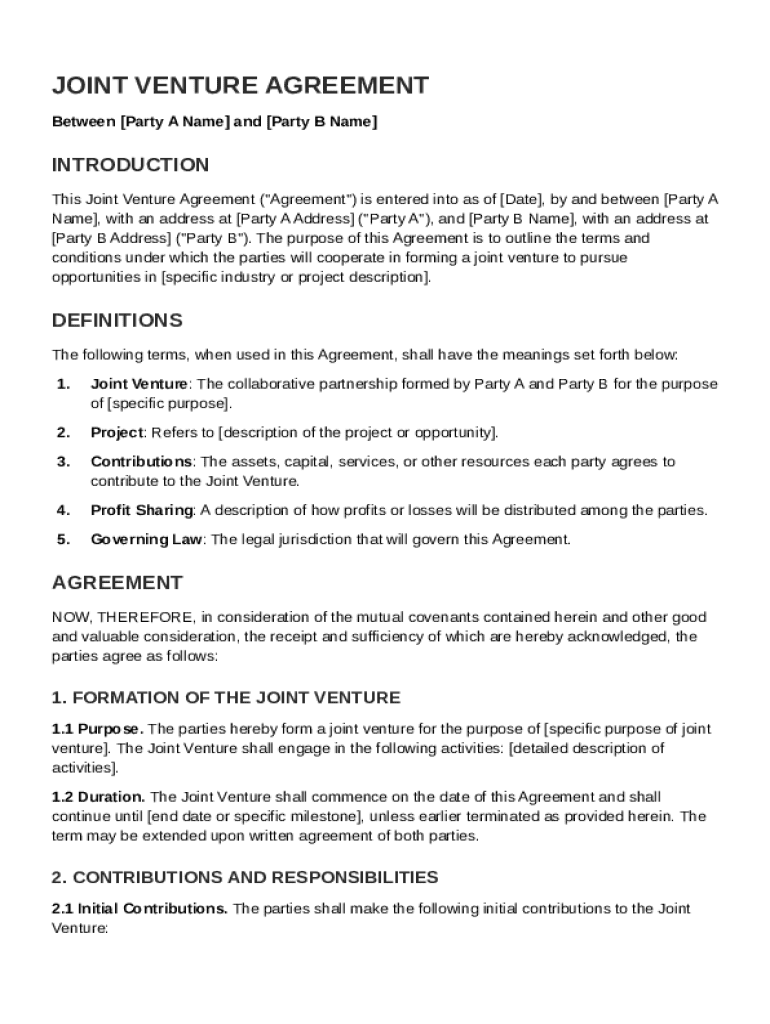
Ss at Party A Address ("Party A"), and Party B Name , with an address at Party B Address ("Party B"). The purpose of this Agreement is to outline the terms and conditions under which the parties will cooperate in forming a joint venture to pursue opportunities in specific industry or project description . DEFINITIONS The following terms, when used in this Agreement, shall have the meanings set forth below: 1. Joint Venture: The collaborative partnership formed by Party A and Party B for.

Open form follow the instructions

Easily sign the form with your finger

Send filled & signed form or save
How to fill out and sign SBA Joint Venture Agreement Template online?
Get your online template and fill it in using progressive features. Enjoy smart fillable fields and interactivity.Follow the simple instructions below:
Business, tax, legal and other electronic documents demand an advanced level of compliance with the legislation and protection. Our documents are regularly updated according to the latest amendments in legislation. Additionally, with our service, all of the data you include in the SBA Joint Venture Agreement Template is well-protected against loss or damage by means of cutting-edge file encryption.
The following tips will help you fill in SBA Joint Venture Agreement Template quickly and easily:
- Open the template in our full-fledged online editor by clicking Get form.
- Fill in the required fields which are yellow-colored.
- Click the arrow with the inscription Next to move on from box to box.
- Go to the e-signature tool to e-sign the template.
- Add the date.
- Look through the entire template to make sure you have not skipped anything.
- Press Done and save your new document.
Our platform allows you to take the entire process of executing legal papers online. For that reason, you save hours (if not days or weeks) and eliminate additional costs. From now on, fill out SBA Joint Venture Agreement Template from your home, business office, or even on the go.
Tips on how to fill out, edit and sign SBA Joint Venture Agreement Template online
How to fill and sign SBA Joint Venture Agreement Template
Get your online template and fill it in using progressive features. Enjoy smart fillable fields and interactivity.Follow the simple instructions below:
Business, tax, legal and other electronic documents demand an advanced level of compliance with the legislation and protection. Our documents are regularly updated according to the latest amendments in legislation. Additionally, with our service, all of the data you include in the SBA Joint Venture Agreement Template is well-protected against loss or damage by means of cutting-edge file encryption.
The following tips will help you fill in SBA Joint Venture Agreement Template quickly and easily:
- Open the template in our full-fledged online editor by clicking Get form.
- Fill in the required fields which are yellow-colored.
- Click the arrow with the inscription Next to move on from box to box.
- Go to the e-signature tool to e-sign the template.
- Add the date.
- Look through the entire template to make sure you have not skipped anything.
- Press Done and save your new document.
Our platform allows you to take the entire process of executing legal papers online. For that reason, you save hours (if not days or weeks) and eliminate additional costs. From now on, fill out SBA Joint Venture Agreement Template from your home, business office, or even on the go.
How to edit SBA Joint Venture Agreement Template
Use our advanced editor to transform a simple online template into a completed document. Keep reading to learn how to modify SBA Joint Venture Agreement Template online easily.
Once you find a perfect SBA Joint Venture Agreement Template, all you have to do is adjust the template to your needs or legal requirements. In addition to completing the fillable form with accurate details, you may want to delete some provisions in the document that are irrelevant to your case. On the other hand, you might want to add some missing conditions in the original form. Our advanced document editing features are the best way to fix and adjust the document.
The editor allows you to change the content of any form, even if the file is in PDF format. It is possible to add and remove text, insert fillable fields, and make further changes while keeping the initial formatting of the document. You can also rearrange the structure of the form by changing page order.
You don’t have to print the SBA Joint Venture Agreement Template to sign it. The editor comes along with electronic signature capabilities. The majority of the forms already have signature fields. So, you just need to add your signature and request one from the other signing party via email.
Follow this step-by-step guide to create your SBA Joint Venture Agreement Template:
- Open the preferred form.
- Use the toolbar to adjust the form to your preferences.
- Complete the form providing accurate information.
- Click on the signature field and add your electronic signature.
- Send the document for signature to other signers if needed.
After all parties sign the document, you will receive a signed copy which you can download, print, and share with others.
Our solutions allow you to save tons of your time and reduce the chance of an error in your documents. Improve your document workflows with efficient editing capabilities and a powerful eSignature solution.
How to fill and sign SBA Joint Venture Agreement Template
Get your online template and fill it in using progressive features. Enjoy smart fillable fields and interactivity.Follow the simple instructions below:
Business, tax, legal and other electronic documents demand an advanced level of compliance with the legislation and protection. Our documents are regularly updated according to the latest amendments in legislation. Additionally, with our service, all of the data you include in the SBA Joint Venture Agreement Template is well-protected against loss or damage by means of cutting-edge file encryption.
The following tips will help you fill in SBA Joint Venture Agreement Template quickly and easily:
- Open the template in our full-fledged online editor by clicking Get form.
- Fill in the required fields which are yellow-colored.
- Click the arrow with the inscription Next to move on from box to box.
- Go to the e-signature tool to e-sign the template.
- Add the date.
- Look through the entire template to make sure you have not skipped anything.
- Press Done and save your new document.
Our platform allows you to take the entire process of executing legal papers online. For that reason, you save hours (if not days or weeks) and eliminate additional costs. From now on, fill out SBA Joint Venture Agreement Template from your home, business office, or even on the go.
Experience a faster way to fill out and sign forms on the web. Access the most extensive library of templates available.
Related content
Jul 21, 2025 — Joint ventures allow businesses to compete together for government...
The purpose of the PA is to streamline the contract execution process between SBA, the...
Dec 22, 2023 — With respect to joint ventures,. CMMC Program requirements will apply to...
Get answers to your most pressing questions about US Legal Forms API.
How to set up a joint venture agreement?
To set up a joint venture agreement, begin by discussing your cooperation goals and determining how each party will contribute. Next, draft the agreement using a structured format that highlights responsibilities, profit sharing, and terms of dissolution. An SBA Joint Venture Agreement Template can provide the necessary groundwork for a successful partnership.
Is JV always 50/50?
A joint venture is not always 50/50; it can vary based on the negotiations between the involved parties. Different contributions and resources often lead to unequal profit sharing arrangements. An SBA Joint Venture Agreement Template helps outline these specifics to reflect the terms agreed upon, ensuring all parties understand their stakes.
How to create a joint venture agreement?
Creating a joint venture agreement involves outlining the business objectives, contributions from each party, and distribution of profits. Be sure to include clauses related to management and dispute resolution. Using an SBA Joint Venture Agreement Template can streamline this process, providing clarity and structure to your agreement.
What are the 4 types of joint ventures?
The four types of joint ventures include contractual joint ventures, equity joint ventures, limited partnerships, and strategic alliances. Each type serves different business goals and offers unique structures for cooperation. Understanding these types can help you choose the best fit for your needs, and an SBA Joint Venture Agreement Template can support this decision-making process.
What are the requirements of a joint venture agreement?
A valid joint venture agreement requires mutual consent from all parties involved, a clear purpose, and defined terms regarding contributions and profit sharing. Additionally, it should address dispute resolution and the duration of the partnership. Leveraging an SBA Joint Venture Agreement Template can help you meet these requirements effectively and ensure legal compliance.
How do you draft a joint venture agreement?
To draft a joint venture agreement, begin by defining the purpose of the joint venture and the contributions of each party. Next, outline the governance structure, decision-making processes, and financial arrangements. Utilizing an SBA Joint Venture Agreement Template simplifies this process, as it provides a clear framework to follow, ensuring you don’t miss critical elements.
What is a joint venture agreement template?
A joint venture agreement template is a structured document that outlines the terms and conditions of a partnership between two or more parties. This template serves as a guide to help you establish roles, responsibilities, and profit sharing. By using an SBA Joint Venture Agreement Template, you ensure that all essential aspects of the joint venture are covered, making the partnership smoother and more effective.
How to do a joint venture arrangement?
To arrange a joint venture, begin by identifying potential partners and discussing mutual goals. Draft a clear and detailed agreement that specifies the terms of collaboration, including contributions and responsibilities. It is advisable to seek legal counsel to ensure compliance with regulations. An SBA Joint Venture Agreement Template can streamline this process by providing an established format.
What is the standard joint venture agreement?
A standard joint venture agreement contains key components like the purpose of the venture, the scope of work, and the legal responsibilities of each party. It usually includes provisions for ownership interest and profit distribution, along with terms for dispute resolution. For those seeking a reliable structure, an SBA Joint Venture Agreement Template can offer a comprehensive framework.
What is the JV format?
A joint venture format typically includes an introductory section, definitions of terms, and specific clauses about the venture's objectives. You will find sections detailing capital contributions, management structure, and profit sharing. The format may vary based on the type of joint venture, but an SBA Joint Venture Agreement Template provides a reliable starting point with all essential sections.
Use professional pre-built templates to fill in and sign documents online faster. Get access to thousands of forms.
If you believe that this page should be taken down, please follow our DMCA take down process here.