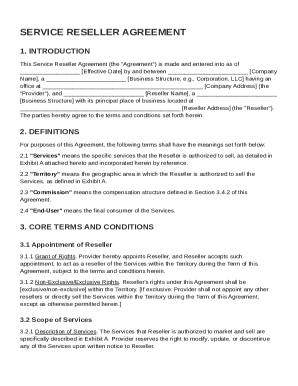
Get Service Reseller Agreement Template
How it works
-

Open form follow the instructions
-

Easily sign the form with your finger
-

Send filled & signed form or save
How to fill out and sign Service Reseller Agreement Template online?
Get your online template and fill it in using progressive features. Enjoy smart fillable fields and interactivity.Follow the simple instructions below:The days of distressing complex tax and legal documents are over. With US Legal Forms filling out official documents is anxiety-free. The leading editor is already at your fingertips supplying you with various useful tools for submitting a Service Reseller Agreement Template. The following tips, combined with the editor will guide you through the entire procedure.
- Click on the Get Form button to begin editing and enhancing.
- Activate the Wizard mode in the top toolbar to get extra suggestions.
- Fill each fillable area.
- Make sure the data you add to the Service Reseller Agreement Template is up-to-date and accurate.
- Add the date to the template using the Date tool.
- Click the Sign button and make an e-signature. You can use 3 available options; typing, drawing, or uploading one.
- Double-check each and every area has been filled in properly.
- Click Done in the top right corne to save the sample. There are many ways for getting the doc. As an instant download, an attachment in an email or through the mail as a hard copy.
We make completing any Service Reseller Agreement Template simpler. Use it now!
Tips on how to fill out, edit and sign Service Reseller Agreement Template online
How to fill out and sign Service Reseller Agreement Template online?
Get your online template and fill it in using progressive features. Enjoy smart fillable fields and interactivity.Follow the simple instructions below:
The days of distressing complex tax and legal documents are over. With US Legal Forms filling out official documents is anxiety-free. The leading editor is already at your fingertips supplying you with various useful tools for submitting a Service Reseller Agreement Template. The following tips, combined with the editor will guide you through the entire procedure.
- Click on the Get Form button to begin editing and enhancing.
- Activate the Wizard mode in the top toolbar to get extra suggestions.
- Fill each fillable area.
- Make sure the data you add to the Service Reseller Agreement Template is up-to-date and accurate.
- Add the date to the template using the Date tool.
- Click the Sign button and make an e-signature. You can use 3 available options; typing, drawing, or uploading one.
- Double-check each and every area has been filled in properly.
- Click Done in the top right corne to save the sample. There are many ways for getting the doc. As an instant download, an attachment in an email or through the mail as a hard copy.
We make completing any Service Reseller Agreement Template simpler. Use it now!
How to modify Service Reseller Agreement Template: customize forms online
Remove the mess from your paperwork routine. Discover the most effective way to find and edit, and file a Service Reseller Agreement Template
The process of preparing Service Reseller Agreement Template requires precision and focus, especially from those who are not well familiar with this kind of job. It is important to get a suitable template and fill it in with the correct information. With the proper solution for handling paperwork, you can get all the instruments at hand. It is easy to simplify your editing process without learning additional skills. Identify the right sample of Service Reseller Agreement Template and fill it out instantly without switching between your browser tabs. Discover more instruments to customize your Service Reseller Agreement Template form in the editing mode.
While on the Service Reseller Agreement Template page, simply click the Get form button to start editing it. Add your information to the form on the spot, as all the needed instruments are at hand right here. The sample is pre-designed, so the work needed from the user is minimal. Just use the interactive fillable fields in the editor to easily complete your paperwork. Simply click on the form and proceed to the editor mode straight away. Complete the interactive field, and your document is all set.
Try out more instruments to customize your form:
- Place more text around the document if needed. Use the Text and Text Box instruments to insert text in a separate box.
- Add pre-designed graphic elements like Circle, Cross, and Check with respective instruments.
- If needed, capture or upload images to the document with the Image tool.
- If you need to draw something in the document, use Line, Arrow, and Draw instruments.
- Try the Highlight, Erase, and Blackout tools to change the text in the document.
- If you need to add comments to specific document sections, click the Sticky tool and place a note where you want.
Sometimes, a small error can ruin the whole form when someone completes it manually. Forget about inaccuracies in your paperwork. Find the samples you need in moments and finish them electronically via a smart editing solution.
To set up as a reseller, identify the products you want to sell and find a supplier willing to provide them. After finalizing your supplier, create a reseller agreement to detail your obligations and rights. A Service Reseller Agreement Template can provide a solid framework for your new partnership.