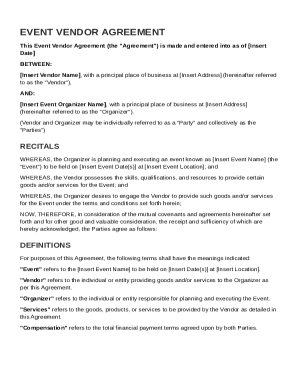
Ss (hereinafter referred to as the "Vendor"), AND: Insert Event Organizer Name , with a principal place of business at Insert Address (hereinafter referred to as the "Organizer"). (Vendor and Organizer may be individually referred to as a "Party" and collectively as the "Parties") RECITALS WHEREAS, the Organizer is planning and executing an event known as Insert Event Name (the "Event") to be held on Insert Event Date(s) at Insert Event Location ; and WHEREAS, the Vendor possesses the.
Open form follow the instructions
Easily sign the form with your finger
Send filled & signed form or save
How to fill out and sign Event Vendor Agreement Template online?
Get your online template and fill it in using progressive features. Enjoy smart fillable fields and interactivity.Follow the simple instructions below:
The days of terrifying complicated legal and tax documents are over. With US Legal Forms the whole process of submitting official documents is anxiety-free. A powerhouse editor is right at your fingertips offering you a wide range of advantageous tools for submitting a Event Vendor Agreement Template. The following tips, combined with the editor will help you through the complete procedure.
- Click on the Get Form option to begin modifying.
- Turn on the Wizard mode on the top toolbar to get extra pieces of advice.
- Fill in every fillable field.
- Make sure the information you add to the Event Vendor Agreement Template is up-to-date and correct.
- Add the date to the record with the Date tool.
- Click on the Sign tool and create an electronic signature. You can use three options; typing, drawing, or capturing one.
- Make certain every field has been filled in properly.
- Select Done in the top right corne to save the file. There are various choices for receiving the doc. As an instant download, an attachment in an email or through the mail as a hard copy.
We make completing any Event Vendor Agreement Template simpler. Start now!
Tips on how to fill out, edit and sign Event Vendor Agreement Template online
How to fill and sign Event Vendor Agreement Template
Get your online template and fill it in using progressive features. Enjoy smart fillable fields and interactivity.Follow the simple instructions below:
The days of terrifying complicated legal and tax documents are over. With US Legal Forms the whole process of submitting official documents is anxiety-free. A powerhouse editor is right at your fingertips offering you a wide range of advantageous tools for submitting a Event Vendor Agreement Template. The following tips, combined with the editor will help you through the complete procedure.
- Click on the Get Form option to begin modifying.
- Turn on the Wizard mode on the top toolbar to get extra pieces of advice.
- Fill in every fillable field.
- Make sure the information you add to the Event Vendor Agreement Template is up-to-date and correct.
- Add the date to the record with the Date tool.
- Click on the Sign tool and create an electronic signature. You can use three options; typing, drawing, or capturing one.
- Make certain every field has been filled in properly.
- Select Done in the top right corne to save the file. There are various choices for receiving the doc. As an instant download, an attachment in an email or through the mail as a hard copy.
We make completing any Event Vendor Agreement Template simpler. Start now!
How to edit Event Vendor Agreement Template
Your easily editable and customizable Event Vendor Agreement Template template is within easy reach. Take advantage of our library with a built-in online editor.
Do you postpone preparing Event Vendor Agreement Template because you simply don't know where to begin and how to move forward? We understand your feelings and have an excellent tool for you that has nothing nothing to do with fighting your procrastination!
Our online catalog of ready-to-edit templates allows you to sort through and select from thousands of fillable forms adapted for various use cases and scenarios. But obtaining the document is just scratching the surface. We offer you all the needed features to complete, certfy, and change the form of your choosing without leaving our website.
All you need to do is to open the form in the editor. Check the verbiage of Event Vendor Agreement Template and confirm whether it's what you’re looking for. Begin modifying the template by using the annotation features to give your form a more organized and neater look.
- Add checkmarks, circles, arrows and lines.
- Highlight, blackout, and correct the existing text.
- If the form is meant for other users too, you can add fillable fields and share them for others to complete.
- As soon as you’re done modifying the template, you can get the file in any available format or pick any sharing or delivery options.
Summing up, along with Event Vendor Agreement Template, you'll get:
- A robust suite of editing} and annotation features.
- A built-in legally-binding eSignature solution.
- The option to create documents from scratch or based on the pre-uploaded template.
- Compatibility with various platforms and devices for greater convenience.
- Numerous possibilities for safeguarding your files.
- An array of delivery options for more frictionless sharing and sending out files.
- Compliance with eSignature laws regulating the use of eSignature in electronic transactions.
With our full-featured solution, your completed documents will almost always be lawfully binding and fully encrypted. We make certain to shield your most vulnerable information.
Get all it takes to make a professional-searching Event Vendor Agreement Template. Make the correct choice and check out our foundation now!
How to fill and sign Event Vendor Agreement Template
Get your online template and fill it in using progressive features. Enjoy smart fillable fields and interactivity.Follow the simple instructions below:
The days of terrifying complicated legal and tax documents are over. With US Legal Forms the whole process of submitting official documents is anxiety-free. A powerhouse editor is right at your fingertips offering you a wide range of advantageous tools for submitting a Event Vendor Agreement Template. The following tips, combined with the editor will help you through the complete procedure.
- Click on the Get Form option to begin modifying.
- Turn on the Wizard mode on the top toolbar to get extra pieces of advice.
- Fill in every fillable field.
- Make sure the information you add to the Event Vendor Agreement Template is up-to-date and correct.
- Add the date to the record with the Date tool.
- Click on the Sign tool and create an electronic signature. You can use three options; typing, drawing, or capturing one.
- Make certain every field has been filled in properly.
- Select Done in the top right corne to save the file. There are various choices for receiving the doc. As an instant download, an attachment in an email or through the mail as a hard copy.
We make completing any Event Vendor Agreement Template simpler. Start now!
Experience a faster way to fill out and sign forms on the web. Access the most extensive library of templates available.
Related content
Required for ALL vendors participating in an event. Event Name: Business: Contact Name:...
Either party may terminate this Agreement with thirty (30) days prior written notice to...
Mar 24, 2022 — Discover the essential components of a robust consulting agreement. Learn...
Get answers to your most pressing questions about US Legal Forms API.
How do you write an event contract?
To write an event contract, start with essential details, including the date, location, and nature of the event. Incorporate the Event Vendor Agreement Template to effectively outline the roles, responsibilities, and expectations for all parties involved. Be sure to include cancellation policies, payment schedules, and liabilities to protect everyone involved. After drafting the contract, have all parties review it to confirm understanding and consent.
How do you write a vendor agreement?
Writing a vendor agreement begins with identifying the key components, such as the parties involved, services offered, and payment terms. Use the Event Vendor Agreement Template to help structure your agreement, ensuring that all critical details are included. Clearly define any legal obligations and expected outcomes to avoid misunderstandings later on. Finally, review the agreement with all parties before finalizing it to ensure clarity and mutual agreement.
How to prepare for an event as a vendor?
Preparing for an event as a vendor involves several steps. First, you should understand your target audience and the venue layout to effectively showcase your offerings. Next, ensure you have the necessary supplies and staff ready, and familiarize yourself with your Event Vendor Agreement Template to secure your rights and responsibilities. Lastly, practice your pitch and have promotional materials ready to engage attendees effectively.
How to fill out a contract agreement?
To fill out a contract agreement, start by clearly stating the parties involved, including names and contact information. Next, outline the terms and conditions, specifying what services will be provided, payment details, and any timelines. The Event Vendor Agreement Template can guide you in detailing these aspects and protecting both parties involved. Always review your agreement before signing to ensure all information is accurate and comprehensive.
How do I make my own agreement?
Making your own agreement involves identifying the key elements that should be included, such as obligations, payment terms, and event details. An Event Vendor Agreement Template can provide a solid framework for you to customize according to your specific needs. This allows you to create an agreement that is both clear and comprehensive.
How to create a vendor agreement?
To create a vendor agreement, gather relevant information about the services you need and the vendor’s terms. Refer to an Event Vendor Agreement Template for guidance on structure and necessary components. This method not only simplifies the process but also ensures that critical details are not overlooked.
What is a standard vendor agreement?
A standard vendor agreement typically includes essential components like service descriptions, payment schedules, and terms for termination. It serves as a benchmark for businesses to establish consistent agreements with vendors. Using an Event Vendor Agreement Template can help you draft a well-structured standard contract that meets your event's requirements.
How to create a contract for an event?
To create an event contract, identify the services you need and outline the terms of agreement with the vendor. Utilizing an Event Vendor Agreement Template is an excellent way to ensure you cover all necessary details. Remember to include payment conditions, deadlines, and cancellation policies to protect yourself and your event.
How do vendor agreements work?
Vendor agreements outline the relationship between you and the vendor, detailing what each party is expected to fulfill. These agreements become enforceable contracts once both parties sign them. An Event Vendor Agreement Template helps clarify roles and responsibilities, making the process smoother and avoiding potential disputes.
How do I create a vendor agreement?
Creating a vendor agreement involves outlining the services you require and specifying the expectations for both parties. You can start with an Event Vendor Agreement Template to guide you through this process. By personalizing the template to include specific details about your event, you can establish clear guidelines and protect your interests.
Use professional pre-built templates to fill in and sign documents online faster. Get access to thousands of forms.
If you believe that this page should be taken down, please follow our DMCA take down process here.