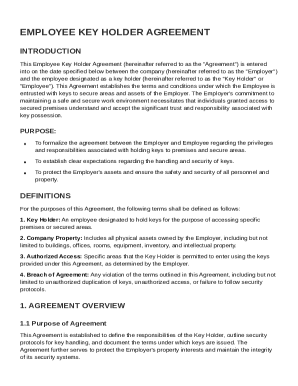
Get Employee Key Holder Agreement Template
How it works
-

Open form follow the instructions
-

Easily sign the form with your finger
-

Send filled & signed form or save
How to fill out and sign Employee Key Holder Agreement Template online?
Get your online template and fill it in using progressive features. Enjoy smart fillable fields and interactivity.Follow the simple instructions below:Getting a legal professional, making an appointment and going to the workplace for a personal conference makes finishing a Employee Key Holder Agreement Template from beginning to end tiring. US Legal Forms enables you to quickly generate legally valid documents according to pre-created web-based samples.
Perform your docs within a few minutes using our simple step-by-step guideline:
- Find the Employee Key Holder Agreement Template you want.
- Open it up with cloud-based editor and start altering.
- Fill the blank fields; engaged parties names, places of residence and numbers etc.
- Customize the blanks with unique fillable fields.
- Put the particular date and place your electronic signature.
- Click Done following double-examining all the data.
- Save the ready-created papers to your device or print it out like a hard copy.
Swiftly create a Employee Key Holder Agreement Template without needing to involve experts. There are already more than 3 million customers making the most of our unique catalogue of legal forms. Join us today and gain access to the #1 library of web templates. Try it yourself!
Tips on how to fill out, edit and sign Employee Key Holder Agreement Template online
How to fill out and sign Employee Key Holder Agreement Template online?
Get your online template and fill it in using progressive features. Enjoy smart fillable fields and interactivity.Follow the simple instructions below:
Getting a legal professional, making an appointment and going to the workplace for a personal conference makes finishing a Employee Key Holder Agreement Template from beginning to end tiring. US Legal Forms enables you to quickly generate legally valid documents according to pre-created web-based samples.
Perform your docs within a few minutes using our simple step-by-step guideline:
- Find the Employee Key Holder Agreement Template you want.
- Open it up with cloud-based editor and start altering.
- Fill the blank fields; engaged parties names, places of residence and numbers etc.
- Customize the blanks with unique fillable fields.
- Put the particular date and place your electronic signature.
- Click Done following double-examining all the data.
- Save the ready-created papers to your device or print it out like a hard copy.
Swiftly create a Employee Key Holder Agreement Template without needing to involve experts. There are already more than 3 million customers making the most of our unique catalogue of legal forms. Join us today and gain access to the #1 library of web templates. Try it yourself!
How to edit Employee Key Holder Agreement Template: customize forms online
Select a rock-solid document editing option you can rely on. Modify, execute, and sign Employee Key Holder Agreement Template safely online.
Too often, modifying forms, like Employee Key Holder Agreement Template, can be a challenge, especially if you received them in a digital format but don’t have access to specialized software. Of course, you can find some workarounds to get around it, but you risk getting a form that won't fulfill the submission requirements. Using a printer and scanner isn’t an option either because it's time- and resource-consuming.
We offer a simpler and more streamlined way of modifying forms. A comprehensive catalog of document templates that are straightforward to edit and certify, to make fillable for other people. Our solution extends way beyond a collection of templates. One of the best aspects of utilizing our services is that you can revise Employee Key Holder Agreement Template directly on our website.
Since it's an online-based platform, it spares you from having to download any computer software. Plus, not all corporate policies allow you to install it on your corporate laptop. Here's how you can effortlessly and safely execute your paperwork with our solution.
- Hit the Get Form > you’ll be instantly redirected to our editor.
- As soon as opened, you can start the editing process.
- Choose checkmark or circle, line, arrow and cross and other choices to annotate your form.
- Pick the date field to add a particular date to your document.
- Add text boxes, images and notes and more to complement the content.
- Use the fillable fields option on the right to create fillable {fields.
- Choose Sign from the top toolbar to create and create your legally-binding signature.
- Click DONE and save, print, and pass around or download the end {file.
Say goodbye to paper and other ineffective methods for modifying your Employee Key Holder Agreement Template or other files. Use our tool instead that combines one of the richest libraries of ready-to-customize forms and a robust document editing services. It's easy and safe, and can save you lots of time! Don’t take our word for it, give it a try yourself!
Creating a simple contract agreement involves drafting a document that defines the terms and conditions of the agreement clearly. Include parties' names, specific duties, deadlines, and compensation. For guidance on elements to include, refer to an Employee Key Holder Agreement Template that showcases how to effectively structure your contract.