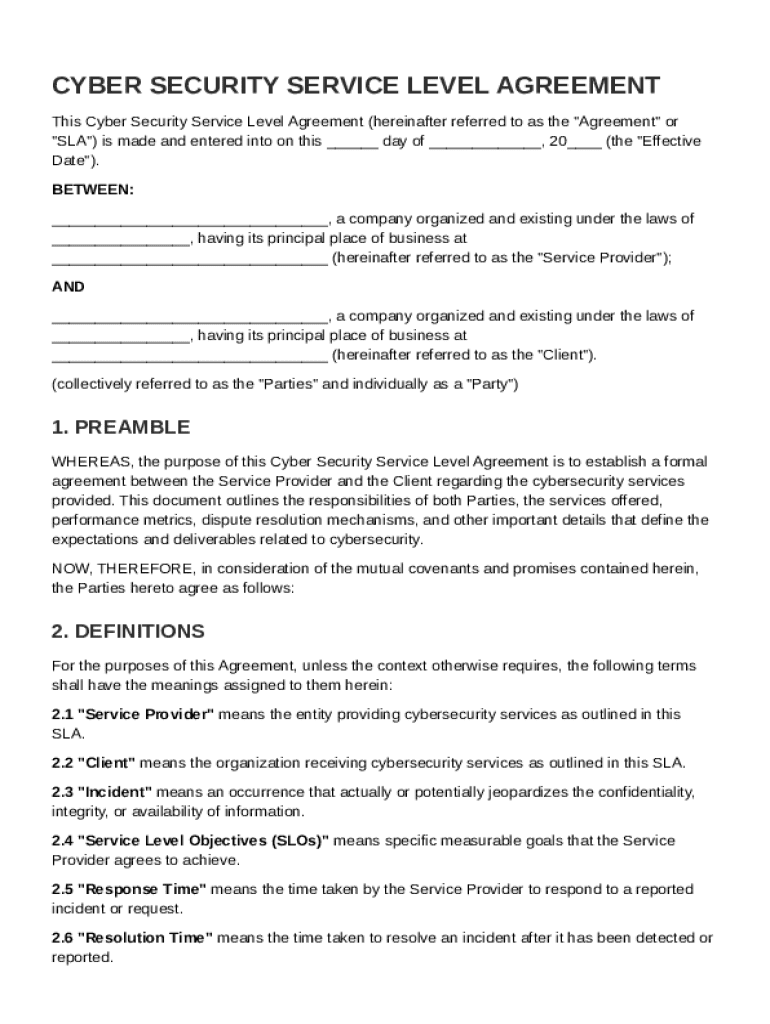
He "Effective Date"). BETWEEN: , a company organized and existing under the laws of , having its principal place of business at (hereinafter referred to as the "Service Provider"); AND , a company organized and existing under the laws of , having its principal place of business at (hereinafter referred to as the "Client"). (collectively.

Open form follow the instructions

Easily sign the form with your finger

Send filled & signed form or save
How to fill out and sign Cyber Security Service Level Agreement Template online?
Get your online template and fill it in using progressive features. Enjoy smart fillable fields and interactivity.Follow the simple instructions below:
The times of frightening complicated tax and legal documents have ended. With US Legal Forms filling out legal documents is anxiety-free. A powerhouse editor is already close at hand providing you with multiple beneficial tools for filling out a Cyber Security Service Level Agreement Template. These tips, along with the editor will assist you with the entire process.
- Select the Get Form button to begin modifying.
- Activate the Wizard mode in the top toolbar to have more pieces of advice.
- Complete each fillable field.
- Ensure the details you fill in Cyber Security Service Level Agreement Template is updated and correct.
- Indicate the date to the record with the Date function.
- Click the Sign button and create an electronic signature. You can use 3 available choices; typing, drawing, or uploading one.
- Make sure that each and every area has been filled in correctly.
- Click Done in the top right corne to save the template. There are several alternatives for receiving the doc. An attachment in an email or through the mail as a hard copy, as an instant download.
We make completing any Cyber Security Service Level Agreement Template easier. Start now!
Tips on how to fill out, edit and sign Cyber Security Service Level Agreement Template online
How to fill and sign Cyber Security Service Level Agreement Template
Get your online template and fill it in using progressive features. Enjoy smart fillable fields and interactivity.Follow the simple instructions below:
The times of frightening complicated tax and legal documents have ended. With US Legal Forms filling out legal documents is anxiety-free. A powerhouse editor is already close at hand providing you with multiple beneficial tools for filling out a Cyber Security Service Level Agreement Template. These tips, along with the editor will assist you with the entire process.
- Select the Get Form button to begin modifying.
- Activate the Wizard mode in the top toolbar to have more pieces of advice.
- Complete each fillable field.
- Ensure the details you fill in Cyber Security Service Level Agreement Template is updated and correct.
- Indicate the date to the record with the Date function.
- Click the Sign button and create an electronic signature. You can use 3 available choices; typing, drawing, or uploading one.
- Make sure that each and every area has been filled in correctly.
- Click Done in the top right corne to save the template. There are several alternatives for receiving the doc. An attachment in an email or through the mail as a hard copy, as an instant download.
We make completing any Cyber Security Service Level Agreement Template easier. Start now!
How to edit Cyber Security Service Level Agreement Template
Completing documents is easy with smart online tools. Get rid of paperwork with easily downloadable Cyber Security Service Level Agreement Template templates you can edit online and print.
Preparing papers and paperwork needs to be more reachable, whether it is a day-to-day part of one’s profession or occasional work. When a person must file a Cyber Security Service Level Agreement Template, studying regulations and guides on how to complete a form properly and what it should include might take a lot of time and effort. Nevertheless, if you find the proper Cyber Security Service Level Agreement Template template, finishing a document will stop being a struggle with a smart editor at hand.
Discover a wider variety of features you can add to your document flow routine. No need to print, fill out, and annotate forms manually. With a smart editing platform, all of the essential document processing features are always at hand. If you want to make your work process with Cyber Security Service Level Agreement Template forms more efficient, find the template in the catalog, select it, and discover a simpler way to fill it in.
- If you need to add text in a random area of the form or insert a text field, use the Text and Text field instruments and expand the text in the form as much as you require.
- Use the Highlight instrument to stress the key parts of the form. If you need to hide or remove some text parts, use the Blackout or Erase tools.
- Customize the form by adding default graphic components to it. Use the Circle, Check, and Cross tools to add these elements to the forms, if required.
- If you need additional annotations, make use of the Sticky note resource and put as many notes on the forms page as required.
- If the form needs your initials or date, the editor has tools for that too. Minimize the risk of errors using the Initials and Date instruments.
- It is also easy to add custom visual components to the form. Use the Arrow, Line, and Draw tools to customize the file.
The more tools you are familiar with, the easier it is to work with Cyber Security Service Level Agreement Template. Try the solution that offers everything required to find and edit forms in a single tab of your browser and forget about manual paperwork.
How to fill and sign Cyber Security Service Level Agreement Template
Get your online template and fill it in using progressive features. Enjoy smart fillable fields and interactivity.Follow the simple instructions below:
The times of frightening complicated tax and legal documents have ended. With US Legal Forms filling out legal documents is anxiety-free. A powerhouse editor is already close at hand providing you with multiple beneficial tools for filling out a Cyber Security Service Level Agreement Template. These tips, along with the editor will assist you with the entire process.
- Select the Get Form button to begin modifying.
- Activate the Wizard mode in the top toolbar to have more pieces of advice.
- Complete each fillable field.
- Ensure the details you fill in Cyber Security Service Level Agreement Template is updated and correct.
- Indicate the date to the record with the Date function.
- Click the Sign button and create an electronic signature. You can use 3 available choices; typing, drawing, or uploading one.
- Make sure that each and every area has been filled in correctly.
- Click Done in the top right corne to save the template. There are several alternatives for receiving the doc. An attachment in an email or through the mail as a hard copy, as an instant download.
We make completing any Cyber Security Service Level Agreement Template easier. Start now!
Experience a faster way to fill out and sign forms on the web. Access the most extensive library of templates available.
Related content
Adheres to all related policies, processes, and procedures with special emphasis on IT...
Northwestern IT (NUIT) agrees to provide Endpoint device management and support as a...
Dell Technologies Services is pleased to provide Endpoint security implementation service...
Get answers to your most pressing questions about US Legal Forms API.
How do you write a simple service level agreement?
Writing a simple service level agreement involves summarizing the services, expectations, and obligations in straightforward terms. Be clear about response times, uptime guarantees, and penalties for non-compliance. Using a Cyber Security Service Level Agreement Template can streamline this process, ensuring that all necessary information is covered comprehensively.
What is SLA P1, P2, P3, P4?
SLA P1, P2, P3, and P4 refer to different priority levels in service agreements, indicating the severity and urgency of issues. P1 typically represents critical outages requiring immediate attention, while P4 may cover low-impact issues. Incorporating these tiers in a Cyber Security Service Level Agreement Template can help clarify response timelines and responsibilities.
Can SLAs be customized?
Yes, SLAs can and should be customized to meet the specific needs of your organization. Each business has unique requirements, and a tailored service level agreement can address particular concerns. By using a Cyber Security Service Level Agreement Template, you can easily modify terms to align with organizational goals and service standards.
How to write a service level agreement template?
To write a service level agreement template, start by outlining the key components such as objectives, performance measures, and liabilities. Include specific terms that relate to the cybersecurity services provided. A Cyber Security Service Level Agreement Template serves as an excellent foundation, allowing you to adapt it to your unique requirements efficiently.
What is an example of a service level agreement?
An example of a service level agreement is a contract that specifies the guaranteed uptime for a cybersecurity service, such as 99.9% availability. It often includes response times for incidents or breaches. Adopting a well-structured Cyber Security Service Level Agreement Template can provide consistency in these commitments.
What is SLA in cybersecurity?
An SLA, or Service Level Agreement, in cybersecurity establishes clear expectations regarding service delivery and performance. It defines the quality, availability, and responsibilities for managing cybersecurity services. Utilizing a Cyber Security Service Level Agreement Template can help ensure all critical elements are addressed effectively.
How to write a simple service agreement?
To write a simple service agreement, start by outlining the services provided, along with a detailed scope. Clearly define the roles and responsibilities of all parties involved. You should also include timelines and payment terms, ensuring that the Cyber Security Service Level Agreement Template reflects your organization’s needs.
How to create SLA in Excel?
To create an SLA in Excel, begin by setting up a spreadsheet that includes columns for metrics, responsibilities, and performance targets. You can use a Cyber Security Service Level Agreement Template as a guideline, adjusting the information according to your specific requirements. This method allows for easy tracking and modification of service levels over time, ensuring clarity in performance expectations.
How to create an SLA document?
Creating an SLA document starts with gathering all necessary information about service expectations, performance indicators, and penalties for failure to meet those standards. You can either draft it from scratch or use a Cyber Security Service Level Agreement Template to ensure you cover all critical elements effectively. This document serves as a vital reference for both parties throughout your business relationship.
How do I create SLA?
To create an SLA, begin by outlining the services being provided, including performance metrics and reporting procedures. Clearly detail the expectations from both the service provider and the client. Leveraging a Cyber Security Service Level Agreement Template can streamline the creation process, allowing you to focus on customizing important aspects relevant to your organization.
Use professional pre-built templates to fill in and sign documents online faster. Get access to thousands of forms.
If you believe that this page should be taken down, please follow our DMCA take down process here.