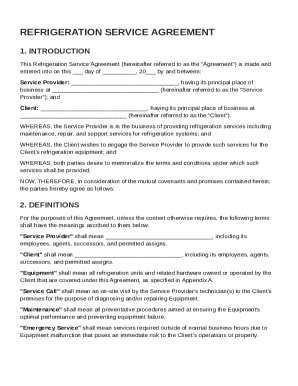
Get Refrigeration Service Agreement Template
How it works
-

Open form follow the instructions
-

Easily sign the form with your finger
-

Send filled & signed form or save
How to fill out and sign Refrigeration Service Agreement Template online?
Get your online template and fill it in using progressive features. Enjoy smart fillable fields and interactivity.Follow the simple instructions below:The preparing of legal paperwork can be costly and time-ingesting. However, with our predesigned web templates, things get simpler. Now, working with a Refrigeration Service Agreement Template takes at most 5 minutes. Our state-specific browser-based samples and simple instructions eliminate human-prone faults.
Adhere to our easy steps to get your Refrigeration Service Agreement Template well prepared rapidly:
- Select the template from the library.
- Complete all required information in the necessary fillable fields. The easy-to-use drag&drop user interface allows you to add or relocate areas.
- Check if everything is completed appropriately, without any typos or absent blocks.
- Apply your electronic signature to the page.
- Click on Done to confirm the changes.
- Save the papers or print out your PDF version.
- Send instantly to the recipient.
Make use of the quick search and innovative cloud editor to produce an accurate Refrigeration Service Agreement Template. Get rid of the routine and create papers on the web!
Tips on how to fill out, edit and sign Refrigeration Service Agreement Template online
How to fill out and sign Refrigeration Service Agreement Template online?
Get your online template and fill it in using progressive features. Enjoy smart fillable fields and interactivity.Follow the simple instructions below:
The preparing of legal paperwork can be costly and time-ingesting. However, with our predesigned web templates, things get simpler. Now, working with a Refrigeration Service Agreement Template takes at most 5 minutes. Our state-specific browser-based samples and simple instructions eliminate human-prone faults.
Adhere to our easy steps to get your Refrigeration Service Agreement Template well prepared rapidly:
- Select the template from the library.
- Complete all required information in the necessary fillable fields. The easy-to-use drag&drop user interface allows you to add or relocate areas.
- Check if everything is completed appropriately, without any typos or absent blocks.
- Apply your electronic signature to the page.
- Click on Done to confirm the changes.
- Save the papers or print out your PDF version.
- Send instantly to the recipient.
Make use of the quick search and innovative cloud editor to produce an accurate Refrigeration Service Agreement Template. Get rid of the routine and create papers on the web!
How to modify Refrigeration Service Agreement Template: customize forms online
Check out a standalone service to manage all of your paperwork effortlessly. Find, modify, and finish your Refrigeration Service Agreement Template in a single interface with the help of smart tools.
The days when people needed to print forms or even write them by hand are gone. These days, all it takes to get and finish any form, such as Refrigeration Service Agreement Template, is opening just one browser tab. Here, you can find the Refrigeration Service Agreement Template form and customize it any way you need, from inserting the text directly in the document to drawing it on a digital sticky note and attaching it to the document. Discover tools that will streamline your paperwork without extra effort.
Just click the Get form button to prepare your Refrigeration Service Agreement Template paperwork rapidly and start modifying it instantly. In the editing mode, you can easily complete the template with your details for submission. Simply click on the field you need to modify and enter the information right away. The editor's interface does not demand any specific skills to use it. When done with the edits, check the information's accuracy once more and sign the document. Click on the signature field and follow the instructions to eSign the form in a moment.
Use More tools to customize your form:
- Use Cross, Check, or Circle tools to pinpoint the document's data.
- Add text or fillable text fields with text customization tools.
- Erase, Highlight, or Blackout text blocks in the document using corresponding tools.
- Add a date, initials, or even an image to the document if necessary.
- Use the Sticky note tool to annotate the form.
- Use the Arrow and Line, or Draw tool to add graphic components to your document.
Preparing Refrigeration Service Agreement Template paperwork will never be confusing again if you know where to find the suitable template and prepare it easily. Do not hesitate to try it yourself.
Filling out a service contract involves inserting relevant details such as services, timelines, payments, and signatures. Ensure all parties understand their roles and obligations before finalizing the contract. Utilizing a Refrigeration Service Agreement Template can simplify this process, ensuring you do not overlook any crucial information.