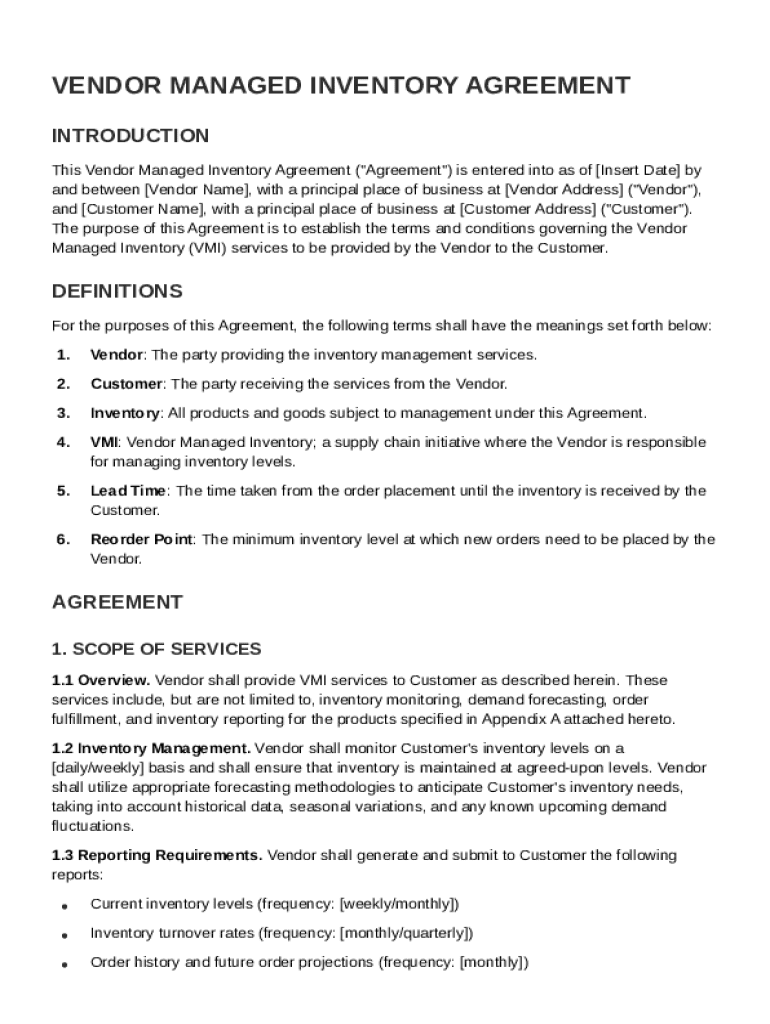
T Vendor Address ("Vendor"), and Customer Name , with a principal place of business at Customer Address ("Customer"). The purpose of this Agreement is to establish the terms and conditions governing the Vendor Managed Inventory (VMI) services to be provided by the Vendor to the Customer. DEFINITIONS For the purposes of this Agreement, the following terms shall have the meanings set forth below: 1. Vendor: The party providing the inventory management services. 2. Customer: The party rece.

Open form follow the instructions

Easily sign the form with your finger

Send filled & signed form or save
How to fill out and sign Vendor Managed Inventory Agreement Template online?
Get your online template and fill it in using progressive features. Enjoy smart fillable fields and interactivity.Follow the simple instructions below:
Tax, legal, business and other documents need an advanced level of protection and compliance with the law. Our templates are regularly updated in accordance with the latest legislative changes. Plus, with us, all of the info you provide in the Vendor Managed Inventory Agreement Template is well-protected against loss or damage by means of top-notch file encryption.
The tips below will help you fill out Vendor Managed Inventory Agreement Template easily and quickly:
- Open the document in the full-fledged online editor by clicking on Get form.
- Fill out the required fields which are yellow-colored.
- Press the green arrow with the inscription Next to jump from one field to another.
- Go to the e-autograph tool to add an electronic signature to the template.
- Put the relevant date.
- Read through the entire e-document to ensure that you haven?t skipped anything important.
- Hit Done and download the resulting template.
Our service allows you to take the whole process of executing legal papers online. Consequently, you save hours (if not days or even weeks) and get rid of unnecessary costs. From now on, submit Vendor Managed Inventory Agreement Template from your home, office, or even while on the go.
Tips on how to fill out, edit and sign Vendor Managed Inventory Agreement Template online
How to fill and sign Vendor Managed Inventory Agreement Template
Get your online template and fill it in using progressive features. Enjoy smart fillable fields and interactivity.Follow the simple instructions below:
Tax, legal, business and other documents need an advanced level of protection and compliance with the law. Our templates are regularly updated in accordance with the latest legislative changes. Plus, with us, all of the info you provide in the Vendor Managed Inventory Agreement Template is well-protected against loss or damage by means of top-notch file encryption.
The tips below will help you fill out Vendor Managed Inventory Agreement Template easily and quickly:
- Open the document in the full-fledged online editor by clicking on Get form.
- Fill out the required fields which are yellow-colored.
- Press the green arrow with the inscription Next to jump from one field to another.
- Go to the e-autograph tool to add an electronic signature to the template.
- Put the relevant date.
- Read through the entire e-document to ensure that you haven?t skipped anything important.
- Hit Done and download the resulting template.
Our service allows you to take the whole process of executing legal papers online. Consequently, you save hours (if not days or even weeks) and get rid of unnecessary costs. From now on, submit Vendor Managed Inventory Agreement Template from your home, office, or even while on the go.
How to edit Vendor Managed Inventory Agreement Template
Choose the right Vendor Managed Inventory Agreement Template template and modify it on the spot. Simplify your paperwork with a smart document editing solution for online forms.
Your everyday workflow with paperwork and forms can be more effective when you have all you need in one place. For instance, you can find, obtain, and modify Vendor Managed Inventory Agreement Template in one browser tab. Should you need a specific Vendor Managed Inventory Agreement Template, you can easily find it with the help of the smart search engine and access it immediately. You don’t have to download it or search for a third-party editor to modify it and add your details. All the resources for productive work go in one packaged solution.
This modifying solution allows you to personalize, fill, and sign your Vendor Managed Inventory Agreement Template form right on the spot. Once you see a proper template, click on it to go to the modifying mode. Once you open the form in the editor, you have all the essential instruments at your fingertips. It is easy to fill in the dedicated fields and erase them if necessary with the help of a simple yet multifunctional toolbar. Apply all the modifications immediately, and sign the form without leaving the tab by simply clicking the signature field. After that, you can send or print your file if necessary.
Make more custom edits with available instruments.
- Annotate your file using the Sticky note tool by putting a note at any spot within the document.
- Add required visual elements, if required, with the Circle, Check, or Cross instruments.
- Modify or add text anywhere in the document using Texts and Text box instruments. Add content with the Initials or Date tool.
- Modify the template text using the Highlight and Blackout, or Erase instruments.
- Add custom visual elements using the Arrow and Line, or Draw tools.
Discover new options in streamlined and trouble-free paperwork. Find the Vendor Managed Inventory Agreement Template you need in minutes and fill it out in in the same tab. Clear the mess in your paperwork once and for all with the help of online forms.
How to fill and sign Vendor Managed Inventory Agreement Template
Get your online template and fill it in using progressive features. Enjoy smart fillable fields and interactivity.Follow the simple instructions below:
Tax, legal, business and other documents need an advanced level of protection and compliance with the law. Our templates are regularly updated in accordance with the latest legislative changes. Plus, with us, all of the info you provide in the Vendor Managed Inventory Agreement Template is well-protected against loss or damage by means of top-notch file encryption.
The tips below will help you fill out Vendor Managed Inventory Agreement Template easily and quickly:
- Open the document in the full-fledged online editor by clicking on Get form.
- Fill out the required fields which are yellow-colored.
- Press the green arrow with the inscription Next to jump from one field to another.
- Go to the e-autograph tool to add an electronic signature to the template.
- Put the relevant date.
- Read through the entire e-document to ensure that you haven?t skipped anything important.
- Hit Done and download the resulting template.
Our service allows you to take the whole process of executing legal papers online. Consequently, you save hours (if not days or even weeks) and get rid of unnecessary costs. From now on, submit Vendor Managed Inventory Agreement Template from your home, office, or even while on the go.
Experience a faster way to fill out and sign forms on the web. Access the most extensive library of templates available.
Related content
This Inventory Management Agreement (“Agreement”) is entered into as of the earliest...
Vendor must include in its contracts with subcontractors an early termination provision in...
These documents provide a template for the provision of aeronautical information with...
Get answers to your most pressing questions about US Legal Forms API.
What is the difference between VMI and 3PL?
Vendor managed inventory (VMI) focuses on the vendor taking control of inventory levels while 3PL, or third-party logistics, provides a range of logistics services, including warehousing and transportation. In VMI, the relationship is closely aligned around inventory management. Understanding these differences is crucial, and utilizing a Vendor Managed Inventory Agreement Template can help clarify roles in either arrangement.
How do you write a vendor agreement?
Writing a vendor agreement requires clear definitions and terms that protect both parties involved. Start by outlining the scope of services, roles, and responsibilities, as well as payment terms. Using a Vendor Managed Inventory Agreement Template can guide you through this process, ensuring you cover all necessary components effectively.
What is a vendor managed inventory agreement?
A vendor managed inventory agreement is a document that details the terms and conditions under which the vendor oversees inventory for a customer. This agreement typically includes inventory thresholds, ordering processes, and responsibilities of both parties. A well-crafted Vendor Managed Inventory Agreement Template is essential for establishing clear guidelines and expectations.
What is an example of vendor managed inventory?
An example of vendor managed inventory can be seen in retail settings where a supplier manages stock levels within a retailer's location. The vendor monitors sales data and stock levels, automatically restocking items as needed. Employing a Vendor Managed Inventory Agreement Template can help define the terms of such an arrangement, fostering a collaborative relationship.
What is a VMI agreement?
A VMI agreement is a contractual framework that outlines the arrangements between a vendor and a customer regarding inventory management. This agreement details how inventory levels will be monitored, replenished, and managed. Utilizing a Vendor Managed Inventory Agreement Template simplifies the process, ensuring all essential aspects are covered.
What is vendor managed inventory?
Vendor managed inventory is a supply chain practice where the vendor assumes responsibility for managing and replenishing inventory. This arrangement relies on data shared between the vendor and the customer to maintain optimal stock levels. By adopting a Vendor Managed Inventory Agreement Template, businesses can formalize this partnership, gaining clarity on roles and expectations.
What is the purpose of VMI?
The primary purpose of vendor managed inventory is to streamline the supply chain process. VMI allows the vendor to take control of inventory levels based on agreed-upon parameters. This collaboration minimizes stockouts and excess inventory, ultimately enhancing the efficiency of both the vendor and customer operations.
How to do vendor managed inventory?
To implement vendor managed inventory effectively, you first need to establish clear communication with your vendor. This process involves sharing inventory data and sales forecasts, enabling the vendor to manage stock levels. By utilizing a Vendor Managed Inventory Agreement Template, you can ensure both parties have a mutual understanding of responsibilities and expectations.
Is VMI the same as consignment?
Vendor managed inventory (VMI) and consignment are different concepts, though they share some similarities. VMI allows the vendor to control and manage inventory levels based on sales data, while consignment means the retailer only pays for goods once they are sold. Both approaches have their advantages, but it's essential to use a Vendor Managed Inventory Agreement Template to clarify the specific terms and conditions relevant to your situation.
How to make a vendor agreement?
Creating a vendor agreement involves outlining the terms and conditions of the relationship between you and the supplier. Start by defining roles, responsibilities, and expectations for both parties. Don't forget to include important details like payment terms, duration, and dispute resolution methods. Using a Vendor Managed Inventory Agreement Template can simplify this process significantly.
Use professional pre-built templates to fill in and sign documents online faster. Get access to thousands of forms.
If you believe that this page should be taken down, please follow our DMCA take down process here.