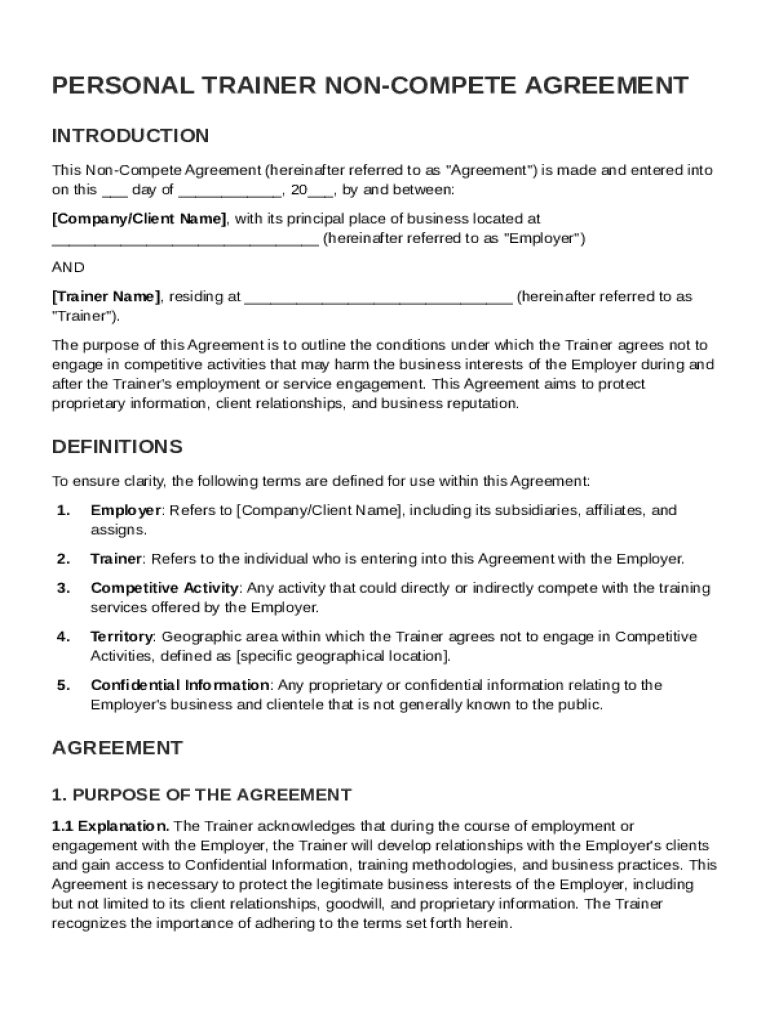
Company/Client Name , with its principal place of business located at (hereinafter referred to as "Employer") AND Trainer Name , residing at (hereinafter referred to as "Trainer"). The purpose of this Agreement is to outline the conditions under which the Trainer agrees not to engage in competitive activities that may harm the business interests of the Employer during and after the Trainer's employment or service engagement. This A.
Loading

Open form follow the instructions

Easily sign the form with your finger

Send filled & signed form or save
How to fill out and sign Personal Trainer Non Compete Agreement Template online?
Get your online template and fill it in using progressive features. Enjoy smart fillable fields and interactivity.Follow the simple instructions below:
Finding a authorized expert, making a scheduled visit and going to the business office for a private meeting makes finishing a Personal Trainer Non Compete Agreement Template from start to finish stressful. US Legal Forms lets you quickly produce legally valid documents according to pre-constructed browser-based samples.
Execute your docs within a few minutes using our straightforward step-by-step guide:
- Find the Personal Trainer Non Compete Agreement Template you want.
- Open it using the online editor and start editing.
- Complete the empty fields; engaged parties names, places of residence and phone numbers etc.
- Change the blanks with exclusive fillable fields.
- Include the date and place your electronic signature.
- Click Done following double-checking all the data.
- Save the ready-made document to your gadget or print it as a hard copy.
Swiftly generate a Personal Trainer Non Compete Agreement Template without having to involve professionals. We already have over 3 million users taking advantage of our unique catalogue of legal documents. Join us right now and gain access to the top catalogue of web blanks. Give it a try yourself!
Tips on how to fill out, edit and sign Personal Trainer Non Compete Agreement Template online
How to fill and sign Personal Trainer Non Compete Agreement Template
Get your online template and fill it in using progressive features. Enjoy smart fillable fields and interactivity.Follow the simple instructions below:
Finding a authorized expert, making a scheduled visit and going to the business office for a private meeting makes finishing a Personal Trainer Non Compete Agreement Template from start to finish stressful. US Legal Forms lets you quickly produce legally valid documents according to pre-constructed browser-based samples.
Execute your docs within a few minutes using our straightforward step-by-step guide:
- Find the Personal Trainer Non Compete Agreement Template you want.
- Open it using the online editor and start editing.
- Complete the empty fields; engaged parties names, places of residence and phone numbers etc.
- Change the blanks with exclusive fillable fields.
- Include the date and place your electronic signature.
- Click Done following double-checking all the data.
- Save the ready-made document to your gadget or print it as a hard copy.
Swiftly generate a Personal Trainer Non Compete Agreement Template without having to involve professionals. We already have over 3 million users taking advantage of our unique catalogue of legal documents. Join us right now and gain access to the top catalogue of web blanks. Give it a try yourself!
How to edit Personal Trainer Non Compete Agreement Template
Put the right document management tools at your fingertips. Complete Personal Trainer Non Compete Agreement Template with our reliable solution that combines editing and eSignature functionality}.
If you want to execute and certify Personal Trainer Non Compete Agreement Template online without hassle, then our online cloud-based solution is the way to go. We provide a rich template-based library of ready-to-use paperwork you can change and fill out online. In addition, you don't need to print out the document or use third-party options to make it fillable. All the needed features will be readily available at your disposal as soon as you open the document in the editor.
Let’s examine our online editing tools and their main features. The editor has a self-explanatory interface, so it won't require much time to learn how to use it. We’ll check out three major parts that let you:
- Edit and annotate the template
- Organize your documents
- Prepare them for sharing
The top toolbar comes with the features that help you highlight and blackout text, without photos and graphical aspects (lines, arrows and checkmarks etc.), add your signature to, initialize, date the form, and more.
Use the toolbar on the left if you would like to re-order the form or/and delete pages.
If you want to make the template fillable for others and share it, you can use the tools on the right and insert various fillable fields, signature and date, text box, etc.).
Apart from the functionality mentioned above, you can shield your document with a password, add a watermark, convert the document to the needed format, and much more.
Our editor makes completing and certifying the Personal Trainer Non Compete Agreement Template very simple. It enables you to make virtually everything when it comes to working with forms. Moreover, we always make sure that your experience working with files is protected and compliant with the main regulatory standards. All these factors make using our tool even more pleasant.
Get Personal Trainer Non Compete Agreement Template, make the needed edits and tweaks, and download it in the preferred file format. Give it a try today!
How to fill and sign Personal Trainer Non Compete Agreement Template
Get your online template and fill it in using progressive features. Enjoy smart fillable fields and interactivity.Follow the simple instructions below:
Finding a authorized expert, making a scheduled visit and going to the business office for a private meeting makes finishing a Personal Trainer Non Compete Agreement Template from start to finish stressful. US Legal Forms lets you quickly produce legally valid documents according to pre-constructed browser-based samples.
Execute your docs within a few minutes using our straightforward step-by-step guide:
- Find the Personal Trainer Non Compete Agreement Template you want.
- Open it using the online editor and start editing.
- Complete the empty fields; engaged parties names, places of residence and phone numbers etc.
- Change the blanks with exclusive fillable fields.
- Include the date and place your electronic signature.
- Click Done following double-checking all the data.
- Save the ready-made document to your gadget or print it as a hard copy.
Swiftly generate a Personal Trainer Non Compete Agreement Template without having to involve professionals. We already have over 3 million users taking advantage of our unique catalogue of legal documents. Join us right now and gain access to the top catalogue of web blanks. Give it a try yourself!
Experience a faster way to fill out and sign forms on the web. Access the most extensive library of templates available.
Related content
This Non-Competition Agreement (the “Non-Competition Agreement”), effective as of...
We study the effects of non-competition agreements by analyzing time series and...
Lenovo's Code of Conduct is a commitment to ethical business, legal compliance, and...
Get answers to your most pressing questions about US Legal Forms API.
Is there any way around a non-compete agreement?
There are several ways to potentially work around a non-compete agreement, including reviewing the contract for loopholes or negotiating for a release. Consulting a lawyer can also provide strategies tailored to your situation. Additionally, employing a Personal Trainer Non Compete Agreement Template can help you anticipate issues when drafting your agreements, making it easier to avoid restrictive clauses in the first place.
How to get around non-compete clause?
Getting around a non-compete clause often requires careful navigation of the agreement's terms. Some strategies include negotiating with your employer for clarity or proposing changes. If you find yourself needing to bypass a non-compete clause, consulting a legal professional can provide insights, and additionally, using a Personal Trainer Non Compete Agreement Template may help you draft agreements that are less constraining.
How do you write a non-compete agreement?
Writing a non-compete agreement requires you to specify the parties involved, the duration of the restriction, and the geographical area. Make sure to include clauses that detail the types of activities that are prohibited post-employment. To simplify the process, you can utilize a Personal Trainer Non Compete Agreement Template, which can help guide you through essential elements.
How to make a contract as a personal trainer?
Creating a contract as a personal trainer involves outlining your services, payment terms, and expectations for both you and your clients. Include a section on confidentiality and, if necessary, a non-compete clause using a Personal Trainer Non Compete Agreement Template. This ensures that both parties understand their rights and responsibilities clearly.
How to write a non-compete clause?
To write a non-compete clause, clearly define the scope of the restriction, including the specific activities you want to limit. Ensure the duration and geographic area are reasonable to enforce the agreement effectively. You can use a Personal Trainer Non Compete Agreement Template to outline these details, making it easier to create a fair and comprehensive clause that protects your interests.
Can a personal trainer be a freelancer?
Yes, a personal trainer can operate as a freelancer, providing services independently. This allows for flexibility and the ability to work with multiple clients. However, utilizing a Personal Trainer Non Compete Agreement Template can safeguard your business interests and clarify the terms of your client relationships.
Use professional pre-built templates to fill in and sign documents online faster. Get access to thousands of forms.
If you believe that this page should be taken down, please follow our DMCA take down process here.