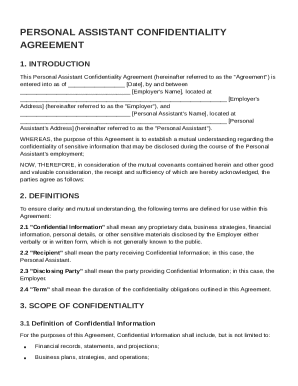
Get Personal Assistant Confidentiality Agreement Template
How it works
-

Open form follow the instructions
-

Easily sign the form with your finger
-

Send filled & signed form or save
How to fill out and sign Personal Assistant Confidentiality Agreement Template online?
Get your online template and fill it in using progressive features. Enjoy smart fillable fields and interactivity.Follow the simple instructions below:Legal, business, tax as well as other documents demand higher of compliance with the legislation and protection. Our forms are updated on a regular basis according to the latest amendments in legislation. Plus, with us, all of the data you provide in your Personal Assistant Confidentiality Agreement Template is protected against loss or damage through cutting-edge encryption.
The tips below will allow you to fill in Personal Assistant Confidentiality Agreement Template easily and quickly:
- Open the form in the feature-rich online editing tool by clicking Get form.
- Fill out the requested fields which are yellow-colored.
- Hit the green arrow with the inscription Next to jump from box to box.
- Go to the e-signature tool to add an electronic signature to the form.
- Add the relevant date.
- Double-check the whole document to be sure that you haven?t skipped anything important.
- Press Done and save the resulting template.
Our service allows you to take the whole procedure of completing legal documents online. As a result, you save hours (if not days or even weeks) and get rid of additional payments. From now on, complete Personal Assistant Confidentiality Agreement Template from your home, workplace, or even while on the go.
Tips on how to fill out, edit and sign Personal Assistant Confidentiality Agreement Template online
How to fill out and sign Personal Assistant Confidentiality Agreement Template online?
Get your online template and fill it in using progressive features. Enjoy smart fillable fields and interactivity.Follow the simple instructions below:
Legal, business, tax as well as other documents demand higher of compliance with the legislation and protection. Our forms are updated on a regular basis according to the latest amendments in legislation. Plus, with us, all of the data you provide in your Personal Assistant Confidentiality Agreement Template is protected against loss or damage through cutting-edge encryption.
The tips below will allow you to fill in Personal Assistant Confidentiality Agreement Template easily and quickly:
- Open the form in the feature-rich online editing tool by clicking Get form.
- Fill out the requested fields which are yellow-colored.
- Hit the green arrow with the inscription Next to jump from box to box.
- Go to the e-signature tool to add an electronic signature to the form.
- Add the relevant date.
- Double-check the whole document to be sure that you haven?t skipped anything important.
- Press Done and save the resulting template.
Our service allows you to take the whole procedure of completing legal documents online. As a result, you save hours (if not days or even weeks) and get rid of additional payments. From now on, complete Personal Assistant Confidentiality Agreement Template from your home, workplace, or even while on the go.
How to edit Personal Assistant Confidentiality Agreement Template: customize forms online
Make the most of our powerful online document editor while completing your forms. Fill out the Personal Assistant Confidentiality Agreement Template, indicate the most significant details, and easily make any other essential changes to its content.
Completing paperwork electronically is not only time-saving but also comes with a possibility to alter the sample according to your requirements. If you’re about to manage the Personal Assistant Confidentiality Agreement Template, consider completing it with our comprehensive online editing solutions. Whether you make a typo or enter the requested details into the wrong area, you can easily make adjustments to the form without the need to restart it from the beginning as during manual fill-out. Aside from that, you can point out the essential information in your paperwork by highlighting specific pieces of content with colors, underlining them, or circling them.
Adhere to these simple and quick steps to complete and adjust your Personal Assistant Confidentiality Agreement Template online:
- Open the form in the editor.
- Provide the necessary information in the empty areas using Text, Check, and Cross tools.
- Follow the form navigation not to miss any required areas in the sample.
- Circle some of the crucial details and add a URL to it if necessary.
- Use the Highlight or Line tools to emphasize the most significant facts.
- Select colors and thickness for these lines to make your sample look professional.
- Erase or blackout the facts you don’t want to be visible to others.
- Replace pieces of content containing mistakes and type in text that you need.
- End up editing with the Done key once you ensure everything is correct in the form.
Our robust online solutions are the most effective way to fill out and customize Personal Assistant Confidentiality Agreement Template in accordance with your requirements. Use it to prepare personal or professional paperwork from anywhere. Open it in a browser, make any alterations in your documents, and get back to them at any moment in the future - they all will be securely kept in the cloud.
Filling out a confidentiality agreement involves carefully entering the names of the parties, defining the confidential information, and outlining the terms of the agreement. Be sure to specify the duration of the confidentiality obligation. A Personal Assistant Confidentiality Agreement Template can streamline this process, ensuring all necessary information is included effectively.