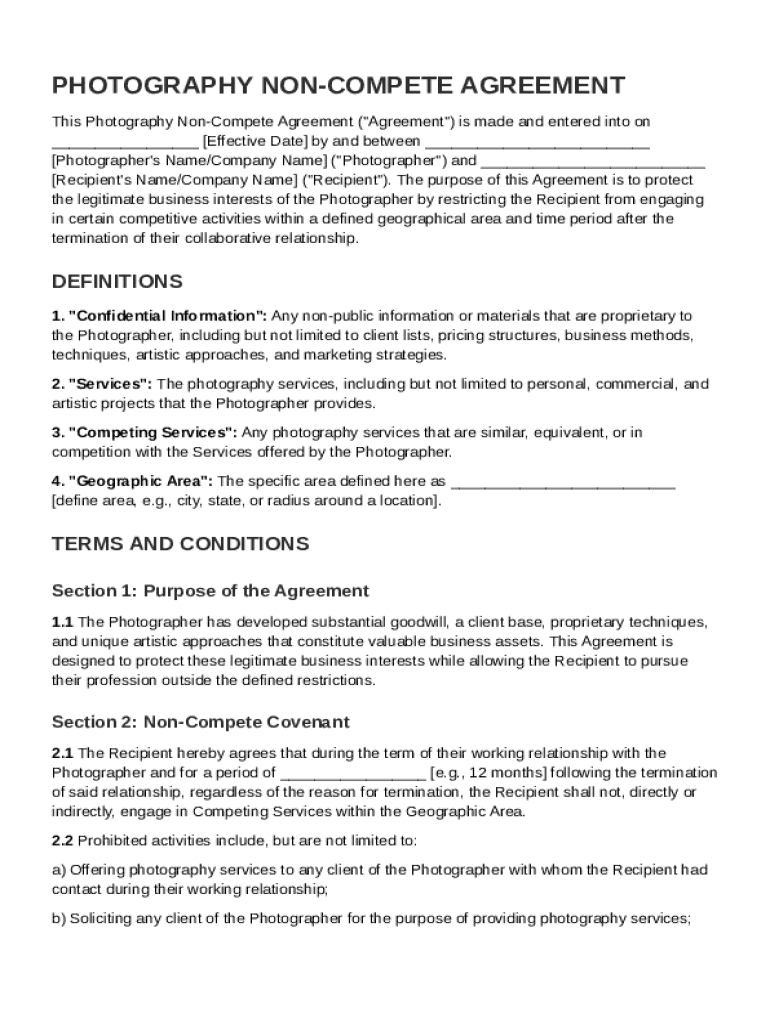
Rapher's Name/Company Name ("Photographer") and Recipient's Name/Company Name ("Recipient"). The purpose of this Agreement is to protect the legitimate business interests of the Photographer by restricting the Recipient from engaging in certain competitive activities within a defined geographical area and time period after the termination of their collaborative relationship. DEFINITIONS 1. "Confidential Information": Any non-public information or materials that are.
Loading

Open form follow the instructions

Easily sign the form with your finger

Send filled & signed form or save
How to fill out and sign Photography Non Compete Agreement Template online?
Get your online template and fill it in using progressive features. Enjoy smart fillable fields and interactivity.Follow the simple instructions below:
Legal, business, tax and other e-documents require higher of protection and compliance with the law. Our forms are updated on a regular basis in accordance with the latest amendments in legislation. Plus, with our service, all the data you provide in your Photography Non Compete Agreement Template is protected against leakage or damage via industry-leading encryption.
The tips below will allow you to fill out Photography Non Compete Agreement Template easily and quickly:
- Open the form in the feature-rich online editor by hitting Get form.
- Fill in the requested boxes which are yellow-colored.
- Press the green arrow with the inscription Next to jump from one field to another.
- Go to the e-signature tool to e-sign the form.
- Put the relevant date.
- Check the whole template to make sure you have not skipped anything important.
- Hit Done and download your new template.
Our platform allows you to take the entire process of completing legal forms online. Consequently, you save hours (if not days or even weeks) and eliminate unnecessary expenses. From now on, fill out Photography Non Compete Agreement Template from the comfort of your home, place of work, or even on the move.
Tips on how to fill out, edit and sign Photography Non Compete Agreement Template online
How to fill and sign Photography Non Compete Agreement Template
Get your online template and fill it in using progressive features. Enjoy smart fillable fields and interactivity.Follow the simple instructions below:
Legal, business, tax and other e-documents require higher of protection and compliance with the law. Our forms are updated on a regular basis in accordance with the latest amendments in legislation. Plus, with our service, all the data you provide in your Photography Non Compete Agreement Template is protected against leakage or damage via industry-leading encryption.
The tips below will allow you to fill out Photography Non Compete Agreement Template easily and quickly:
- Open the form in the feature-rich online editor by hitting Get form.
- Fill in the requested boxes which are yellow-colored.
- Press the green arrow with the inscription Next to jump from one field to another.
- Go to the e-signature tool to e-sign the form.
- Put the relevant date.
- Check the whole template to make sure you have not skipped anything important.
- Hit Done and download your new template.
Our platform allows you to take the entire process of completing legal forms online. Consequently, you save hours (if not days or even weeks) and eliminate unnecessary expenses. From now on, fill out Photography Non Compete Agreement Template from the comfort of your home, place of work, or even on the move.
How to edit Photography Non Compete Agreement Template
Take full advantage of our comprehensive online document editor while completing your paperwork. Complete the Photography Non Compete Agreement Template, point out the most important details, and easily make any other necessary changes to its content.
Preparing documentation electronically is not only time-saving but also gives a possibility to modify the sample according to your requirements. If you’re about to manage the Photography Non Compete Agreement Template, consider completing it with our comprehensive online editing tools. Whether you make an error or enter the requested details into the wrong area, you can rapidly make adjustments to the form without the need to restart it from the beginning as during manual fill-out. Besides that, you can stress on the vital data in your paperwork by highlighting particular pieces of content with colors, underlining them, or circling them.
Adhere to these simple and quick steps to complete and adjust your Photography Non Compete Agreement Template online:
- Open the form in the editor.
- Type in the necessary information in the blank areas using Text, Check, and Cross tools.
- Follow the document navigation not to miss any essential areas in the sample.
- Circle some of the critical details and add a URL to it if necessary.
- Use the Highlight or Line options to stress on the most important facts.
- Choose colors and thickness for these lines to make your form look professional.
- Erase or blackout the data you don’t want to be visible to others.
- Replace pieces of content that contain errors and type in text that you need.
- Finish modifcations with the Done option once you make certain everything is correct in the document.
Our robust online solutions are the simplest way to complete and customize Photography Non Compete Agreement Template based on your needs. Use it to manage personal or professional documentation from anywhere. Open it in a browser, make any changes in your forms, and get back to them at any time in the future - they all will be securely stored in the cloud.
How to fill and sign Photography Non Compete Agreement Template
Get your online template and fill it in using progressive features. Enjoy smart fillable fields and interactivity.Follow the simple instructions below:
Legal, business, tax and other e-documents require higher of protection and compliance with the law. Our forms are updated on a regular basis in accordance with the latest amendments in legislation. Plus, with our service, all the data you provide in your Photography Non Compete Agreement Template is protected against leakage or damage via industry-leading encryption.
The tips below will allow you to fill out Photography Non Compete Agreement Template easily and quickly:
- Open the form in the feature-rich online editor by hitting Get form.
- Fill in the requested boxes which are yellow-colored.
- Press the green arrow with the inscription Next to jump from one field to another.
- Go to the e-signature tool to e-sign the form.
- Put the relevant date.
- Check the whole template to make sure you have not skipped anything important.
- Hit Done and download your new template.
Our platform allows you to take the entire process of completing legal forms online. Consequently, you save hours (if not days or even weeks) and eliminate unnecessary expenses. From now on, fill out Photography Non Compete Agreement Template from the comfort of your home, place of work, or even on the move.
Experience a faster way to fill out and sign forms on the web. Access the most extensive library of templates available.
Related content
This Confidentiality, Non-Solicitation and Non-Compete Agreement (the “Agreement”)...
by NB ENGER · 1985 · Cited by 6 — The article discusses noncompete agreements where...
Do not make agreements with competitors. No employee should enter into an agreement or...
Get answers to your most pressing questions about US Legal Forms API.
What should be included in a photography contract?
In a photography contract, include essential elements such as project description, payment structure, licensing rights, and the number of edits clients will receive. It’s also crucial to specify cancellation terms and any additional fees that may apply. These details help maintain transparency and improve client satisfaction. Utilizing a Photography Non Compete Agreement Template can further protect your work and business.
What to include in a photography shoot plan?
A photography shoot plan should include details such as location, timeline, equipment needed, and subjects being photographed. It’s also beneficial to outline any necessary permissions or permits required for the shoot. Having these elements in place leads to a smoother process and better outcomes. Don’t forget to protect your interests with a Photography Non Compete Agreement Template if collaborating with others.
How do you write a non-compete agreement?
Writing a non-compete agreement involves clearly defining the limitations on work and specifying the duration and geographic area of the agreement. State the reasons behind the need for such a clause, and ensure it adheres to local laws. You might find a Photography Non Compete Agreement Template useful to ensure that your document is comprehensive and enforceable.
What should I include in a photography contract?
When drafting a photography contract, include details such as project scope, payment terms, copyright ownership, and cancellation policies. It's essential to be as specific as possible to prevent misunderstandings. Additionally, consider the inclusion of a Photography Non Compete Agreement Template to address confidentiality and competition issues.
Can I write my own photography contract?
Absolutely, you can write your own photography contract. It's important to ensure that the contract covers all relevant aspects, such as payment terms, usage rights, and delivery timelines. Using a professional template can simplify this process and help you avoid common pitfalls. A Photography Non Compete Agreement Template can also be a valuable asset in this regard.
How to get around a non-compete clause?
Navigating a non-compete clause can be tricky, but there are strategies you can employ. One option is to negotiate the terms directly with your employer to arrive at a mutually beneficial agreement. Alternatively, look for loopholes that may allow you to work in similar fields without violation. Always consult with legal professionals, especially when utilizing a Photography Non Compete Agreement Template.
Do I need a contract for photography?
Yes, having a contract for photography is essential. A clear contract protects both you and your clients by outlining expectations and deliverables. It ensures that both parties understand their rights and responsibilities. Consider using a Photography Non Compete Agreement Template to safeguard your interests.
How to create a non-compete agreement?
Creating a non-compete agreement involves outlining the terms that restrict a party from engaging in similar business activities. First, decide the scope, duration, and geographical limits of the agreement. To simplify this process, consider using a Photography Non Compete Agreement Template from US Legal Forms, which guides you through the necessary components and ensures legal compliance.
Where can I find my non-compete agreement?
You can find your non-compete agreement by checking your email, contract folders, or business records. If you do not have a draft or need a fresh start, a Photography Non Compete Agreement Template is available online. Utilizing services like US Legal Forms can streamline the process, providing you with easy access to the right templates that suit your specific needs.
Use professional pre-built templates to fill in and sign documents online faster. Get access to thousands of forms.
If you believe that this page should be taken down, please follow our DMCA take down process here.