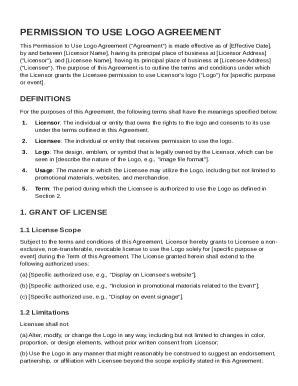
Get Permission To Logo Agreement Template
How it works
-

Open form follow the instructions
-

Easily sign the form with your finger
-

Send filled & signed form or save
How to fill out and sign Permission To Logo Agreement Template online?
Get your online template and fill it in using progressive features. Enjoy smart fillable fields and interactivity.Follow the simple instructions below:Are you still searching for a quick and efficient tool to complete Permission To Logo Agreement Template at a reasonable cost? Our platform gives you an extensive library of templates that are available for completing online. It takes only a few minutes.
Keep to these simple actions to get Permission To Logo Agreement Template prepared for submitting:
- Select the form you will need in the library of legal templates.
- Open the form in the online editor.
- Go through the recommendations to determine which information you have to provide.
- Select the fillable fields and put the necessary information.
- Add the date and place your electronic signature as soon as you fill in all other boxes.
- Look at the form for misprints along with other errors. If you necessity to change something, our online editor along with its wide range of tools are at your disposal.
- Download the filled out template to your computer by hitting Done.
- Send the e-form to the parties involved.
Filling in Permission To Logo Agreement Template does not have to be complicated anymore. From now on comfortably cope with it from home or at your workplace from your mobile device or desktop.
Tips on how to fill out, edit and sign Permission To Logo Agreement Template online
How to fill out and sign Permission To Logo Agreement Template online?
Get your online template and fill it in using progressive features. Enjoy smart fillable fields and interactivity.Follow the simple instructions below:
Are you still searching for a quick and efficient tool to complete Permission To Logo Agreement Template at a reasonable cost? Our platform gives you an extensive library of templates that are available for completing online. It takes only a few minutes.
Keep to these simple actions to get Permission To Logo Agreement Template prepared for submitting:
- Select the form you will need in the library of legal templates.
- Open the form in the online editor.
- Go through the recommendations to determine which information you have to provide.
- Select the fillable fields and put the necessary information.
- Add the date and place your electronic signature as soon as you fill in all other boxes.
- Look at the form for misprints along with other errors. If you necessity to change something, our online editor along with its wide range of tools are at your disposal.
- Download the filled out template to your computer by hitting Done.
- Send the e-form to the parties involved.
Filling in Permission To Logo Agreement Template does not have to be complicated anymore. From now on comfortably cope with it from home or at your workplace from your mobile device or desktop.
How to edit Permission To Logo Agreement Template: customize forms online
Remove the mess from your paperwork routine. Discover the simplest way to find and edit, and file a Permission To Logo Agreement Template
The process of preparing Permission To Logo Agreement Template demands accuracy and attention, especially from those who are not well familiar with this sort of job. It is important to find a suitable template and fill it in with the correct information. With the proper solution for handling documents, you can get all the instruments at hand. It is simple to streamline your editing process without learning new skills. Find the right sample of Permission To Logo Agreement Template and fill it out right away without switching between your browser tabs. Discover more tools to customize your Permission To Logo Agreement Template form in the modifying mode.
While on the Permission To Logo Agreement Template page, click on the Get form button to start modifying it. Add your data to the form on the spot, as all the necessary instruments are at hand right here. The sample is pre-designed, so the effort required from the user is minimal. Simply use the interactive fillable fields in the editor to easily complete your paperwork. Simply click on the form and proceed to the editor mode immediately. Fill out the interactive field, and your document is all set.
Try more tools to customize your form:
- Place more textual content around the document if needed. Use the Text and Text Box tools to insert text in a separate box.
- Add pre-designed graphic elements like Circle, Cross, and Check with respective tools.
- If needed, capture or upload images to the document with the Image tool.
- If you need to draw something in the document, use Line, Arrow, and Draw tools.
- Try the Highlight, Erase, and Blackout tools to customize the text in the document.
- If you need to add comments to specific document sections, click on the Sticky tool and place a note where you want.
Often, a small error can ruin the whole form when someone fills it by hand. Forget about inaccuracies in your paperwork. Find the templates you need in moments and complete them electronically using a smart modifying solution.
Creating a copyright agreement involves clearly defining the terms under which the logo can be used and outlining the rights of both parties. Start by specifying who owns the logo and under what conditions you are permitted to use it. It is wise to incorporate terms of use, duration, and any limitations. A Permission To Logo Agreement Template can serve as a solid base for drafting your agreement.