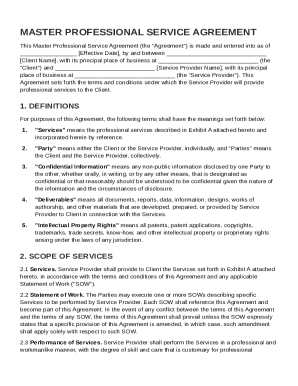
Get Master Professional Service Agreement Template
How it works
-

Open form follow the instructions
-

Easily sign the form with your finger
-

Send filled & signed form or save
How to fill out and sign Master Professional Service Agreement Template online?
Get your online template and fill it in using progressive features. Enjoy smart fillable fields and interactivity.Follow the simple instructions below:The days of distressing complex legal and tax documents are over. With US Legal Forms the whole process of creating legal documents is anxiety-free. The leading editor is right close at hand supplying you with a wide variety of useful tools for filling out a Master Professional Service Agreement Template. These guidelines, in addition to the editor will assist you with the entire procedure.
- Click on the orange Get Form option to start modifying.
- Turn on the Wizard mode on the top toolbar to have additional suggestions.
- Fill each fillable area.
- Ensure that the info you fill in Master Professional Service Agreement Template is updated and correct.
- Include the date to the record with the Date feature.
- Select the Sign icon and create an e-signature. You will find three available alternatives; typing, drawing, or uploading one.
- Be sure that every field has been filled in properly.
- Select Done in the top right corne to save and send or download the form. There are several ways for receiving the doc. As an instant download, an attachment in an email or through the mail as a hard copy.
We make completing any Master Professional Service Agreement Template more straightforward. Get started now!
Tips on how to fill out, edit and sign Master Professional Service Agreement Template online
How to fill out and sign Master Professional Service Agreement Template online?
Get your online template and fill it in using progressive features. Enjoy smart fillable fields and interactivity.Follow the simple instructions below:
The days of distressing complex legal and tax documents are over. With US Legal Forms the whole process of creating legal documents is anxiety-free. The leading editor is right close at hand supplying you with a wide variety of useful tools for filling out a Master Professional Service Agreement Template. These guidelines, in addition to the editor will assist you with the entire procedure.
- Click on the orange Get Form option to start modifying.
- Turn on the Wizard mode on the top toolbar to have additional suggestions.
- Fill each fillable area.
- Ensure that the info you fill in Master Professional Service Agreement Template is updated and correct.
- Include the date to the record with the Date feature.
- Select the Sign icon and create an e-signature. You will find three available alternatives; typing, drawing, or uploading one.
- Be sure that every field has been filled in properly.
- Select Done in the top right corne to save and send or download the form. There are several ways for receiving the doc. As an instant download, an attachment in an email or through the mail as a hard copy.
We make completing any Master Professional Service Agreement Template more straightforward. Get started now!
How to edit Master Professional Service Agreement Template: customize forms online
Completing paperwork is more comfortable with smart online instruments. Eliminate paperwork with easily downloadable Master Professional Service Agreement Template templates you can edit online and print.
Preparing documents and forms should be more reachable, whether it is a day-to-day element of one’s job or occasional work. When a person must file a Master Professional Service Agreement Template, studying regulations and instructions on how to complete a form properly and what it should include might take a lot of time and effort. Nevertheless, if you find the right Master Professional Service Agreement Template template, completing a document will stop being a struggle with a smart editor at hand.
Discover a wider selection of features you can add to your document flow routine. No need to print, complete, and annotate forms manually. With a smart modifying platform, all the essential document processing features will always be at hand. If you want to make your work process with Master Professional Service Agreement Template forms more efficient, find the template in the catalog, select it, and discover a simpler method to fill it in.
- If you want to add text in a random area of the form or insert a text field, use the Text and Text field tools and expand the text in the form as much as you want.
- Use the Highlight instrument to stress the main parts of the form. If you want to conceal or remove some text parts, use the Blackout or Erase instruments.
- Customize the form by adding default graphic components to it. Use the Circle, Check, and Cross instruments to add these elements to the forms, if necessary.
- If you need additional annotations, make use of the Sticky note resource and put as many notes on the forms page as required.
- If the form requires your initials or date, the editor has instruments for that too. Minimize the risk of errors by using the Initials and Date tools.
- It is also easy to add custom visual components to the form. Use the Arrow, Line, and Draw instruments to customize the document.
The more instruments you are familiar with, the easier it is to work with Master Professional Service Agreement Template. Try the solution that provides everything essential to find and edit forms in a single tab of your browser and forget about manual paperwork.
To fill out a Master Service Agreement, start by collecting all necessary information about the parties and the services to be provided. Carefully go through each section of the agreement, entering details like deliverables, payment terms, and timelines. A Master Professional Service Agreement Template can guide you through this process, helping you ensure that every important aspect is captured accurately.