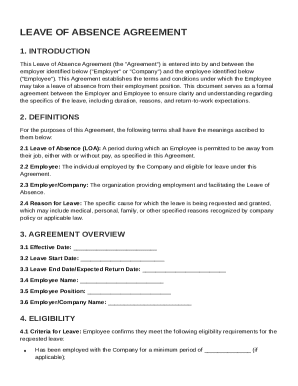
Get Leave Of Absence Agreement Template
How it works
-

Open form follow the instructions
-

Easily sign the form with your finger
-

Send filled & signed form or save
How to fill out and sign Leave Of Absence Agreement Template online?
Get your online template and fill it in using progressive features. Enjoy smart fillable fields and interactivity.Follow the simple instructions below:The prep of legal papers can be expensive and time-ingesting. However, with our predesigned web templates, things get simpler. Now, creating a Leave Of Absence Agreement Template takes a maximum of 5 minutes. Our state web-based samples and clear guidelines eradicate human-prone errors.
Follow our simple actions to get your Leave Of Absence Agreement Template prepared quickly:
- Find the web sample in the catalogue.
- Type all necessary information in the required fillable areas. The easy-to-use drag&drop user interface makes it simple to include or move fields.
- Make sure everything is filled out properly, without any typos or missing blocks.
- Use your electronic signature to the page.
- Click on Done to save the changes.
- Download the document or print your PDF version.
- Distribute instantly to the receiver.
Make use of the fast search and advanced cloud editor to create a precise Leave Of Absence Agreement Template. Get rid of the routine and produce documents on the internet!
Tips on how to fill out, edit and sign Leave Of Absence Agreement Template online
How to fill out and sign Leave Of Absence Agreement Template online?
Get your online template and fill it in using progressive features. Enjoy smart fillable fields and interactivity.Follow the simple instructions below:
The prep of legal papers can be expensive and time-ingesting. However, with our predesigned web templates, things get simpler. Now, creating a Leave Of Absence Agreement Template takes a maximum of 5 minutes. Our state web-based samples and clear guidelines eradicate human-prone errors.
Follow our simple actions to get your Leave Of Absence Agreement Template prepared quickly:
- Find the web sample in the catalogue.
- Type all necessary information in the required fillable areas. The easy-to-use drag&drop user interface makes it simple to include or move fields.
- Make sure everything is filled out properly, without any typos or missing blocks.
- Use your electronic signature to the page.
- Click on Done to save the changes.
- Download the document or print your PDF version.
- Distribute instantly to the receiver.
Make use of the fast search and advanced cloud editor to create a precise Leave Of Absence Agreement Template. Get rid of the routine and produce documents on the internet!
How to edit Leave Of Absence Agreement Template: customize forms online
Choose the right Leave Of Absence Agreement Template template and edit it on the spot. Simplify your paperwork with a smart document editing solution for online forms.
Your day-to-day workflow with documents and forms can be more efficient when you have everything you need in one place. For instance, you can find, get, and edit Leave Of Absence Agreement Template in a single browser tab. Should you need a specific Leave Of Absence Agreement Template, it is simple to find it with the help of the smart search engine and access it instantly. You do not need to download it or search for a third-party editor to edit it and add your data. All the tools for productive work go in a single packaged solution.
This modifying solution enables you to personalize, fill, and sign your Leave Of Absence Agreement Template form right on the spot. Once you discover a suitable template, click on it to open the modifying mode. Once you open the form in the editor, you have all the essential tools at your fingertips. You can easily fill in the dedicated fields and remove them if needed with the help of a simple yet multifunctional toolbar. Apply all the changes instantly, and sign the form without exiting the tab by just clicking the signature field. After that, you can send or print out your file if necessary.
Make more custom edits with available tools.
- Annotate your file using the Sticky note tool by putting a note at any spot within the document.
- Add required visual components, if needed, with the Circle, Check, or Cross tools.
- Modify or add text anywhere in the document using Texts and Text box tools. Add content with the Initials or Date tool.
- Modify the template text using the Highlight and Blackout, or Erase tools.
- Add custom visual components using the Arrow and Line, or Draw tools.
Discover new opportunities in efficient and trouble-free paperwork. Find the Leave Of Absence Agreement Template you need in minutes and fill it out in in the same tab. Clear the mess in your paperwork once and for all with the help of online forms.
To ask for a leave of absence professionally, schedule a private meeting with your supervisor to discuss your request in person. Clearly state your reasons, the duration, and offer to assist in the transition during your absence. A Leave Of Absence Agreement Template can help you formulate a clear and respectful written follow-up after your discussion.