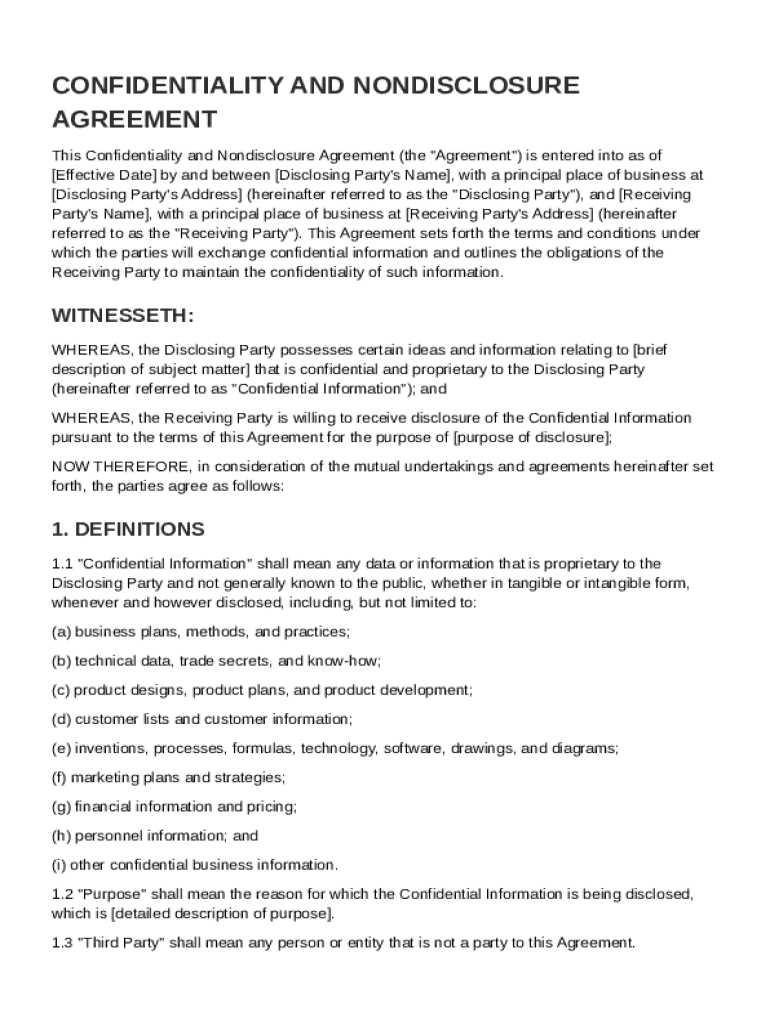
And between Disclosing Party's Name , with a principal place of business at Disclosing Party's Address (hereinafter referred to as the "Disclosing Party"), and Receiving Party's Name , with a principal place of business at Receiving Party's Address (hereinafter referred to as the "Receiving Party"). This Agreement sets forth the terms and conditions under which the parties will exchange confidential information and outlines the obligations of the Receiving Party to maintain the confidentia.
Loading

Open form follow the instructions

Easily sign the form with your finger

Send filled & signed form or save
How to fill out and sign Confidentiality And Nondisclosure Agreement Template online?
Get your online template and fill it in using progressive features. Enjoy smart fillable fields and interactivity.Follow the simple instructions below:
The days of distressing complicated legal and tax documents are over. With US Legal Forms the entire process of filling out official documents is anxiety-free. A powerhouse editor is already close at hand giving you various beneficial instruments for submitting a Confidentiality And Nondisclosure Agreement Template. These tips, in addition to the editor will assist you through the complete process.
- Click on the Get Form option to start editing.
- Activate the Wizard mode in the top toolbar to acquire extra pieces of advice.
- Fill in each fillable area.
- Be sure the information you add to the Confidentiality And Nondisclosure Agreement Template is up-to-date and accurate.
- Add the date to the sample using the Date feature.
- Select the Sign tool and make a signature. There are 3 available options; typing, drawing, or capturing one.
- Check each and every field has been filled in properly.
- Select Done in the top right corne to export the record. There are many alternatives for getting the doc. As an instant download, an attachment in an email or through the mail as a hard copy.
We make completing any Confidentiality And Nondisclosure Agreement Template more convenient. Start now!
Tips on how to fill out, edit and sign Confidentiality And Nondisclosure Agreement Template online
How to fill and sign Confidentiality And Nondisclosure Agreement Template
Get your online template and fill it in using progressive features. Enjoy smart fillable fields and interactivity.Follow the simple instructions below:
The days of distressing complicated legal and tax documents are over. With US Legal Forms the entire process of filling out official documents is anxiety-free. A powerhouse editor is already close at hand giving you various beneficial instruments for submitting a Confidentiality And Nondisclosure Agreement Template. These tips, in addition to the editor will assist you through the complete process.
- Click on the Get Form option to start editing.
- Activate the Wizard mode in the top toolbar to acquire extra pieces of advice.
- Fill in each fillable area.
- Be sure the information you add to the Confidentiality And Nondisclosure Agreement Template is up-to-date and accurate.
- Add the date to the sample using the Date feature.
- Select the Sign tool and make a signature. There are 3 available options; typing, drawing, or capturing one.
- Check each and every field has been filled in properly.
- Select Done in the top right corne to export the record. There are many alternatives for getting the doc. As an instant download, an attachment in an email or through the mail as a hard copy.
We make completing any Confidentiality And Nondisclosure Agreement Template more convenient. Start now!
How to edit Confidentiality And Nondisclosure Agreement Template
Fill out and sign your Confidentiality And Nondisclosure Agreement Template quickly and error-free. Find and edit, and sign customizable form samples in a comfort of a single tab.
Your document workflow can be far more efficient if everything you need for editing and handling the flow is arranged in one place. If you are looking for a Confidentiality And Nondisclosure Agreement Template form sample, this is a place to get it and fill it out without looking for third-party solutions. With this intelligent search engine and editing tool, you won’t need to look any further.
Just type the name of the Confidentiality And Nondisclosure Agreement Template or any other form and find the right template. If the sample seems relevant, you can start editing it right on the spot by clicking Get form. No need to print or even download it. Hover and click on the interactive fillable fields to place your details and sign the form in a single editor.
Use more editing instruments to customize your form:
- Check interactive checkboxes in forms by clicking on them. Check other parts of the Confidentiality And Nondisclosure Agreement Template form text by using the Cross, Check, and Circle instruments
- If you need to insert more textual content into the document, utilize the Text tool or add fillable fields with the respective button. You can also specify the content of each fillable field.
- Add images to forms with the Image button. Upload images from your device or capture them with your computer camera.
- Add custom visual components to the document. Use Draw, Line, and Arrow instruments to draw on the document.
- Draw over the text in the document if you wish to conceal it or stress it. Cover text fragments using theErase and Highlight, or Blackout tool.
- Add custom components such as Initials or Date using the respective instruments. They will be generated automatically.
- Save the form on your computer or convert its format to the one you need.
When equipped with a smart forms catalog and a powerful document editing solution, working with documentation is easier. Find the form look for, fill it out instantly, and sign it on the spot without downloading it. Get your paperwork routine simplified with a solution designed for editing forms.
How to fill and sign Confidentiality And Nondisclosure Agreement Template
Get your online template and fill it in using progressive features. Enjoy smart fillable fields and interactivity.Follow the simple instructions below:
The days of distressing complicated legal and tax documents are over. With US Legal Forms the entire process of filling out official documents is anxiety-free. A powerhouse editor is already close at hand giving you various beneficial instruments for submitting a Confidentiality And Nondisclosure Agreement Template. These tips, in addition to the editor will assist you through the complete process.
- Click on the Get Form option to start editing.
- Activate the Wizard mode in the top toolbar to acquire extra pieces of advice.
- Fill in each fillable area.
- Be sure the information you add to the Confidentiality And Nondisclosure Agreement Template is up-to-date and accurate.
- Add the date to the sample using the Date feature.
- Select the Sign tool and make a signature. There are 3 available options; typing, drawing, or capturing one.
- Check each and every field has been filled in properly.
- Select Done in the top right corne to export the record. There are many alternatives for getting the doc. As an instant download, an attachment in an email or through the mail as a hard copy.
We make completing any Confidentiality And Nondisclosure Agreement Template more convenient. Start now!
Experience a faster way to fill out and sign forms on the web. Access the most extensive library of templates available.
Related content
Attachment 14: Sample Confidentiality Agreement. This document is provided to vendors as a...
1. The term “Confidential Information” means all information disclosed subsequent to...
This guidance1 describes FDA implementation of the revised provisions applicable to the...
Get answers to your most pressing questions about US Legal Forms API.
Can you write your own non-disclosure agreement?
Yes, you can write your own non-disclosure agreement if you understand the essential components involved. It is important to ensure that the agreement clearly defines confidential information, includes the obligations of both parties, and specifies the duration of confidentiality. However, for clarity and completeness, using a Confidentiality And Nondisclosure Agreement Template can help you create a comprehensive and effective NDA, tailored to your specific needs.
How to get an NDA form?
You can obtain a Non-Disclosure Agreement (NDA) form online through various legal platforms. Websites like USLegalForms offer easy access to professionally crafted NDA templates. By using a Confidentiality And Nondisclosure Agreement Template from these sources, you can ensure that the document meets legal standards while saving time and effort in drafting your own agreement.
How to draw up a confidentiality agreement?
To draw up a confidentiality agreement, begin by clearly defining the parties involved and the purpose of the agreement. Include specific terms outlining what information is considered confidential and any exceptions to this rule. Make sure to address the duration of the confidentiality obligation and any legal remedies for breaches. Utilizing a Confidentiality And Nondisclosure Agreement Template can simplify this process, ensuring you cover all necessary aspects.
How to write an NDA agreement template?
When writing a Confidentiality And Nondisclosure Agreement Template, start with a clear introduction that states the purpose of the document. Then, define key terms, list the obligations of each party, and include clauses about the duration of confidentiality. Consider using a template to ensure that important elements are not overlooked. This method supports clarity and compliance in creating your agreement.
How to fill a confidentiality and non-disclosure agreement?
To fill a confidentiality and non-disclosure agreement, start by inputting the names and addresses of all parties involved. Next, clearly outline the confidential information that needs protection, and specify the duration of the agreement. Make sure the terms are easily understood to avoid ambiguity. Utilizing a well-structured Confidentiality And Nondisclosure Agreement Template can simplify this process.
Is an NDA and a confidentiality agreement the same thing?
Yes, an NDA and a confidentiality agreement are essentially the same thing. Both serve to protect sensitive information from being disclosed to unauthorized parties. The terms are often used interchangeably, but the key focus remains on safeguarding confidential information. Understanding this can streamline your process when using a Confidentiality And Nondisclosure Agreement Template.
Can I write an NDA myself?
Yes, you can write a Confidentiality And Nondisclosure Agreement Template yourself. However, it's important to ensure that all essential elements are included to make the document legally binding. If you're uncertain about the legal specifics, consider using a template from a reputable source to guide you. This approach helps avoid common pitfalls and strengthens your agreement.
How to properly fill out an NDA?
To properly fill out a Confidentiality And Nondisclosure Agreement Template, start by clearly stating the parties involved. Include specific details about the confidential information being protected. Make sure to define the terms of the agreement, including the duration of confidentiality, and have both parties sign the document. This process ensures that all aspects of confidentiality are covered.
How do you write a simple confidentiality agreement?
To write a simple confidentiality agreement, start with the title and specify the parties involved. Clearly define what information is confidential, state the obligations of each party, and outline the duration of the agreement. Include a section on the consequences of a breach. Using a Confidentiality And Nondisclosure Agreement Template can guide you through this process effortlessly.
Use professional pre-built templates to fill in and sign documents online faster. Get access to thousands of forms.
If you believe that this page should be taken down, please follow our DMCA take down process here.