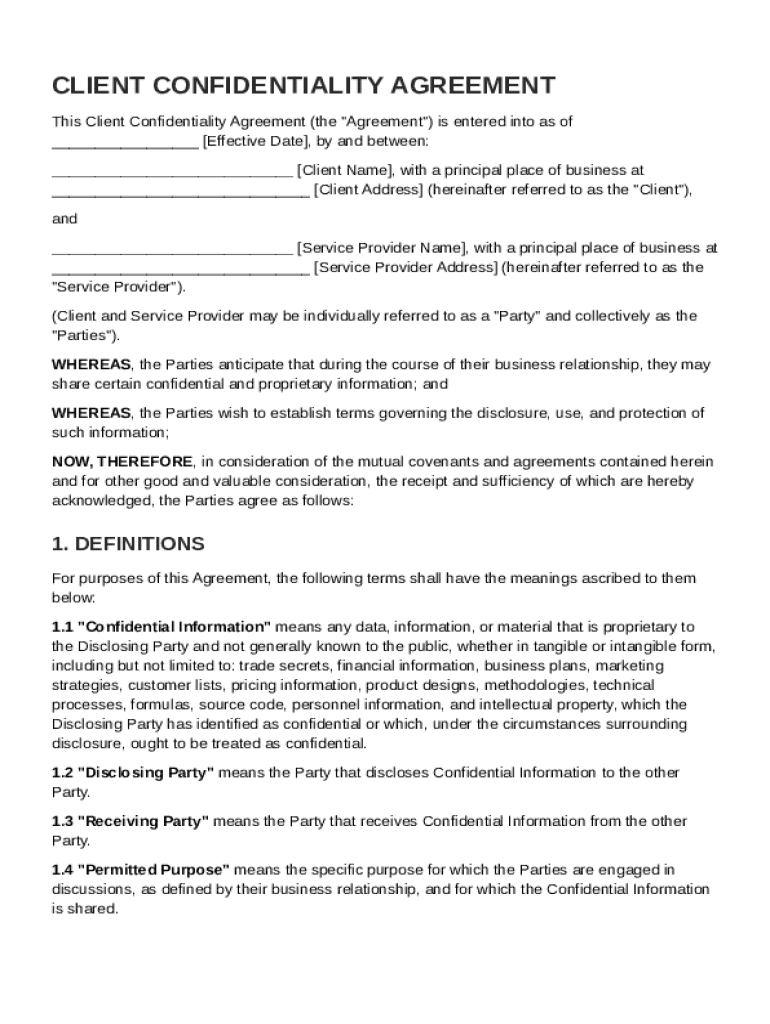
With a principal place of business at Client Address (hereinafter referred to as the "Client"), and Service Provider Name , with a principal place of business at Service Provider Address (hereinafter referred to as the "Service Provider"). (Client and Service Provider may be individually referred to as a "Party" and collectively as the "Parties"). WHEREAS, the Parties anticipate that during the course.
Loading

Open form follow the instructions

Easily sign the form with your finger

Send filled & signed form or save
How to fill out and sign Client Confidentiality Agreement Template online?
Get your online template and fill it in using progressive features. Enjoy smart fillable fields and interactivity.Follow the simple instructions below:
Feel all the key benefits of submitting and completing forms online. Using our service filling in Client Confidentiality Agreement Template will take a few minutes. We make that possible by giving you access to our full-fledged editor effective at transforming/correcting a document?s initial text, adding special fields, and putting your signature on.
Fill out Client Confidentiality Agreement Template in just a couple of clicks by following the recommendations below:
- Find the document template you will need in the collection of legal forms.
- Select the Get form button to open the document and start editing.
- Fill out all the required boxes (they will be yellow-colored).
- The Signature Wizard will allow you to insert your electronic autograph right after you have finished imputing information.
- Add the date.
- Look through the whole document to ensure you?ve filled out all the information and no changes are required.
- Hit Done and save the ecompleted form to your computer.
Send your new Client Confidentiality Agreement Template in an electronic form when you are done with completing it. Your information is securely protected, since we adhere to the latest security criteria. Join millions of happy clients that are already completing legal documents straight from their houses.
Tips on how to fill out, edit and sign Client Confidentiality Agreement Template online
How to fill and sign Client Confidentiality Agreement Template
Get your online template and fill it in using progressive features. Enjoy smart fillable fields and interactivity.Follow the simple instructions below:
Feel all the key benefits of submitting and completing forms online. Using our service filling in Client Confidentiality Agreement Template will take a few minutes. We make that possible by giving you access to our full-fledged editor effective at transforming/correcting a document?s initial text, adding special fields, and putting your signature on.
Fill out Client Confidentiality Agreement Template in just a couple of clicks by following the recommendations below:
- Find the document template you will need in the collection of legal forms.
- Select the Get form button to open the document and start editing.
- Fill out all the required boxes (they will be yellow-colored).
- The Signature Wizard will allow you to insert your electronic autograph right after you have finished imputing information.
- Add the date.
- Look through the whole document to ensure you?ve filled out all the information and no changes are required.
- Hit Done and save the ecompleted form to your computer.
Send your new Client Confidentiality Agreement Template in an electronic form when you are done with completing it. Your information is securely protected, since we adhere to the latest security criteria. Join millions of happy clients that are already completing legal documents straight from their houses.
How to edit Client Confidentiality Agreement Template
Take full advantage of our powerful online document editor while completing your paperwork. Fill out the Client Confidentiality Agreement Template, emphasize on the most important details, and effortlessly make any other necessary adjustments to its content.
Completing documentation electronically is not only time-saving but also comes with a possibility to modify the sample according to your demands. If you’re about to work on Client Confidentiality Agreement Template, consider completing it with our extensive online editing solutions. Whether you make an error or enter the requested data into the wrong field, you can easily make adjustments to the document without the need to restart it from the beginning as during manual fill-out. In addition to that, you can stress on the vital information in your paperwork by highlighting certain pieces of content with colors, underlining them, or circling them.
Follow these simple and quick steps to fill out and edit your Client Confidentiality Agreement Template online:
- Open the file in the editor.
- Type in the necessary information in the empty areas using Text, Check, and Cross tools.
- Adhere to the form navigation to avoid missing any required areas in the sample.
- Circle some of the critical details and add a URL to it if necessary.
- Use the Highlight or Line tools to point out the most important pieces of content.
- Choose colors and thickness for these lines to make your form look professional.
- Erase or blackout the data you don’t want to be visible to other people.
- Substitute pieces of content that contain errors and type in text that you need.
- End up editing with the Done option as soon as you make sure everything is correct in the form.
Our powerful online solutions are the simplest way to complete and customize Client Confidentiality Agreement Template according to your demands. Use it to prepare personal or business documentation from anyplace. Open it in a browser, make any adjustments to your forms, and get back to them at any time in the future - they all will be safely stored in the cloud.
How to fill and sign Client Confidentiality Agreement Template
Get your online template and fill it in using progressive features. Enjoy smart fillable fields and interactivity.Follow the simple instructions below:
Feel all the key benefits of submitting and completing forms online. Using our service filling in Client Confidentiality Agreement Template will take a few minutes. We make that possible by giving you access to our full-fledged editor effective at transforming/correcting a document?s initial text, adding special fields, and putting your signature on.
Fill out Client Confidentiality Agreement Template in just a couple of clicks by following the recommendations below:
- Find the document template you will need in the collection of legal forms.
- Select the Get form button to open the document and start editing.
- Fill out all the required boxes (they will be yellow-colored).
- The Signature Wizard will allow you to insert your electronic autograph right after you have finished imputing information.
- Add the date.
- Look through the whole document to ensure you?ve filled out all the information and no changes are required.
- Hit Done and save the ecompleted form to your computer.
Send your new Client Confidentiality Agreement Template in an electronic form when you are done with completing it. Your information is securely protected, since we adhere to the latest security criteria. Join millions of happy clients that are already completing legal documents straight from their houses.
Experience a faster way to fill out and sign forms on the web. Access the most extensive library of templates available.
Related content
The Parties are exploring the possibility of engaging in one or more mutually beneficial...
The Parties are exploring the possibility of engaging in one or more mutually beneficial...
Mar 24, 2022 — Any consulting agreement must include a language requiring...
Get answers to your most pressing questions about US Legal Forms API.
Does a confidentiality agreement have to be notarized?
A confidentiality agreement does not necessarily need to be notarized to be legally binding. However, notarization can add an extra layer of validation, depending on your jurisdiction. Using a Client Confidentiality Agreement Template can help you understand the requirements in your area, allowing you to make an informed choice about notarization.
Can I write an NDA myself?
You can write an NDA yourself, but it requires careful attention to legal language and provisions. Starting with a Client Confidentiality Agreement Template simplifies this process, as it provides a structure for your NDA. This approach helps ensure that all critical elements are included, making your NDA enforceable.
What's the difference between CDA and NDA?
A Confidential Disclosure Agreement (CDA) and a Non-Disclosure Agreement (NDA) serve similar purposes but are often used in different contexts. A CDA typically focuses on the exchange of information in a specific consultation or project, while an NDA is more general. Both can benefit from using a Client Confidentiality Agreement Template to ensure clarity and comprehensiveness.
How to create a confidentiality agreement?
To create a confidentiality agreement, clearly outline the parties involved and the scope of the confidential information. Using a Client Confidentiality Agreement Template can guide you through necessary provisions, such as the duration of the agreement and consequences for breaches. This ensures that your agreement is both effective and legally sound.
Can you make your own confidentiality agreement?
Yes, you can create your own confidentiality agreement. However, it is advisable to start with a reliable Client Confidentiality Agreement Template to ensure it covers all necessary elements. This way, you can customize the agreement according to your specific needs while remaining confident that you are protecting your sensitive information effectively.
How to fill out a confidentiality agreement?
Filling out a confidentiality agreement involves entering essential details such as the names of the parties, the definition of confidential information, and the obligations of each party. When using a Client Confidentiality Agreement Template, follow the prompts that guide you through each section. This approach ensures no critical information is omitted, leading to a comprehensive agreement.
How to create an NDA template?
To create an NDA template, begin by identifying the parties involved and the confidential information that needs protection. Use a Client Confidentiality Agreement Template as a starting point to ensure all important clauses are included, such as the term length and permitted disclosures. Tailoring this template to your specific situation will help ensure clarity and efficacy.
What makes an NDA legally binding?
Disclosure Agreement (NDA) becomes legally binding when it meets specific requirements, such as mutual consent, a clear definition of confidential information, and mutual obligations to protect that information. By using a Client Confidentiality Agreement Template, you can outline these essential elements easily. This ensures both parties understand their responsibilities, which helps enforce the NDA in case of a breach.
Can I write my own NDA?
Yes, you can write your own Non-Disclosure Agreement (NDA) using a Client Confidentiality Agreement Template. This template provides essential sections and clauses, making it easier to draft an effective NDA tailored to your specific needs. Make sure to include details such as the parties involved, the types of information covered, and the duration of confidentiality. By customizing the template, you can create a well-structured NDA that meets your business requirements.
What is a client confidentiality agreement?
A client confidentiality agreement is a legal contract that ensures one party will protect the confidential information shared by another party. This agreement typically outlines the type of information considered confidential and the obligations of parties in safeguarding it. Using a Client Confidentiality Agreement Template can simplify this process, as it guides you in drafting a compliance-focused agreement suitable for your business.
Use professional pre-built templates to fill in and sign documents online faster. Get access to thousands of forms.
If you believe that this page should be taken down, please follow our DMCA take down process here.