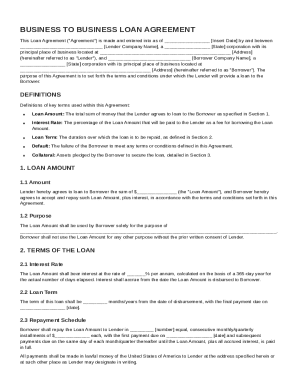
Get Business To Business Loan Agreement Template
How it works
-

Open form follow the instructions
-

Easily sign the form with your finger
-

Send filled & signed form or save
How to fill out and sign Business To Business Loan Agreement Template online?
Get your online template and fill it in using progressive features. Enjoy smart fillable fields and interactivity.Follow the simple instructions below:Legal, tax, business and other documents need a high level of protection and compliance with the law. Our documents are regularly updated in accordance with the latest amendments in legislation. Plus, with us, all the data you provide in your Business To Business Loan Agreement Template is well-protected from leakage or damage via cutting-edge encryption.
The tips below will allow you to fill out Business To Business Loan Agreement Template quickly and easily:
- Open the document in the full-fledged online editor by clicking on Get form.
- Complete the requested fields which are yellow-colored.
- Click the arrow with the inscription Next to move on from one field to another.
- Use the e-signature tool to add an electronic signature to the template.
- Put the date.
- Double-check the whole document to ensure that you have not skipped anything.
- Press Done and save the new form.
Our platform enables you to take the whole procedure of submitting legal documents online. For that reason, you save hours (if not days or even weeks) and eliminate extra payments. From now on, fill out Business To Business Loan Agreement Template from home, business office, and even while on the move.
Tips on how to fill out, edit and sign Business To Business Loan Agreement Template online
How to fill out and sign Business To Business Loan Agreement Template online?
Get your online template and fill it in using progressive features. Enjoy smart fillable fields and interactivity.Follow the simple instructions below:
Legal, tax, business and other documents need a high level of protection and compliance with the law. Our documents are regularly updated in accordance with the latest amendments in legislation. Plus, with us, all the data you provide in your Business To Business Loan Agreement Template is well-protected from leakage or damage via cutting-edge encryption.
The tips below will allow you to fill out Business To Business Loan Agreement Template quickly and easily:
- Open the document in the full-fledged online editor by clicking on Get form.
- Complete the requested fields which are yellow-colored.
- Click the arrow with the inscription Next to move on from one field to another.
- Use the e-signature tool to add an electronic signature to the template.
- Put the date.
- Double-check the whole document to ensure that you have not skipped anything.
- Press Done and save the new form.
Our platform enables you to take the whole procedure of submitting legal documents online. For that reason, you save hours (if not days or even weeks) and eliminate extra payments. From now on, fill out Business To Business Loan Agreement Template from home, business office, and even while on the move.
How to edit Business To Business Loan Agreement Template: customize forms online
Find the correct Business To Business Loan Agreement Template template and edit it on the spot. Simplify your paperwork with a smart document editing solution for online forms.
Your everyday workflow with documents and forms can be more effective when you have everything that you need in one place. For example, you can find, obtain, and edit Business To Business Loan Agreement Template in a single browser tab. If you need a particular Business To Business Loan Agreement Template, it is simple to find it with the help of the smart search engine and access it immediately. You don’t have to download it or look for a third-party editor to edit it and add your data. All the tools for efficient work go in a single packaged solution.
This editing solution enables you to customize, fill, and sign your Business To Business Loan Agreement Template form right on the spot. Once you discover a proper template, click on it to go to the editing mode. Once you open the form in the editor, you have all the essential instruments at your fingertips. You can easily fill in the dedicated fields and erase them if necessary with the help of a simple yet multifunctional toolbar. Apply all the modifications immediately, and sign the form without leaving the tab by just clicking the signature field. After that, you can send or print your file if required.
Make more custom edits with available instruments.
- Annotate your file with the Sticky note tool by placing a note at any spot within the document.
- Add required visual elements, if needed, with the Circle, Check, or Cross instruments.
- Modify or add text anywhere in the document using Texts and Text box instruments. Add content with the Initials or Date tool.
- Modify the template text with the Highlight and Blackout, or Erase instruments.
- Add custom visual elements with the Arrow and Line, or Draw tools.
Discover new options in efficient and trouble-free paperwork. Find the Business To Business Loan Agreement Template you need in minutes and fill it out in in the same tab. Clear the mess in your paperwork once and for all with the help of online forms.
Drafting a business to business contract involves outlining the terms and conditions that both companies will follow. Begin with a summary of the purpose of the contract, followed by specific clauses about payment details, delivery timelines, and responsibilities. Utilizing a Business To Business Loan Agreement Template can simplify this process, helping to prevent misunderstandings. Always be sure to have the completed contract reviewed by legal experts to ensure compliance and clarity.