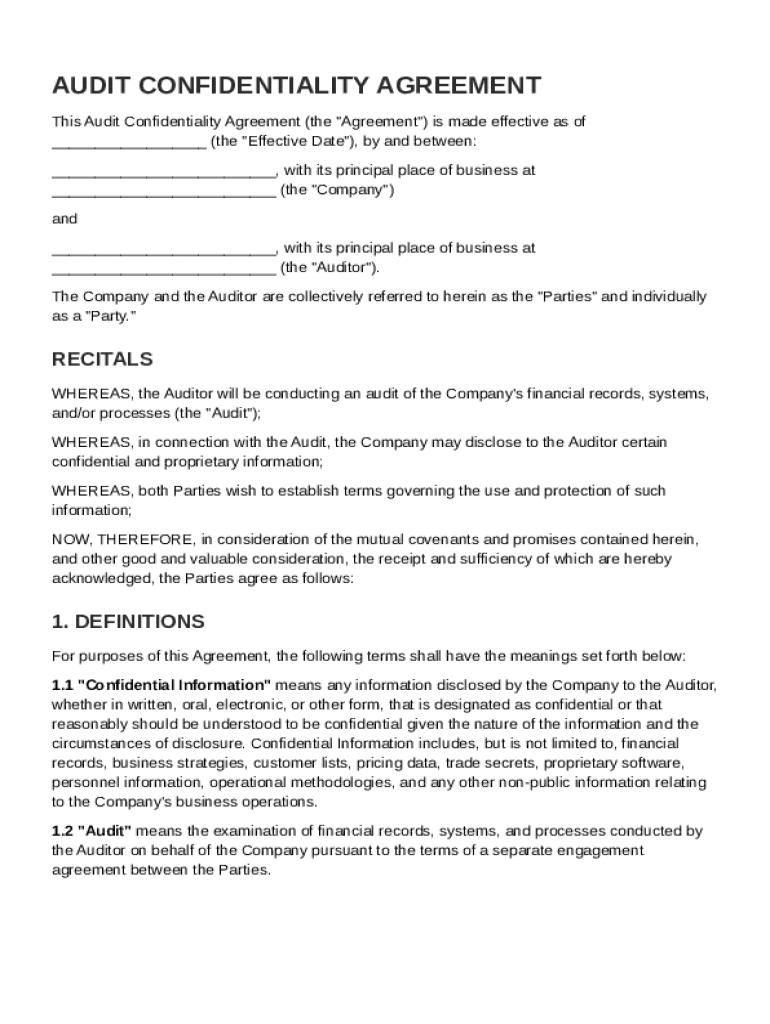
, with its principal place of business at (the "Company") and , with its principal place of business at (the "Auditor"). The Company and the Auditor are collectively referred to herein as the "Parties" and individually as a "Party." RECITALS WHEREAS, the Auditor will be conducting an audit of the Company's financial records, systems, and/or processes (the "Audit"); WHEREAS, in connection with t.

Open form follow the instructions

Easily sign the form with your finger

Send filled & signed form or save
How to fill out and sign Audit Confidentiality Agreement Template online?
Get your online template and fill it in using progressive features. Enjoy smart fillable fields and interactivity.Follow the simple instructions below:
Choosing a authorized specialist, making a scheduled visit and going to the office for a personal meeting makes completing a Audit Confidentiality Agreement Template from beginning to end exhausting. US Legal Forms lets you quickly produce legally valid documents based on pre-constructed online blanks.
Prepare your docs in minutes using our straightforward step-by-step instructions:
- Get the Audit Confidentiality Agreement Template you want.
- Open it up using the online editor and begin altering.
- Fill the blank areas; concerned parties names, places of residence and numbers etc.
- Customize the blanks with smart fillable areas.
- Add the particular date and place your e-signature.
- Simply click Done after twice-checking everything.
- Download the ready-made papers to your system or print it like a hard copy.
Easily generate a Audit Confidentiality Agreement Template without needing to involve experts. There are already over 3 million people taking advantage of our unique collection of legal documents. Join us today and gain access to the #1 catalogue of browser-based samples. Try it out yourself!
Tips on how to fill out, edit and sign Audit Confidentiality Agreement Template online
How to fill and sign Audit Confidentiality Agreement Template
Get your online template and fill it in using progressive features. Enjoy smart fillable fields and interactivity.Follow the simple instructions below:
Choosing a authorized specialist, making a scheduled visit and going to the office for a personal meeting makes completing a Audit Confidentiality Agreement Template from beginning to end exhausting. US Legal Forms lets you quickly produce legally valid documents based on pre-constructed online blanks.
Prepare your docs in minutes using our straightforward step-by-step instructions:
- Get the Audit Confidentiality Agreement Template you want.
- Open it up using the online editor and begin altering.
- Fill the blank areas; concerned parties names, places of residence and numbers etc.
- Customize the blanks with smart fillable areas.
- Add the particular date and place your e-signature.
- Simply click Done after twice-checking everything.
- Download the ready-made papers to your system or print it like a hard copy.
Easily generate a Audit Confidentiality Agreement Template without needing to involve experts. There are already over 3 million people taking advantage of our unique collection of legal documents. Join us today and gain access to the #1 catalogue of browser-based samples. Try it out yourself!
How to edit Audit Confidentiality Agreement Template
Simplify your document preparation process and adapt it to your needs within clicks. Complete and approve Audit Confidentiality Agreement Template with a powerful yet user-friendly online editor.
Preparing documents is always troublesome, especially when you cope with it occasionally. It demands you strictly adhere to all the formalities and precisely complete all areas with full and precise data. Nevertheless, it often occurs that you need to change the document or insert extra areas to fill out. If you need to optimize Audit Confidentiality Agreement Template before submitting it, the easiest way to do it is by using our comprehensive yet simple-to-use online editing tools.
This extensive PDF editing tool enables you to quickly and easily complete legal paperwork from any internet-connected device, make basic changes to the template, and place additional fillable areas. The service enables you to pick a specific area for each data type, like Name, Signature, Currency and SSN and so on. You can make them required or conditional and decide who should complete each field by assigning them to a specific recipient.
Make the steps listed below to modify your Audit Confidentiality Agreement Template online:
- Open required file from the catalog.
- Fill out the blanks with Text and place Check and Cross tools to the tickboxes.
- Utilize the right-side panel to adjust the form with new fillable areas.
- Choose the areas based on the type of information you want to be collected.
- Make these fields required, optional, and conditional and customize their order.
- Assign each field to a specific party using the Add Signer option.
- Check if you’ve made all the required adjustments and click Done.
Our editor is a universal multi-featured online solution that can help you quickly and easily adapt Audit Confidentiality Agreement Template and other forms based on your needs. Reduce document preparation and submission time and make your paperwork look professional without hassle.
How to fill and sign Audit Confidentiality Agreement Template
Get your online template and fill it in using progressive features. Enjoy smart fillable fields and interactivity.Follow the simple instructions below:
Choosing a authorized specialist, making a scheduled visit and going to the office for a personal meeting makes completing a Audit Confidentiality Agreement Template from beginning to end exhausting. US Legal Forms lets you quickly produce legally valid documents based on pre-constructed online blanks.
Prepare your docs in minutes using our straightforward step-by-step instructions:
- Get the Audit Confidentiality Agreement Template you want.
- Open it up using the online editor and begin altering.
- Fill the blank areas; concerned parties names, places of residence and numbers etc.
- Customize the blanks with smart fillable areas.
- Add the particular date and place your e-signature.
- Simply click Done after twice-checking everything.
- Download the ready-made papers to your system or print it like a hard copy.
Easily generate a Audit Confidentiality Agreement Template without needing to involve experts. There are already over 3 million people taking advantage of our unique collection of legal documents. Join us today and gain access to the #1 catalogue of browser-based samples. Try it out yourself!
Experience a faster way to fill out and sign forms on the web. Access the most extensive library of templates available.
Related content
Exhibit 99.1. CONFIDENTIALITY AGREEMENT. THIS CONFIDENTIALITY AGREEMENT (this...
The template is provided as guidance for departmental use to safeguard sensitive and...
They ensure that third parties, employees, and contractors adhere to necessary security...
Get answers to your most pressing questions about US Legal Forms API.
What is the difference between a CDA and an NDA?
The difference between a Confidentiality Disclosure Agreement (CDA) and a Non-Disclosure Agreement (NDA) lies mainly in their usage. A CDA typically focuses on sharing specific confidential information for a particular purpose, while an NDA deals with a broader range of confidential materials. To ensure your interests are safeguarded, consider using an Audit Confidentiality Agreement Template tailored to meet your needs.
What is confidentiality in audit?
Confidentiality in audit refers to the obligation of auditors to ensure that the sensitive information they encounter during the audit process remains private. This includes financial data, client information, and other proprietary details. Utilizing an Audit Confidentiality Agreement Template can help establish clear guidelines for maintaining confidentiality throughout the entire audit process.
Can I write my own NDA?
Yes, you can write your own Non-Disclosure Agreement, as long as you include all the necessary components that protect your information. It is crucial to define the information to be kept confidential and the duration of that confidentiality. Using an Audit Confidentiality Agreement Template can help you structure your NDA correctly, providing peace of mind as you draft your document.
How do you write a simple confidentiality agreement?
Writing a simple confidentiality agreement involves outlining the parties involved, defining the confidential information, and specifying the obligations of each party. Clear guidelines should be provided about how long the confidentiality should last. By using an Audit Confidentiality Agreement Template from our platform, you simplify the process and ensure you cover all necessary elements effectively.
What's the difference between CDA and NDA?
A Confidentiality Disclosure Agreement (CDA) and a Non-Disclosure Agreement (NDA) are similar, but they serve different purposes. Generally, a CDA is used when sharing sensitive information during discussions, while an NDA covers a broader scope of confidential information. When considering an Audit Confidentiality Agreement Template, it's essential to understand the context of your agreement to ensure proper protection.
How to fill out the NDA?
Filling out an NDA involves entering the names of the parties, detailing the confidential information, and specifying the duration of the agreement. Be sure to examine each section carefully, ensuring clarity in your terms. An Audit Confidentiality Agreement Template can help streamline this process, making it straightforward.
What is an example of a confidential agreement?
An example of a confidential agreement is an NDA between two businesses discussing a potential partnership. This agreement outlines how sensitive information will be handled. An Audit Confidentiality Agreement Template can serve as an excellent reference for drafting your own example.
How to write a confidential agreement?
To write a confidential agreement, start by clearly defining the confidential information you wish to protect. Outline the obligations of each party involved, specify any exclusions, and determine the duration of confidentiality. Utilizing an Audit Confidentiality Agreement Template can guide you through this process and provide a solid framework.
Can I write an NDA myself?
Yes, you can write a Non-Disclosure Agreement (NDA) yourself. However, it's vital to ensure that your document includes essential elements such as the definition of confidential information, obligations of the parties, and the term of the agreement. Using an Audit Confidentiality Agreement Template can simplify the process and ensure that you cover all necessary aspects.
What is an example of a confidentiality agreement?
An example of a confidentiality agreement is a mutual non-disclosure agreement, where two companies agree not to share each other's sensitive information. This type of agreement is often used during partnership discussions and protects trade secrets and business strategies. Using an Audit Confidentiality Agreement Template can help you structure this type of agreement effectively and efficiently.
Use professional pre-built templates to fill in and sign documents online faster. Get access to thousands of forms.
If you believe that this page should be taken down, please follow our DMCA take down process here.