Loading
Get Wholesoldier Counseling Form
How it works
-

Open form follow the instructions
-

Easily sign the form with your finger
-

Send filled & signed form or save
How to fill out the Wholesoldier Counseling Form online
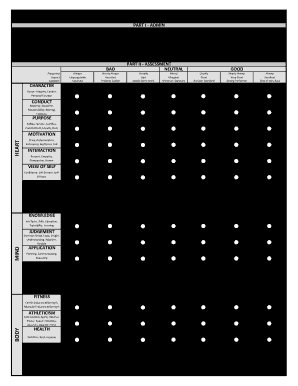
The Wholesoldier Counseling Form is a key document for assessing and fostering the growth of soldiers in various dimensions. This guide provides step-by-step instructions for completing the form online, ensuring clarity and accessibility for every user.
Follow the steps to complete the Wholesoldier Counseling Form online effectively.
- Press the ‘Get Form’ button to access the form and open it in your preferred editor.
- Begin filling out Part I - Admin by entering the soldier's name, rank, MOS, DOD ID number, and duty position in the designated fields.
- Provide the unit or organization details, including ZIP code or APO and major command, as well as the UIC.
- Proceed to Part II - Assessment: Evaluate and mark the soldier’s abilities in various categories, like character, conduct, and purpose, based on your observations.
- Continue to Part III - Analysis where you will summarize the performance, affirm strengths, and discuss areas for improvement.
- In Part IV - Agreements, outline long-term goals and SMART short-term goals to address the soldier’s development.
- Conclude by having both the soldier and the leader provide their signatures and dates at the bottom of the form.
- Finally, review all entries for accuracy, then save your changes, and choose your option to download, print, or share the completed form.
Take proactive steps in document management by completing the Wholesoldier Counseling Form online today.
Filling out a counseling form in the army begins with identifying the soldier and the date of the counseling session. Clearly describe the purpose, issues being addressed, and provide actionable steps for improvement. The Wholesoldier Counseling Form can streamline this process, ensuring important details are recorded accurately and clearly.