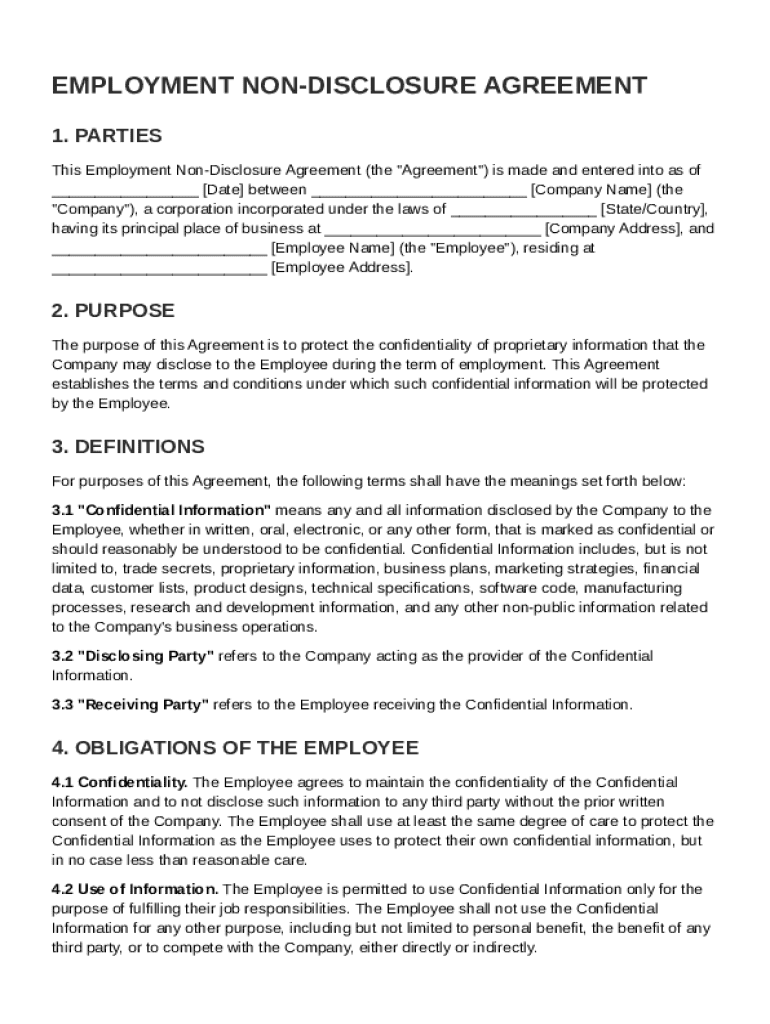
Een Company Name (the "Company"), a corporation incorporated under the laws of State/Country , having its principal place of business at Company Address , and Employee Name (the "Employee"), residing at Employee Address . 2. PURPOSE The purpose of this Agreement is to protect the confidentiality of proprietary information that the Company may disclose to the Employee.
Loading

Open form follow the instructions

Easily sign the form with your finger

Send filled & signed form or save
How to fill out and sign Employment Non Disclosure Agreement Template online?
Get your online template and fill it in using progressive features. Enjoy smart fillable fields and interactivity.Follow the simple instructions below:
The prep of legal documents can be costly and time-ingesting. However, with our preconfigured web templates, everything gets simpler. Now, working with a Employment Non Disclosure Agreement Template requires a maximum of 5 minutes. Our state browser-based blanks and crystal-clear recommendations remove human-prone faults.
Adhere to our simple actions to get your Employment Non Disclosure Agreement Template ready rapidly:
- Select the web sample in the library.
- Complete all required information in the required fillable fields. The intuitive drag&drop user interface makes it simple to add or relocate fields.
- Ensure everything is filled in appropriately, without typos or absent blocks.
- Apply your e-signature to the page.
- Simply click Done to save the changes.
- Download the document or print out your PDF version.
- Distribute instantly towards the receiver.
Use the quick search and innovative cloud editor to generate a precise Employment Non Disclosure Agreement Template. Get rid of the routine and produce paperwork on the internet!
Tips on how to fill out, edit and sign Employment Non Disclosure Agreement Template online
How to fill and sign Employment Non Disclosure Agreement Template
Get your online template and fill it in using progressive features. Enjoy smart fillable fields and interactivity.Follow the simple instructions below:
The prep of legal documents can be costly and time-ingesting. However, with our preconfigured web templates, everything gets simpler. Now, working with a Employment Non Disclosure Agreement Template requires a maximum of 5 minutes. Our state browser-based blanks and crystal-clear recommendations remove human-prone faults.
Adhere to our simple actions to get your Employment Non Disclosure Agreement Template ready rapidly:
- Select the web sample in the library.
- Complete all required information in the required fillable fields. The intuitive drag&drop user interface makes it simple to add or relocate fields.
- Ensure everything is filled in appropriately, without typos or absent blocks.
- Apply your e-signature to the page.
- Simply click Done to save the changes.
- Download the document or print out your PDF version.
- Distribute instantly towards the receiver.
Use the quick search and innovative cloud editor to generate a precise Employment Non Disclosure Agreement Template. Get rid of the routine and produce paperwork on the internet!
How to edit Employment Non Disclosure Agreement Template
Fill out and sign your Employment Non Disclosure Agreement Template quickly and error-free. Find and edit, and sign customizable form samples in a comfort of a single tab.
Your document workflow can be considerably more efficient if everything required for modifying and handling the flow is arranged in one place. If you are looking for a Employment Non Disclosure Agreement Template form sample, this is a place to get it and fill it out without searching for third-party solutions. With this intelligent search engine and editing tool, you won’t need to look any further.
Simply type the name of the Employment Non Disclosure Agreement Template or any other form and find the right template. If the sample seems relevant, you can start modifying it right on the spot by clicking Get form. No need to print or even download it. Hover and click on the interactive fillable fields to place your details and sign the form in a single editor.
Use more modifying tools to customize your template:
- Check interactive checkboxes in forms by clicking on them. Check other parts of the Employment Non Disclosure Agreement Template form text with the help of the Cross, Check, and Circle tools
- If you need to insert more textual content into the document, use the Text tool or add fillable fields with the respective button. You may also specify the content of each fillable field.
- Add pictures to forms with the Image button. Upload pictures from your device or capture them with your computer camera.
- Add custom graphic components to the document. Use Draw, Line, and Arrow tools to draw on the document.
- Draw over the text in the document if you want to conceal it or stress it. Cover text fragments using theErase and Highlight, or Blackout instrument.
- Add custom components such as Initials or Date using the respective tools. They will be generated automatically.
- Save the form on your computer or convert its format to the one you want.
When equipped with a smart forms catalog and a powerful document modifying solution, working with documentation is easier. Find the form look for, fill it out right away, and sign it on the spot without downloading it. Get your paperwork routine simplified with a solution tailored for modifying forms.
How to fill and sign Employment Non Disclosure Agreement Template
Get your online template and fill it in using progressive features. Enjoy smart fillable fields and interactivity.Follow the simple instructions below:
The prep of legal documents can be costly and time-ingesting. However, with our preconfigured web templates, everything gets simpler. Now, working with a Employment Non Disclosure Agreement Template requires a maximum of 5 minutes. Our state browser-based blanks and crystal-clear recommendations remove human-prone faults.
Adhere to our simple actions to get your Employment Non Disclosure Agreement Template ready rapidly:
- Select the web sample in the library.
- Complete all required information in the required fillable fields. The intuitive drag&drop user interface makes it simple to add or relocate fields.
- Ensure everything is filled in appropriately, without typos or absent blocks.
- Apply your e-signature to the page.
- Simply click Done to save the changes.
- Download the document or print out your PDF version.
- Distribute instantly towards the receiver.
Use the quick search and innovative cloud editor to generate a precise Employment Non Disclosure Agreement Template. Get rid of the routine and produce paperwork on the internet!
Experience a faster way to fill out and sign forms on the web. Access the most extensive library of templates available.
Related content
NON-DISCLOSURE AGREEMENT · 1. That during the course of my employment with the Company...
Neither Party or their Agents shall disclose the other Party's Confidential Information to...
May 13, 2019 — Firstly, your staff should all have signed a Non-Disclosure agreement as...
Get answers to your most pressing questions about US Legal Forms API.
Can I create my own NDA?
Yes, you can create your own Employment Non Disclosure Agreement Template. However, it's important to ensure it includes all necessary elements, such as clearly defined confidential information and terms regarding its use. While drafting your own can be rewarding, using a ready-made template from US Legal Forms can save time and ensure you cover all crucial points effectively. This approach helps you avoid potential legal pitfalls while still customizing the agreement to your needs.
How do you write a non-disclosure agreement for an employee?
Writing an Employment Non Disclosure Agreement Template for an employee involves several key steps. First, clearly outline the confidential information that must be protected. Next, specify the obligations of the employee regarding this information and include the consequences for breach. Utilizing a template from US Legal Forms can simplify this process, as it provides a structured format and essential language tailored for employment situations.
How to get an NDA form?
To obtain an Employment Non Disclosure Agreement Template, you can visit US Legal Forms and explore their collection of templates. Simply search for the specific document you need, and you can download it quickly. The platform provides various formats suitable for different situations, ensuring you have a comprehensive agreement. Accessing these templates is a step toward protecting your confidential information.
How do I create a simple NDA?
Creating a simple NDA is easy with an Employment Non Disclosure Agreement Template. First, gather the necessary information, including the parties’ names and the nature of the confidential information. Then, follow the template to outline the terms clearly. Lastly, make sure both parties sign the agreement to validate it, ensuring protection for all involved.
How to fill a non-disclosure agreement for employees?
To fill out a non-disclosure agreement for employees, begin with an Employment Non Disclosure Agreement Template tailored for employment situations. Include employee details, define the confidential information that the employee will access, and outline their responsibilities regarding this information. It's also advisable to mention the consequences of breaching the agreement to reinforce its importance.
How to fill out the NDA?
Filling out the NDA is straightforward when you use an Employment Non Disclosure Agreement Template. Start by entering the names of the parties involved and the date of the agreement. Next, clearly define what information is considered confidential. Finally, ensure that you specify the duration of the confidentiality obligation to make the document legally binding.
Can I write an NDA myself?
Yes, you can write an NDA yourself using an Employment Non Disclosure Agreement Template. However, it's essential to ensure that you include all necessary elements like the definition of confidential information, obligations of the parties, and the duration of the agreement. While using a template simplifies the process, consider consulting a legal expert if you have specific concerns or special circumstances.
Can I write my own NDA?
Yes, you can write your own NDA, but it requires thorough understanding to ensure legality. Be sure to include necessary components like definitions of confidential information and obligations. However, starting from an Employment Non Disclosure Agreement Template can provide you with a solid foundation, helping you avoid missing crucial legal aspects.
How to write an NDA template?
Writing an NDA template involves a few key steps. Begin by clearly identifying the parties and the confidential information being shared. Include sections that define the obligations of both parties and any legal remedies in case of breaches. Utilizing an Employment Non Disclosure Agreement Template can help you include all the necessary elements without missing important details.
Use professional pre-built templates to fill in and sign documents online faster. Get access to thousands of forms.
If you believe that this page should be taken down, please follow our DMCA take down process here.