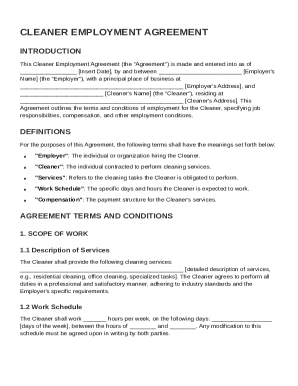
Get Cleaner Of Employment Contract Template
How it works
-

Open form follow the instructions
-

Easily sign the form with your finger
-

Send filled & signed form or save
How to fill out and sign Cleaner Of Employment Contract Template online?
Get your online template and fill it in using progressive features. Enjoy smart fillable fields and interactivity.Follow the simple instructions below:Experience all the key benefits of submitting and completing legal forms online. Using our platform filling out Cleaner Of Employment Contract Template will take a couple of minutes. We make that achievable by giving you access to our feature-rich editor capable of altering/correcting a document?s initial text, adding special fields, and putting your signature on.
Fill out Cleaner Of Employment Contract Template within a few moments by using the instructions listed below:
- Find the template you want in the collection of legal forms.
- Click the Get form key to open it and begin editing.
- Complete all the requested fields (they are marked in yellow).
- The Signature Wizard will help you add your e-signature as soon as you?ve finished imputing details.
- Insert the relevant date.
- Look through the entire template to make certain you have completed all the data and no corrections are needed.
- Click Done and download the resulting form to the gadget.
Send your new Cleaner Of Employment Contract Template in a digital form as soon as you finish completing it. Your information is well-protected, since we adhere to the newest security standards. Join millions of happy users who are already filling in legal forms right from their homes.
Tips on how to fill out, edit and sign Cleaner Of Employment Contract Template online
How to fill out and sign Cleaner Of Employment Contract Template online?
Get your online template and fill it in using progressive features. Enjoy smart fillable fields and interactivity.Follow the simple instructions below:
Experience all the key benefits of submitting and completing legal forms online. Using our platform filling out Cleaner Of Employment Contract Template will take a couple of minutes. We make that achievable by giving you access to our feature-rich editor capable of altering/correcting a document?s initial text, adding special fields, and putting your signature on.
Fill out Cleaner Of Employment Contract Template within a few moments by using the instructions listed below:
- Find the template you want in the collection of legal forms.
- Click the Get form key to open it and begin editing.
- Complete all the requested fields (they are marked in yellow).
- The Signature Wizard will help you add your e-signature as soon as you?ve finished imputing details.
- Insert the relevant date.
- Look through the entire template to make certain you have completed all the data and no corrections are needed.
- Click Done and download the resulting form to the gadget.
Send your new Cleaner Of Employment Contract Template in a digital form as soon as you finish completing it. Your information is well-protected, since we adhere to the newest security standards. Join millions of happy users who are already filling in legal forms right from their homes.
How to edit Cleaner Of Employment Contract Template: customize forms online
Use our comprehensive editor to transform a simple online template into a completed document. Keep reading to learn how to modify Cleaner Of Employment Contract Template online easily.
Once you discover a perfect Cleaner Of Employment Contract Template, all you need to do is adjust the template to your preferences or legal requirements. Apart from completing the fillable form with accurate details, you may want to delete some provisions in the document that are irrelevant to your circumstance. Alternatively, you may want to add some missing conditions in the original form. Our advanced document editing features are the simplest way to fix and adjust the form.
The editor enables you to modify the content of any form, even if the document is in PDF format. It is possible to add and remove text, insert fillable fields, and make further changes while keeping the original formatting of the document. You can also rearrange the structure of the form by changing page order.
You don’t have to print the Cleaner Of Employment Contract Template to sign it. The editor comes along with electronic signature functionality. The majority of the forms already have signature fields. So, you just need to add your signature and request one from the other signing party with a few clicks.
Follow this step-by-step guide to build your Cleaner Of Employment Contract Template:
- Open the preferred form.
- Use the toolbar to adjust the template to your preferences.
- Complete the form providing accurate details.
- Click on the signature field and add your electronic signature.
- Send the document for signature to other signers if necessary.
After all parties complete the document, you will get a signed copy which you can download, print, and share with others.
Our services allow you to save tons of your time and reduce the chance of an error in your documents. Streamline your document workflows with efficient editing capabilities and a powerful eSignature solution.
To fill a contract of employment template, gather all necessary personal and business details. Carefully complete sections regarding job responsibilities, working hours, compensation, and term length. Using a Cleaner Of Employment Contract Template can ensure you don't overlook important clauses, providing clarity and protection for both parties involved.