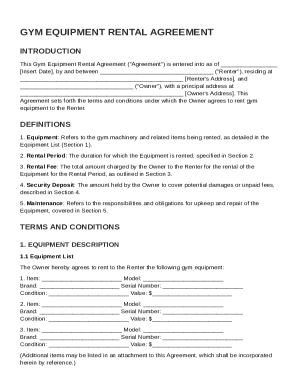
Get Gym Equipment Rental Agreement Template
How it works
-

Open form follow the instructions
-

Easily sign the form with your finger
-

Send filled & signed form or save
How to fill out and sign Gym Equipment Rental Agreement Template online?
Get your online template and fill it in using progressive features. Enjoy smart fillable fields and interactivity.Follow the simple instructions below:Are you seeking a quick and convenient solution to complete Gym Equipment Rental Agreement Template at an affordable price? Our service gives you an extensive selection of forms available for completing on the internet. It takes only a couple of minutes.
Follow these simple instructions to get Gym Equipment Rental Agreement Template completely ready for submitting:
- Get the form you require in our collection of templates.
- Open the template in the online editing tool.
- Read the instructions to determine which data you must include.
- Click on the fillable fields and add the required details.
- Put the date and insert your electronic signature after you complete all other fields.
- Double-check the completed document for misprints as well as other errors. If there?s a necessity to change something, the online editor and its wide range of instruments are ready for your use.
- Save the completed template to your computer by clicking Done.
- Send the electronic form to the intended recipient.
Submitting Gym Equipment Rental Agreement Template does not really have to be confusing any longer. From now on easily cope with it from your apartment or at the business office right from your mobile or desktop.
Tips on how to fill out, edit and sign Gym Equipment Rental Agreement Template online
How to fill out and sign Gym Equipment Rental Agreement Template online?
Get your online template and fill it in using progressive features. Enjoy smart fillable fields and interactivity.Follow the simple instructions below:
Are you seeking a quick and convenient solution to complete Gym Equipment Rental Agreement Template at an affordable price? Our service gives you an extensive selection of forms available for completing on the internet. It takes only a couple of minutes.
Follow these simple instructions to get Gym Equipment Rental Agreement Template completely ready for submitting:
- Get the form you require in our collection of templates.
- Open the template in the online editing tool.
- Read the instructions to determine which data you must include.
- Click on the fillable fields and add the required details.
- Put the date and insert your electronic signature after you complete all other fields.
- Double-check the completed document for misprints as well as other errors. If there?s a necessity to change something, the online editor and its wide range of instruments are ready for your use.
- Save the completed template to your computer by clicking Done.
- Send the electronic form to the intended recipient.
Submitting Gym Equipment Rental Agreement Template does not really have to be confusing any longer. From now on easily cope with it from your apartment or at the business office right from your mobile or desktop.
How to edit Gym Equipment Rental Agreement Template: customize forms online
Have your stressless and paper-free way of working with Gym Equipment Rental Agreement Template. Use our trusted online solution and save a lot of time.
Drafting every document, including Gym Equipment Rental Agreement Template, from scratch requires too much time, so having a tried-and-tested platform of pre-drafted form templates can do wonders for your productivity.
But working with them can be challenge, especially when it comes to the documents in PDF format. Fortunately, our huge catalog features a built-in editor that enables you to easily fill out and customize Gym Equipment Rental Agreement Template without leaving our website so that you don't need to lose hours executing your paperwork. Here's what to do with your form using our tools:
- Step 1. Find the necessary form on our website.
- Step 2. Click Get Form to open it in the editor.
- Step 3. Take advantage of professional editing features that allow you to add, remove, annotate and highlight or blackout text.
- Step 4. Create and add a legally-binding signature to your form by utilizing the sign option from the top toolbar.
- Step 5. If the template layout doesn’t look the way you need it, use the features on the right to erase, add more, and arrange pages.
- step 6. Insert fillable fields so other persons can be invited to fill out the template (if applicable).
- Step 7. Share or send the document, print it out, or choose the format in which you’d like to get the document.
Whether you need to complete editable Gym Equipment Rental Agreement Template or any other template available in our catalog, you’re well on your way with our online document editor. It's easy and secure and doesn’t require you to have special skills. Our web-based solution is set up to deal with virtually everything you can think of when it comes to document editing and completion.
Forget about the conventional way of handling your documents. Go with a more efficient solution to help you streamline your activities and make them less dependent on paper.
To get a copy of a rental agreement, you can typically request one from your landlord or property management. If you need a customized document, consider using a Gym Equipment Rental Agreement Template available on various platforms, such as USLegalForms, which helps you generate a rental agreement tailored to your specific needs.