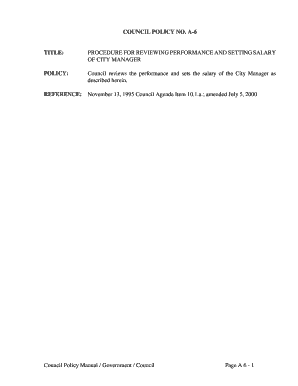
Get Council Policy No. A-6
How it works
-

Open form follow the instructions
-

Easily sign the form with your finger
-

Send filled & signed form or save
How to fill out and sign COUNCIL POLICY NO. A-6 online?
Get your online template and fill it in using progressive features. Enjoy smart fillable fields and interactivity.Follow the simple instructions below:The times of distressing complex legal and tax forms are over. With US Legal Forms the entire process of submitting official documents is anxiety-free. The leading editor is right at your fingertips offering you a range of beneficial instruments for submitting a COUNCIL POLICY NO. A-6. These tips, together with the editor will assist you through the entire procedure.
- Click on the orange Get Form option to start enhancing.
- Turn on the Wizard mode in the top toolbar to get additional recommendations.
- Fill in each fillable field.
- Make sure the details you add to the COUNCIL POLICY NO. A-6 is updated and accurate.
- Indicate the date to the sample using the Date function.
- Click the Sign button and create a signature. You can find 3 available choices; typing, drawing, or capturing one.
- Re-check each and every field has been filled in correctly.
- Select Done in the top right corne to save and send or download the file. There are several choices for getting the doc. As an instant download, an attachment in an email or through the mail as a hard copy.
We make completing any COUNCIL POLICY NO. A-6 much easier. Start now!
Tips on how to fill out, edit and sign COUNCIL POLICY NO. A-6 online
How to fill out and sign COUNCIL POLICY NO. A-6 online?
Get your online template and fill it in using progressive features. Enjoy smart fillable fields and interactivity.Follow the simple instructions below:
The times of distressing complex legal and tax forms are over. With US Legal Forms the entire process of submitting official documents is anxiety-free. The leading editor is right at your fingertips offering you a range of beneficial instruments for submitting a COUNCIL POLICY NO. A-6. These tips, together with the editor will assist you through the entire procedure.
- Click on the orange Get Form option to start enhancing.
- Turn on the Wizard mode in the top toolbar to get additional recommendations.
- Fill in each fillable field.
- Make sure the details you add to the COUNCIL POLICY NO. A-6 is updated and accurate.
- Indicate the date to the sample using the Date function.
- Click the Sign button and create a signature. You can find 3 available choices; typing, drawing, or capturing one.
- Re-check each and every field has been filled in correctly.
- Select Done in the top right corne to save and send or download the file. There are several choices for getting the doc. As an instant download, an attachment in an email or through the mail as a hard copy.
We make completing any COUNCIL POLICY NO. A-6 much easier. Start now!
How to edit COUNCIL POLICY NO. A-6: customize forms online
Use our advanced editor to turn a simple online template into a completed document. Continue reading to learn how to edit COUNCIL POLICY NO. A-6 online easily.
Once you discover a perfect COUNCIL POLICY NO. A-6, all you need to do is adjust the template to your needs or legal requirements. Apart from completing the fillable form with accurate information, you may need to erase some provisions in the document that are irrelevant to your circumstance. Alternatively, you might like to add some missing conditions in the original form. Our advanced document editing tools are the simplest way to fix and adjust the document.
The editor allows you to modify the content of any form, even if the file is in PDF format. It is possible to add and erase text, insert fillable fields, and make additional changes while keeping the original formatting of the document. You can also rearrange the structure of the form by changing page order.
You don’t have to print the COUNCIL POLICY NO. A-6 to sign it. The editor comes along with electronic signature capabilities. Most of the forms already have signature fields. So, you simply need to add your signature and request one from the other signing party with a few clicks.
Follow this step-by-step guide to create your COUNCIL POLICY NO. A-6:
- Open the preferred form.
- Use the toolbar to adjust the template to your preferences.
- Complete the form providing accurate details.
- Click on the signature field and add your electronic signature.
- Send the document for signature to other signers if needed.
Once all parties sign the document, you will receive a signed copy which you can download, print, and share with other people.
Our services allow you to save tons of your time and reduce the risk of an error in your documents. Improve your document workflows with effective editing capabilities and a powerful eSignature solution.
The highest authority in a city typically rests with the mayor, who represents the executive branch. However, the city’s council plays a significant role in governance through its legislative powers. The interplay between the mayor and council ensures that policies, such as COUNCIL POLICY NO. A-6, reflect the needs and voices of the community.
Industry-leading security and compliance
-
In businnes since 199725+ years providing professional legal documents.
-
Accredited businessGuarantees that a business meets BBB accreditation standards in the US and Canada.
-
Secured by BraintreeValidated Level 1 PCI DSS compliant payment gateway that accepts most major credit and debit card brands from across the globe.