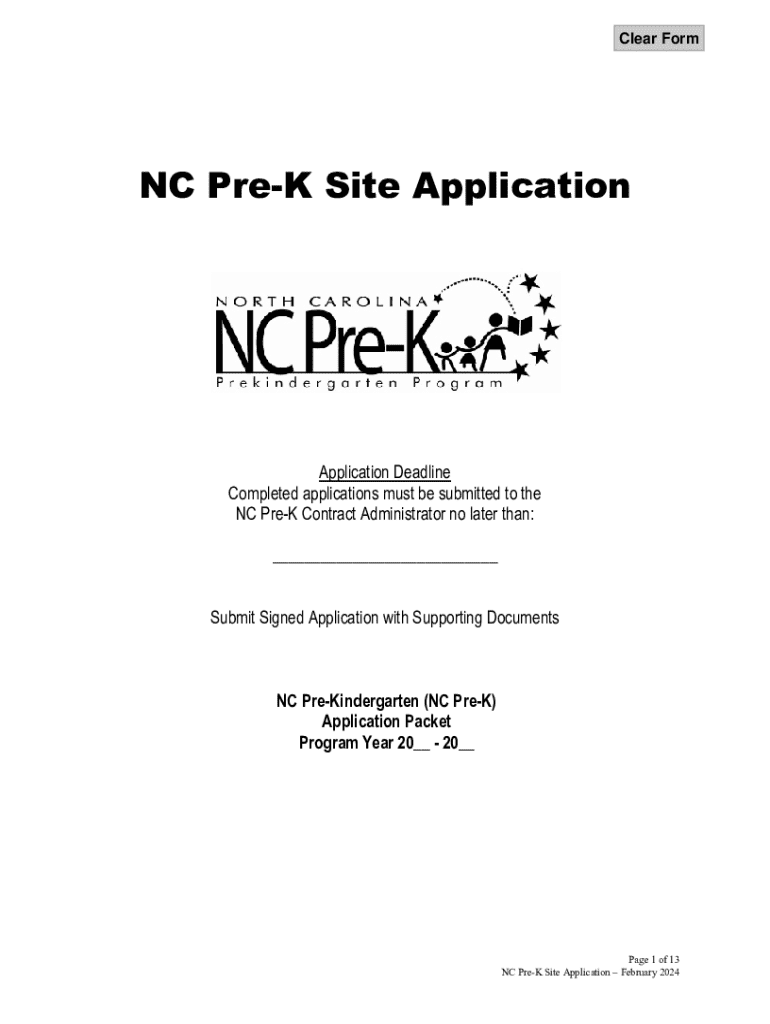
Ation with Supporting Documents NC Pre-Kindergarten (NC Pre-K) Application Packet Program Year 20 - 20 Page 1 of 13 NC Pre-K Site Application February 2024 APPLICATION PURPOSE AND AVAILABILITY NC Pre-K funds may only be used to support services for young children in the year prior to entering Kindergarten. Approved sites will be funded for the extent of the contract cycle. All awards are contingent upon and subject to appropriation, allocation and availability of funding through the.
Loading

Open form follow the instructions

Easily sign the form with your finger

Send filled & signed form or save
How to fill out and sign NC Pre-K Site Application online?
Get your online template and fill it in using progressive features. Enjoy smart fillable fields and interactivity.Follow the simple instructions below:
Are you still trying to find a quick and convenient solution to fill in NC Pre-K Site Application at an affordable price? Our platform provides you with an extensive collection of forms that are available for submitting online. It takes only a few minutes.
Follow these simple guidelines to get NC Pre-K Site Application ready for sending:
- Find the form you will need in the collection of legal templates.
- Open the template in our online editing tool.
- Go through the recommendations to find out which data you will need to provide.
- Click on the fillable fields and add the required data.
- Put the relevant date and place your e-autograph when you fill in all other boxes.
- Look at the form for misprints as well as other mistakes. If there?s a necessity to correct some information, the online editing tool as well as its wide variety of instruments are ready for your use.
- Download the completed form to your gadget by clicking on Done.
- Send the electronic document to the intended recipient.
Submitting NC Pre-K Site Application does not have to be confusing any longer. From now on simply get through it from home or at the business office straight from your mobile device or PC.
Tips on how to fill out, edit and sign NC Pre-K Site Application online
How to fill and sign NC Pre-K Site Application
Get your online template and fill it in using progressive features. Enjoy smart fillable fields and interactivity.Follow the simple instructions below:
Are you still trying to find a quick and convenient solution to fill in NC Pre-K Site Application at an affordable price? Our platform provides you with an extensive collection of forms that are available for submitting online. It takes only a few minutes.
Follow these simple guidelines to get NC Pre-K Site Application ready for sending:
- Find the form you will need in the collection of legal templates.
- Open the template in our online editing tool.
- Go through the recommendations to find out which data you will need to provide.
- Click on the fillable fields and add the required data.
- Put the relevant date and place your e-autograph when you fill in all other boxes.
- Look at the form for misprints as well as other mistakes. If there?s a necessity to correct some information, the online editing tool as well as its wide variety of instruments are ready for your use.
- Download the completed form to your gadget by clicking on Done.
- Send the electronic document to the intended recipient.
Submitting NC Pre-K Site Application does not have to be confusing any longer. From now on simply get through it from home or at the business office straight from your mobile device or PC.
How to edit NC Pre-K Site Application
Completing documents is easy with smart online tools. Eliminate paperwork with easily downloadable NC Pre-K Site Application templates you can modify online and print.
Preparing papers and paperwork must be more reachable, whether it is a regular element of one’s job or occasional work. When a person must file a NC Pre-K Site Application, studying regulations and tutorials on how to complete a form correctly and what it should include might take a lot of time and effort. Nevertheless, if you find the proper NC Pre-K Site Application template, completing a document will stop being a challenge with a smart editor at hand.
Discover a wider range of functions you can add to your document flow routine. No need to print, fill in, and annotate forms manually. With a smart editing platform, all the essential document processing functions will always be at hand. If you want to make your work process with NC Pre-K Site Application forms more efficient, find the template in the catalog, click on it, and see a less complicated way to fill it in.
- If you want to add text in a random area of the form or insert a text field, use the Text and Text field tools and expand the text in the form as much as you want.
- Utilize the Highlight tool to stress the important parts of the form. If you want to hide or remove some text parts, utilize the Blackout or Erase tools.
- Customize the form by adding default graphic elements to it. Use the Circle, Check, and Cross tools to add these elements to the forms, if required.
- If you need additional annotations, utilize the Sticky note tool and place as many notes on the forms page as required.
- If the form needs your initials or date, the editor has tools for that too. Minimize the risk of errors by using the Initials and Date tools.
- It is also possible to add custom graphic elements to the form. Use the Arrow, Line, and Draw tools to customize the document.
The more tools you are familiar with, the simpler it is to work with NC Pre-K Site Application. Try the solution that provides everything essential to find and modify forms in a single tab of your browser and forget about manual paperwork.
How to fill and sign NC Pre-K Site Application
Get your online template and fill it in using progressive features. Enjoy smart fillable fields and interactivity.Follow the simple instructions below:
Are you still trying to find a quick and convenient solution to fill in NC Pre-K Site Application at an affordable price? Our platform provides you with an extensive collection of forms that are available for submitting online. It takes only a few minutes.
Follow these simple guidelines to get NC Pre-K Site Application ready for sending:
- Find the form you will need in the collection of legal templates.
- Open the template in our online editing tool.
- Go through the recommendations to find out which data you will need to provide.
- Click on the fillable fields and add the required data.
- Put the relevant date and place your e-autograph when you fill in all other boxes.
- Look at the form for misprints as well as other mistakes. If there?s a necessity to correct some information, the online editing tool as well as its wide variety of instruments are ready for your use.
- Download the completed form to your gadget by clicking on Done.
- Send the electronic document to the intended recipient.
Submitting NC Pre-K Site Application does not have to be confusing any longer. From now on simply get through it from home or at the business office straight from your mobile device or PC.
Experience a faster way to fill out and sign forms on the web. Access the most extensive library of templates available.
Related content
APPLICATION PURPOSE AND AVAILABILITY. NC Pre-K funds may only be used to support services...
How Do I Apply for NC Pre-K Enrollment? • Obtain NC Pre-K Child Application materials...
This protocol will illustrate how the geochemical, aquifer, and contaminant data collected...
Get answers to your most pressing questions about US Legal Forms API.
How to apply for NC Pre-K program?
To apply for the NC Pre-K program, visit the official NC Pre-K Site Application online, where you can find important information and the necessary application forms. Ensure that you gather all required documents, such as proof of income and your child's birth certificate, to streamline the process. Once you complete your application, submit it to your local coordinator for review. This program offers access to quality early education, so don’t hesitate to get started.
Can a 3 year old start pre-K in North Carolina?
In North Carolina, the NC Pre-K program generally serves children who are four years old by the school cut-off date. However, children who are three years old may qualify under specific circumstances, such as developmental delays or other eligibility criteria. It’s important to check with local pre-K programs for individual assessments. You can use the NC Pre-K Site Application to explore available options based on your child's needs.
How to open a pre-K school?
To open a pre-K school, you'll first need to develop a clear plan that outlines your educational philosophy, curriculum, and operational strategies. Next, secure the necessary licensing and accreditations according to North Carolina state laws. Once you have your documents in order, you can begin to set up your facility and gather resources. Using the NC Pre-K Site Application can help you navigate funding options and requirements essential for establishing your school.
When can I send my child to pre-K?
You can send your child to pre-K in North Carolina when they reach the age of four by the designated cut-off date. For families eager to enroll, the application process generally opens in the spring before the school year. Completing the NC Pre-K Site Application early increases your chances of securing a spot for your child.
What age can you start pre-K in North Carolina?
In North Carolina, children can start pre-K if they are four years old by August 31 of the enrollment year. This age requirement ensures that children receive the foundational learning they need before entering kindergarten. It's important to check your local school district, as they might have specific guidelines regarding the NC Pre-K Site Application process.
Use professional pre-built templates to fill in and sign documents online faster. Get access to thousands of forms.
If you believe that this page should be taken down, please follow our DMCA take down process here.