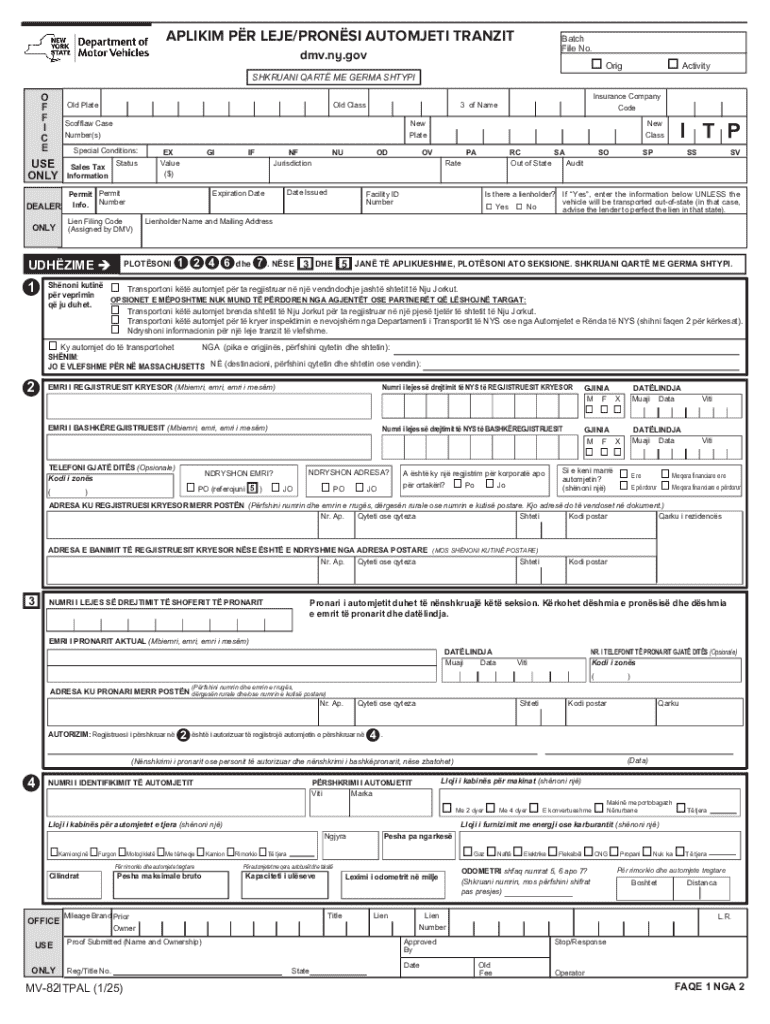
L Conditions: USE ONLY Sales Tax Status Information DEALER Permit Permit Info. Number ONLY EX Value ($) GI IF NF Jurisdiction NU OD New Class OV PA RC SA Out of State Audit Rate Date Issued Expiration Date Lien Filing Code (Assigned by DMV) UDH ZIME 1 Insurance Company Code 3 of Name SO I T P SP SS SV Is there a lienholder? If Yes , enter the information below UNLESS the vehicle will be transported out-of-state (in that case, o Yes o No advise the lender to.
Loading

Open form follow the instructions

Easily sign the form with your finger

Send filled & signed form or save
How to fill out and sign NY MV-82ITPAL online?
Get your online template and fill it in using progressive features. Enjoy smart fillable fields and interactivity.Follow the simple instructions below:
The days of distressing complicated tax and legal forms are over. With US Legal Forms submitting official documents is anxiety-free. A powerhouse editor is directly at your fingertips offering you various useful tools for submitting a NY MV-82ITPAL. These tips, combined with the editor will guide you through the complete process.
- Click on the orange Get Form button to begin filling out.
- Turn on the Wizard mode in the top toolbar to get additional suggestions.
- Fill in each fillable field.
- Make sure the information you fill in NY MV-82ITPAL is updated and correct.
- Include the date to the form with the Date feature.
- Select the Sign tool and make a digital signature. You can find three available options; typing, drawing, or capturing one.
- Be sure that every area has been filled in correctly.
- Click Done in the top right corne to export the record. There are several alternatives for receiving the doc. An attachment in an email or through the mail as a hard copy, as an instant download.
We make completing any NY MV-82ITPAL simpler. Use it now!
Tips on how to fill out, edit and sign NY MV-82ITPAL online
How to fill and sign NY MV-82ITPAL
Get your online template and fill it in using progressive features. Enjoy smart fillable fields and interactivity.Follow the simple instructions below:
The days of distressing complicated tax and legal forms are over. With US Legal Forms submitting official documents is anxiety-free. A powerhouse editor is directly at your fingertips offering you various useful tools for submitting a NY MV-82ITPAL. These tips, combined with the editor will guide you through the complete process.
- Click on the orange Get Form button to begin filling out.
- Turn on the Wizard mode in the top toolbar to get additional suggestions.
- Fill in each fillable field.
- Make sure the information you fill in NY MV-82ITPAL is updated and correct.
- Include the date to the form with the Date feature.
- Select the Sign tool and make a digital signature. You can find three available options; typing, drawing, or capturing one.
- Be sure that every area has been filled in correctly.
- Click Done in the top right corne to export the record. There are several alternatives for receiving the doc. An attachment in an email or through the mail as a hard copy, as an instant download.
We make completing any NY MV-82ITPAL simpler. Use it now!
How to edit NY MV-82ITPAL
Say goodbye to a traditional paper-based way of completing NY MV-82ITPAL. Get the document filled out and certified in minutes with our top-notch online editor.
Are you challenged to revise and complete NY MV-82ITPAL? With a professional editor like ours, you can complete this in mere minutes without having to print and scan papers over and over again. We offer fully editable and straightforward document templates that will serve as a start and help you fill out the necessary document template online.
All forms, by default, come with fillable fields you can complete as soon as you open the document. However, if you need to polish the existing content of the form or add a new one, you can choose from various editing and annotation tools. Highlight, blackout, and comment on the text; add checkmarks, lines, text boxes, graphics and notes, and comments. Additionally, you can easily certify the document with a legally-binding signature. The completed form can be shared with other people, stored, sent to external apps, or transformed into any other format.
You’ll never go wrong by choosing our web-based solution to complete NY MV-82ITPAL because it's:
- Effortless to set up and utilize, even for users who haven’t filled the documents electronically before.
- Robust enough to allow for multiple modifying needs and document types.
- Safe and secure, making your editing experience safeguarded every time.
- Available for different operating systems, making it stress-free to complete the document from anywhere.
- Capable of creating forms based on ready-made templates.
- Compatible with various document formats: PDF, DOC, DOCX, PPT and JPEG etc.
Don't waste time completing your NY MV-82ITPAL the old-fashioned way - with pen and paper. Use our feature-rich option instead. It gives you a comprehensive suite of editing tools, built-in eSignature capabilities, and convenience. The thing that makes it stand out is the team collaboration options - you can collaborate on forms with anyone, create a well-structured document approval flow from the ground up, and a lot more. Try our online solution and get the best bang for your buck!
How to fill and sign NY MV-82ITPAL
Get your online template and fill it in using progressive features. Enjoy smart fillable fields and interactivity.Follow the simple instructions below:
The days of distressing complicated tax and legal forms are over. With US Legal Forms submitting official documents is anxiety-free. A powerhouse editor is directly at your fingertips offering you various useful tools for submitting a NY MV-82ITPAL. These tips, combined with the editor will guide you through the complete process.
- Click on the orange Get Form button to begin filling out.
- Turn on the Wizard mode in the top toolbar to get additional suggestions.
- Fill in each fillable field.
- Make sure the information you fill in NY MV-82ITPAL is updated and correct.
- Include the date to the form with the Date feature.
- Select the Sign tool and make a digital signature. You can find three available options; typing, drawing, or capturing one.
- Be sure that every area has been filled in correctly.
- Click Done in the top right corne to export the record. There are several alternatives for receiving the doc. An attachment in an email or through the mail as a hard copy, as an instant download.
We make completing any NY MV-82ITPAL simpler. Use it now!
Experience a faster way to fill out and sign forms on the web. Access the most extensive library of templates available.
Related content
Transportoni këtë automjet brenda shtetit të Nju Jorkut për ta regjistruar në një...
Get answers to your most pressing questions about US Legal Forms API.
What is a NY MV 907A?
A NY MV 907A is a form related to vehicle registration and title transfers in New York. This form provides important information about vehicle ownership and is necessary for legal compliance. If you are dealing with vehicle registration issues, the NY MV-82ITPAL can guide you through the necessary steps. You can rely on uslegalforms for assistance in understanding and completing this form.
How to check NYC driving record?
To check your NYC driving record, visit the New York State Department of Motor Vehicles (DMV) website. You will need to provide your personal information and may need to create an account. This will allow you to access your driving history and any violation records. Utilizing resources like uslegalforms can help you navigate this process more easily.
How to return NY plates to DMV?
Returning your NY plates to the DMV is straightforward. You can either mail them to the DMV or return them in person at your local office. Make sure to keep any receipts related to the return, as they can serve as proof that you have returned your plates, which is important for your records.
How to title an out-of-state vehicle in New York?
To title an out-of-state vehicle in New York, you must complete the NY MV-82ITPAL form and provide the existing out-of-state title. Also, bring in proof of identity and, if applicable, proof of sales tax payment. This streamlined process helps ensure a smooth transition of your vehicle into the New York registration system.
What form do I need to register a trailer in NY?
To register a trailer in New York, you will need to complete the NY MV-82ITPAL form as well. This form is essential for all vehicle registrations, including trailers. Be sure to have any required documents ready to ensure a smooth registration process.
How to fill out a New York vehicle title?
Filling out a New York vehicle title involves providing essential details such as the VIN, owner's information, and mileage. Additionally, ensure both the seller and buyer sign the title accurately. Consult the NY MV-82ITPAL instructions while completing this to avoid any mistakes that could delay your registration.
What documents do I need to transfer a car title in NY?
To transfer a car title in New York, you will typically need the NY MV-82ITPAL form, the vehicle title signed over to you, and proof of identification. You might also need a bill of sale if applicable. Make sure to keep copies of all documents for your records during this process.
How to fill out a New York title?
Filling out a New York title requires accurate information about the vehicle and the owner. You will need to include the vehicle identification number, mileage, and both the buyer's and seller's information. Refer to the instructions on the NY MV-82ITPAL form for detailed guidance to ensure proper completion and avoid delays.
What form do I need to fill out to register a car in NY?
To register a car in New York, you need to fill out the NY MV-82ITPAL form. This form provides the necessary information for the DMV to process your vehicle registration. Keep your identification, title, and proof of insurance handy while completing this form to streamline the process.
Does NY require a notarized transfer of vehicle title from another state?
In New York, you do not need a notarized transfer of vehicle title if you are bringing a vehicle from another state. However, ensure that you fill out the NY MV-82ITPAL form correctly, as this document is essential for vehicle registration. Always consult the New York Department of Motor Vehicles for the latest requirements to avoid any issues.
Use professional pre-built templates to fill in and sign documents online faster. Get access to thousands of forms.
If you believe that this page should be taken down, please follow our DMCA take down process here.