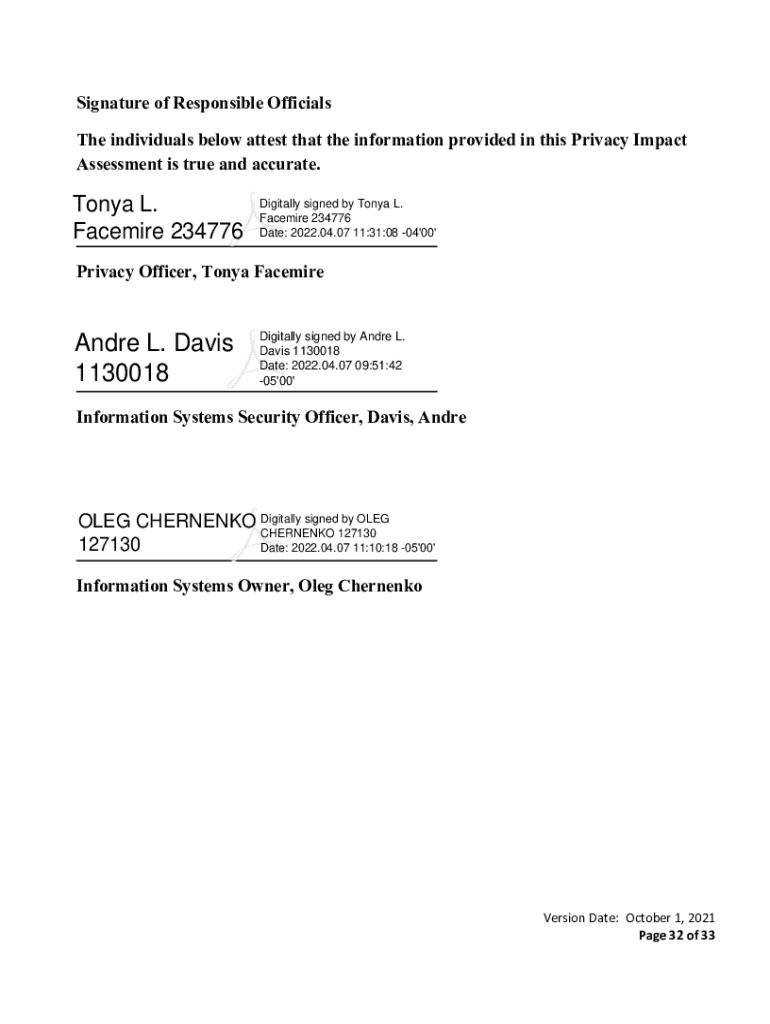
System Contacts Name Tonya Facemire E-mail Phone Number Tonya.Facemire va.gov 202-632-8423 Information System Security Officer (ISSO) Davis, Andre Andre.Davis2 va.gov 512-326-7422 Information System Owner Oleg Chernenko Oleg.Chernenko va.gov 512-417-0479 Privacy Officer Abstract The abstract provides the simplest explanation for what does the system do? and will be published online to accompany the PIA link. The Personnel and Accounting Integrated Data (PAID) is the VA-wide sy.
Loading

Open form follow the instructions

Easily sign the form with your finger

Send filled & signed form or save
How to fill out and sign VA Personnel And Accounting Integrated Data online?
Get your online template and fill it in using progressive features. Enjoy smart fillable fields and interactivity.Follow the simple instructions below:
Getting a authorized expert, making an appointment and coming to the business office for a personal meeting makes doing a VA Personnel And Accounting Integrated Data from start to finish tiring. US Legal Forms allows you to quickly produce legally valid papers based on pre-built web-based samples.
Prepare your docs within a few minutes using our straightforward step-by-step guideline:
- Get the VA Personnel And Accounting Integrated Data you need.
- Open it up with online editor and begin editing.
- Fill in the empty areas; concerned parties names, places of residence and numbers etc.
- Change the template with unique fillable areas.
- Put the day/time and place your e-signature.
- Simply click Done following twice-checking everything.
- Save the ready-made document to your system or print it like a hard copy.
Easily produce a VA Personnel And Accounting Integrated Data without having to involve specialists. We already have over 3 million users making the most of our rich catalogue of legal forms. Join us today and gain access to the top collection of browser-based blanks. Give it a try yourself!
Tips on how to fill out, edit and sign VA Personnel And Accounting Integrated Data online
How to fill and sign VA Personnel And Accounting Integrated Data
Get your online template and fill it in using progressive features. Enjoy smart fillable fields and interactivity.Follow the simple instructions below:
Getting a authorized expert, making an appointment and coming to the business office for a personal meeting makes doing a VA Personnel And Accounting Integrated Data from start to finish tiring. US Legal Forms allows you to quickly produce legally valid papers based on pre-built web-based samples.
Prepare your docs within a few minutes using our straightforward step-by-step guideline:
- Get the VA Personnel And Accounting Integrated Data you need.
- Open it up with online editor and begin editing.
- Fill in the empty areas; concerned parties names, places of residence and numbers etc.
- Change the template with unique fillable areas.
- Put the day/time and place your e-signature.
- Simply click Done following twice-checking everything.
- Save the ready-made document to your system or print it like a hard copy.
Easily produce a VA Personnel And Accounting Integrated Data without having to involve specialists. We already have over 3 million users making the most of our rich catalogue of legal forms. Join us today and gain access to the top collection of browser-based blanks. Give it a try yourself!
How to edit VA Personnel And Accounting Integrated Data
Facilitate your document preparation process and adjust it to your demands within clicks. Fill out and sign VA Personnel And Accounting Integrated Data using a powerful yet intuitive online editor.
Preparing documentation is always difficult, particularly when you deal with it from time to time. It demands you strictly follow all the formalities and precisely complete all areas with full and precise information. Nevertheless, it often occurs that you need to adjust the form or insert extra areas to fill out. If you need to optimize VA Personnel And Accounting Integrated Data before submitting it, the simplest way to do it is by using our powerful yet simple-to-use online editing tools.
This extensive PDF editing solution allows you to easily and quickly fill out legal paperwork from any internet-connected device, make fundamental edits to the template, and place additional fillable areas. The service allows you to pick a specific area for each data type, like Name, Signature, Currency and SSN and so on. You can make them required or conditional and choose who should fill out each field by assigning them to a particular recipient.
Make the steps listed below to improve your VA Personnel And Accounting Integrated Data online:
- Open needed sample from the catalog.
- Fill out the blanks with Text and drop Check and Cross tools to the tickboxes.
- Utilize the right-side toolbar to modify the form with new fillable areas.
- Choose the areas based on the type of information you want to be collected.
- Make these fields required, optional, and conditional and customize their order.
- Assign each field to a specific party with the Add Signer tool.
- Check if you’ve made all the required changes and click Done.
Our editor is a versatile multi-featured online solution that can help you quickly and effortlessly optimize VA Personnel And Accounting Integrated Data along with other templates in accordance with your requirements. Reduce document preparation and submission time and make your forms look professional without hassle.
How to fill and sign VA Personnel And Accounting Integrated Data
Get your online template and fill it in using progressive features. Enjoy smart fillable fields and interactivity.Follow the simple instructions below:
Getting a authorized expert, making an appointment and coming to the business office for a personal meeting makes doing a VA Personnel And Accounting Integrated Data from start to finish tiring. US Legal Forms allows you to quickly produce legally valid papers based on pre-built web-based samples.
Prepare your docs within a few minutes using our straightforward step-by-step guideline:
- Get the VA Personnel And Accounting Integrated Data you need.
- Open it up with online editor and begin editing.
- Fill in the empty areas; concerned parties names, places of residence and numbers etc.
- Change the template with unique fillable areas.
- Put the day/time and place your e-signature.
- Simply click Done following twice-checking everything.
- Save the ready-made document to your system or print it like a hard copy.
Easily produce a VA Personnel And Accounting Integrated Data without having to involve specialists. We already have over 3 million users making the most of our rich catalogue of legal forms. Join us today and gain access to the top collection of browser-based blanks. Give it a try yourself!
Experience a faster way to fill out and sign forms on the web. Access the most extensive library of templates available.
Related content
For each VA employee, the PAID datasets contain pay period data such as salary, hours...
It includes the provider name, and the real and scrambled social security numbers of VA...
We now have over 2,000 highly-trained Samsung employees who oversee factory opera- tions...
Get answers to your most pressing questions about US Legal Forms API.
What does VA mean in business?
In business, VA stands for Virtual Assistant, a professional who offers remote administrative and operational support. This role helps companies manage workloads and improve productivity. Utilizing VA Personnel And Accounting Integrated Data can enhance the workflow of virtual assistants, ensuring they have access to the information necessary to perform their tasks efficiently.
What is a VA in accounting?
A VA in accounting typically refers to a Virtual Assistant who specializes in bookkeeping and financial management tasks. These professionals are equipped to handle invoices, payroll, and financial reporting. By incorporating VA Personnel And Accounting Integrated Data, they can streamline these processes, improving efficiency and accuracy for businesses.
What is VA in accounting?
In accounting, VA can denote the role of a Virtual Accountant who manages financial records on behalf of businesses or organizations. They often utilize cloud-based solutions to keep accounting data safe and accessible. By integrating VA Personnel And Accounting Integrated Data, accountants can provide real-time insights and enhance financial transparency.
What is VA data?
VA data refers to the information collected by the Department of Veterans Affairs regarding veterans' services, benefits, and employee records. This data is essential for making informed decisions and optimizing services. By using VA Personnel And Accounting Integrated Data, the VA can ensure that their data is not only accurate but also useful for enhancing veteran services.
What is FMS in the VA?
FMS, or Financial Management System, in the VA is a framework used to manage the organization's financial data. It integrates various financial operations, streamlining accounting and reporting processes. The effective use of VA Personnel And Accounting Integrated Data plays a critical role in maintaining accurate financial oversight within the VA.
What's a VA in business?
In business, a VA refers to a Virtual Assistant who provides administrative support remotely. This role includes tasks like managing schedules, handling communications, and even certain financial functions. By leveraging VA Personnel And Accounting Integrated Data, businesses can enhance operational efficiency and focus on core activities.
What HR system does the VA use?
The Department of Veterans Affairs (VA) uses several HR systems to manage employee data effectively. These systems facilitate everything from recruitment to payroll, ensuring compliance with federal regulations. By utilizing VA Personnel And Accounting Integrated Data, the VA can streamline HR processes, allowing for better data management and reporting.
Is a VA an accountant?
A VA, or Virtual Assistant, is not necessarily an accountant, but they can perform accounting tasks. Many VAs specialize in bookkeeping and accounting duties, where they manage financial records and transactions. Their role can be integrated with VA Personnel And Accounting Integrated Data, providing businesses with accurate and timely financial information.
What coding system does the VA use?
The VA employs the International Classification of Diseases (ICD) coding system for diagnosing and billing purposes. This coding system helps ensure consistent data entry and reporting of medical information. By using the ICD alongside the VA Personnel And Accounting Integrated Data, the VA enhances its ability to manage healthcare services and resources effectively.
Does the VA use Slack?
The VA has begun to adopt various communication tools for internal collaboration, but it traditionally relies on secure platforms due to privacy concerns. While Slack is popular in many organizations, the VA may utilize alternative tools to ensure compliance with federal regulations. This commitment helps protect the integrity of VA Personnel And Accounting Integrated Data while still fostering effective communication.
Use professional pre-built templates to fill in and sign documents online faster. Get access to thousands of forms.
If you believe that this page should be taken down, please follow our DMCA take down process here.