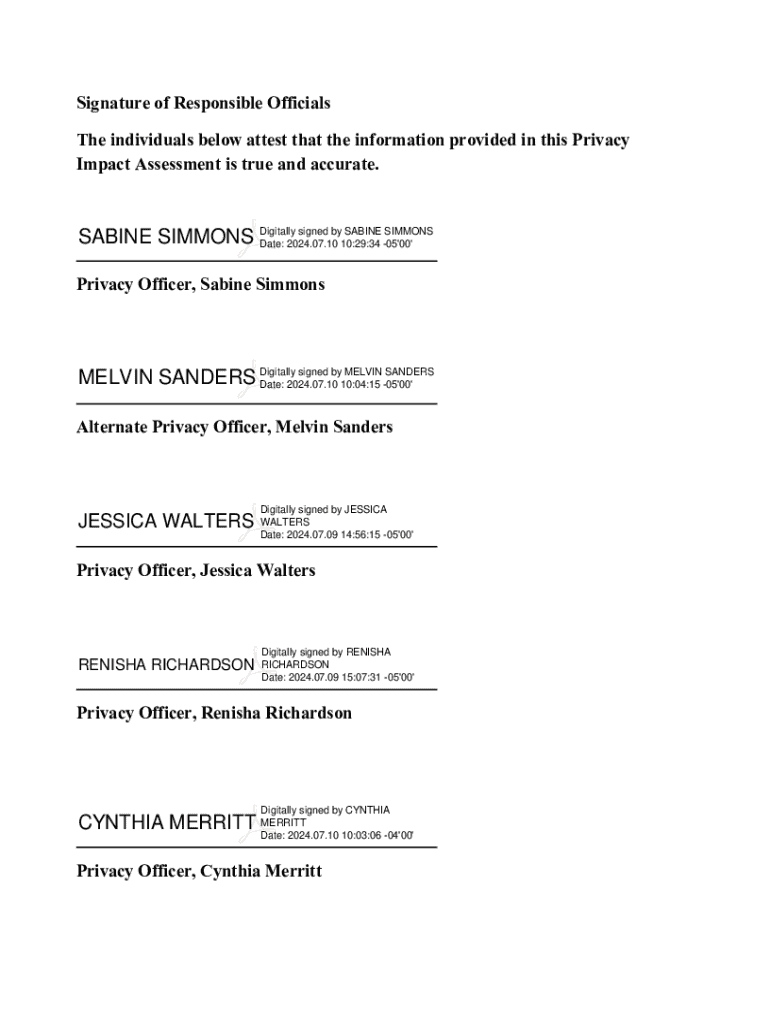
Veterans Health Care System (CAVHCS) 619 2) Montgomery VA Regional Office (MRO) 322 3) Ft. Mitchell National Cemetery (NCA) 908 1 The completion of Veterans Affairs Privacy Impact Assessments (PIAs) is mandated for any rulemaking, program, boundary, or practice that collects or uses PII under the authority of the E-government Act of 2002 (44 U.S.C. 208(b)) and VA Directive 6508, Implementation of Privacy Threshold Analysis and Privacy Impact Assessment. Version date: October 1, 2023 P.

Open form follow the instructions

Easily sign the form with your finger

Send filled & signed form or save
How to fill out and sign VA Area Central Alabama Southeast District online?
Get your online template and fill it in using progressive features. Enjoy smart fillable fields and interactivity.Follow the simple instructions below:
Finding a legal specialist, creating a scheduled appointment and going to the business office for a private conference makes completing a VA Area Central Alabama Southeast District from start to finish tiring. US Legal Forms enables you to rapidly make legally-compliant documents according to pre-constructed online templates.
Prepare your docs in minutes using our easy step-by-step instructions:
- Get the VA Area Central Alabama Southeast District you need.
- Open it up using the cloud-based editor and start adjusting.
- Fill in the empty areas; involved parties names, places of residence and numbers etc.
- Change the template with exclusive fillable areas.
- Include the particular date and place your electronic signature.
- Click on Done after double-examining all the data.
- Download the ready-created document to your device or print it out like a hard copy.
Rapidly produce a VA Area Central Alabama Southeast District without having to involve experts. We already have over 3 million users taking advantage of our unique library of legal forms. Join us today and gain access to the #1 library of browser-based templates. Try it yourself!
Tips on how to fill out, edit and sign VA Area Central Alabama Southeast District online
How to fill and sign VA Area Central Alabama Southeast District
Get your online template and fill it in using progressive features. Enjoy smart fillable fields and interactivity.Follow the simple instructions below:
Finding a legal specialist, creating a scheduled appointment and going to the business office for a private conference makes completing a VA Area Central Alabama Southeast District from start to finish tiring. US Legal Forms enables you to rapidly make legally-compliant documents according to pre-constructed online templates.
Prepare your docs in minutes using our easy step-by-step instructions:
- Get the VA Area Central Alabama Southeast District you need.
- Open it up using the cloud-based editor and start adjusting.
- Fill in the empty areas; involved parties names, places of residence and numbers etc.
- Change the template with exclusive fillable areas.
- Include the particular date and place your electronic signature.
- Click on Done after double-examining all the data.
- Download the ready-created document to your device or print it out like a hard copy.
Rapidly produce a VA Area Central Alabama Southeast District without having to involve experts. We already have over 3 million users taking advantage of our unique library of legal forms. Join us today and gain access to the #1 library of browser-based templates. Try it yourself!
How to edit VA Area Central Alabama Southeast District
Take away the mess from your paperwork routine. Discover the easiest way to find and edit, and file a VA Area Central Alabama Southeast District
The process of preparing VA Area Central Alabama Southeast District needs accuracy and attention, especially from those who are not well familiar with such a job. It is important to get a suitable template and fill it in with the correct information. With the proper solution for processing paperwork, you can get all the tools at hand. It is easy to streamline your editing process without learning new skills. Find the right sample of VA Area Central Alabama Southeast District and fill it out quickly without switching between your browser tabs. Discover more tools to customize your VA Area Central Alabama Southeast District form in the editing mode.
While on the VA Area Central Alabama Southeast District page, just click the Get form button to start editing it. Add your data to the form on the spot, as all the necessary tools are at hand right here. The sample is pre-designed, so the effort needed from the user is minimal. Use the interactive fillable fields in the editor to easily complete your paperwork. Simply click on the form and proceed to the editor mode immediately. Fill in the interactive field, and your document is good to go.
Try out more tools to customize your form:
- Place more textual content around the document if needed. Use the Text and Text Box tools to insert text in a separate box.
- Add pre-designed visual components like Circle, Cross, and Check with respective tools.
- If needed, capture or upload images to the document with the Image tool.
- If you need to draw something in the document, use Line, Arrow, and Draw tools.
- Try the Highlight, Erase, and Blackout tools to change the text in the document.
- If you need to add comments to specific document parts, click the Sticky tool and place a note where you want.
Often, a small error can wreck the whole form when someone completes it manually. Forget about inaccuracies in your paperwork. Find the templates you require in moments and complete them electronically via a smart editing solution.
How to fill and sign VA Area Central Alabama Southeast District
Get your online template and fill it in using progressive features. Enjoy smart fillable fields and interactivity.Follow the simple instructions below:
Finding a legal specialist, creating a scheduled appointment and going to the business office for a private conference makes completing a VA Area Central Alabama Southeast District from start to finish tiring. US Legal Forms enables you to rapidly make legally-compliant documents according to pre-constructed online templates.
Prepare your docs in minutes using our easy step-by-step instructions:
- Get the VA Area Central Alabama Southeast District you need.
- Open it up using the cloud-based editor and start adjusting.
- Fill in the empty areas; involved parties names, places of residence and numbers etc.
- Change the template with exclusive fillable areas.
- Include the particular date and place your electronic signature.
- Click on Done after double-examining all the data.
- Download the ready-created document to your device or print it out like a hard copy.
Rapidly produce a VA Area Central Alabama Southeast District without having to involve experts. We already have over 3 million users taking advantage of our unique library of legal forms. Join us today and gain access to the #1 library of browser-based templates. Try it yourself!
Experience a faster way to fill out and sign forms on the web. Access the most extensive library of templates available.
Related content
Jul 10, 2024 — Area Central Alabama is an Information Area that consists of Central...
Listing of DoDEA Americas Southeast leadership, including district and community...
Pode-se selecionar a zona horária automática ou manualmente. No painel frontal:...
Get answers to your most pressing questions about US Legal Forms API.
What benefits does Alabama have for veterans?
Alabama offers a variety of benefits designed specifically for veterans in the VA Area Central Alabama Southeast District. These benefits include educational opportunities, tax exemptions on property, and specialized healthcare services. Additionally, the state has numerous organizations working to support veterans in finding employment and housing. Exploring these advantages can truly make a difference in your life.
Which state has the best VA medical care?
The quality of VA medical care can vary by state, depending largely on individual experiences. However, many veterans find the services in Alabama, specifically in the VA Area Central Alabama Southeast District, to be quite satisfactory. Proximity to modern facilities and dedicated healthcare professionals enhances the overall experience. It is valuable to explore local resources and facilities that cater specifically to your needs.
What visn is Birmingham, VA?
Birmingham, Alabama, falls under VISN 7, which includes several locations throughout the Southeast. This Health Care System provides support to veterans in the VA Area Central Alabama Southeast District. It offers a wide range of services, from primary care to specialized treatments. If you live in this area, you can access these comprehensive services with ease.
How to change VA location?
If you need to change your VA location within the VA Area Central Alabama Southeast District, start by contacting your current VA facility. They can guide you through the necessary steps to transfer your care. You may need to fill out a change of address form and schedule an appointment with the new location. This process ensures that you continue to receive the benefits and services you need without interruption.
What are the VA benefits in South Alabama?
In South Alabama, especially within the VA Area Central Alabama Southeast District, veterans can access a variety of VA benefits. These benefits include health care, disability compensation, pensions, and vocational rehabilitation. The region also has resources for education and training, which can help veterans transition to civilian life successfully. Understanding these benefits can greatly enhance your quality of life.
Is Alabama a good state for veterans?
Yes, Alabama offers many advantages for veterans, particularly in the VA Area Central Alabama Southeast District. The state provides various programs and services tailored to veterans' needs, including education, housing, and employment assistance. Additionally, Alabama has a strong community of veterans and organizations dedicated to supporting them. Overall, you will find a welcoming environment that values and respects your service.
What benefits does Alabama give veterans?
Alabama offers a range of benefits for veterans, including education assistance, property tax exemptions, and access to VA healthcare facilities throughout the VA Area Central Alabama Southeast District. Veterans may also qualify for additional benefits such as employment assistance and housing help. It’s vital to explore these opportunities to make the most of what Alabama has to offer. For personalized assistance with navigating these benefits, consider utilizing platforms like USLegalForms.
How do I get a VA primary care provider near me?
To find a VA primary care provider near you, visit the VA’s official website or use the VA's health care locator tool. You can enter your zip code and find available providers within the VA Area Central Alabama Southeast District. Alternatively, contacting the Birmingham VA Medical Center can help guide you to the right resources. Having a primary care provider ensures you receive essential health services tailored to your needs.
What visn is Alabama in?
Alabama is part of the Veterans Integrated Service Network 7, commonly referred to as VISN 7. This network includes the VA Area Central Alabama Southeast District and covers several states. VISN 7 ensures that veterans in this area receive quality healthcare and support services. You can access a variety of facilities and services as part of this network.
What is the phone number for the VA in Birmingham?
You can reach the VA in Birmingham at 205-933-8101. This number connects you to the Birmingham VA Medical Center, which serves the VA Area Central Alabama Southeast District. They can help with appointments, inquiries, and other veteran services. Make sure to have your information ready when you call to ensure a smooth conversation.
Use professional pre-built templates to fill in and sign documents online faster. Get access to thousands of forms.
If you believe that this page should be taken down, please follow our DMCA take down process here.