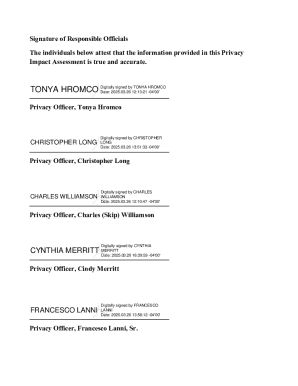
Sments (PIAs) is mandated for any rulemaking, program, boundary, or practice that collects or uses PII under the authority of the E-government Act of 2002 (44 U.S.C. 208(b)) and VA Directive 6508, Implementation of Privacy Threshold Analysis and Privacy Impact Assessment. Version date: October 1, 2024 Page 1 of 55 Sites within Area: Sites Station Numbers 1) Lebanon VA Medical Center 595 2) Cumberland VA Community Clinic 595GA 3) Lancaster VA Community Clinic 595GC 4) York VA Commun.
Loading
Open form follow the instructions
Easily sign the form with your finger
Send filled & signed form or save
How to fill out and sign VA Area Lebanon North Atlantic District online?
Get your online template and fill it in using progressive features. Enjoy smart fillable fields and interactivity.Follow the simple instructions below:
The times of distressing complex legal and tax documents are over. With US Legal Forms the process of completing official documents is anxiety-free. A powerhouse editor is directly at your fingertips giving you multiple beneficial instruments for submitting a VA Area Lebanon North Atlantic District. The following tips, with the editor will guide you with the whole procedure.
- Click on the orange Get Form button to begin filling out.
- Switch on the Wizard mode on the top toolbar to get additional suggestions.
- Fill out each fillable field.
- Ensure that the info you fill in VA Area Lebanon North Atlantic District is updated and correct.
- Add the date to the document using the Date function.
- Click the Sign button and create an electronic signature. There are 3 available choices; typing, drawing, or uploading one.
- Double-check each area has been filled in correctly.
- Click Done in the top right corne to export the form. There are various ways for getting the doc. As an instant download, an attachment in an email or through the mail as a hard copy.
We make completing any VA Area Lebanon North Atlantic District faster. Get started now!
Tips on how to fill out, edit and sign VA Area Lebanon North Atlantic District online
How to fill and sign VA Area Lebanon North Atlantic District
Get your online template and fill it in using progressive features. Enjoy smart fillable fields and interactivity.Follow the simple instructions below:
The times of distressing complex legal and tax documents are over. With US Legal Forms the process of completing official documents is anxiety-free. A powerhouse editor is directly at your fingertips giving you multiple beneficial instruments for submitting a VA Area Lebanon North Atlantic District. The following tips, with the editor will guide you with the whole procedure.
- Click on the orange Get Form button to begin filling out.
- Switch on the Wizard mode on the top toolbar to get additional suggestions.
- Fill out each fillable field.
- Ensure that the info you fill in VA Area Lebanon North Atlantic District is updated and correct.
- Add the date to the document using the Date function.
- Click the Sign button and create an electronic signature. There are 3 available choices; typing, drawing, or uploading one.
- Double-check each area has been filled in correctly.
- Click Done in the top right corne to export the form. There are various ways for getting the doc. As an instant download, an attachment in an email or through the mail as a hard copy.
We make completing any VA Area Lebanon North Atlantic District faster. Get started now!
How to edit VA Area Lebanon North Atlantic District
Get rid of the mess from your paperwork routine. Discover the simplest way to find and edit, and file a VA Area Lebanon North Atlantic District
The process of preparing VA Area Lebanon North Atlantic District demands precision and focus, especially from those who are not well familiar with such a job. It is essential to find a suitable template and fill it in with the correct information. With the proper solution for processing paperwork, you can get all the tools at hand. It is easy to simplify your editing process without learning new skills. Find the right sample of VA Area Lebanon North Atlantic District and fill it out immediately without switching between your browser tabs. Discover more tools to customize your VA Area Lebanon North Atlantic District form in the editing mode.
While on the VA Area Lebanon North Atlantic District page, click on the Get form button to start editing it. Add your details to the form on the spot, as all the needed tools are at hand right here. The sample is pre-designed, so the work needed from the user is minimal. Simply use the interactive fillable fields in the editor to easily complete your paperwork. Simply click on the form and proceed to the editor mode straight away. Complete the interactive field, and your file is good to go.
Try more tools to customize your form:
- Place more text around the document if needed. Use the Text and Text Box tools to insert text in a separate box.
- Add pre-designed visual components like Circle, Cross, and Check with respective tools.
- If needed, capture or upload images to the document with the Image tool.
- If you need to draw something in the document, use Line, Arrow, and Draw tools.
- Try the Highlight, Erase, and Blackout tools to change the text in the document.
- If you need to add comments to specific document parts, click on the Sticky tool and place a note where you want.
Often, a small error can wreck the whole form when someone completes it manually. Forget about inaccuracies in your paperwork. Find the samples you need in moments and complete them electronically via a smart editing solution.
How to fill and sign VA Area Lebanon North Atlantic District
Get your online template and fill it in using progressive features. Enjoy smart fillable fields and interactivity.Follow the simple instructions below:
The times of distressing complex legal and tax documents are over. With US Legal Forms the process of completing official documents is anxiety-free. A powerhouse editor is directly at your fingertips giving you multiple beneficial instruments for submitting a VA Area Lebanon North Atlantic District. The following tips, with the editor will guide you with the whole procedure.
- Click on the orange Get Form button to begin filling out.
- Switch on the Wizard mode on the top toolbar to get additional suggestions.
- Fill out each fillable field.
- Ensure that the info you fill in VA Area Lebanon North Atlantic District is updated and correct.
- Add the date to the document using the Date function.
- Click the Sign button and create an electronic signature. There are 3 available choices; typing, drawing, or uploading one.
- Double-check each area has been filled in correctly.
- Click Done in the top right corne to export the form. There are various ways for getting the doc. As an instant download, an attachment in an email or through the mail as a hard copy.
We make completing any VA Area Lebanon North Atlantic District faster. Get started now!
Experience a faster way to fill out and sign forms on the web. Access the most extensive library of templates available.
Related content
Sites within Area: Sites. Station Numbers. 1) Lebanon VA Medical Center. 595. 2)...
by MN Schmitt · 2019 · Cited by 17 — 172 Today, the group is geographically...
Part 1 provides essential data concerning the type of aeronautical information available...
Get answers to your most pressing questions about US Legal Forms API.
Where to mail VA forms?
You can mail your VA forms to the address designated by the specific form you are using. For those in the VA Area Lebanon North Atlantic District, check your form's instructions for the correct mailing address. If you need assistance determining where to send your forms, uslegalforms can provide you with the resources to help ensure your paperwork reaches the right department.
Does Lebanon, VA have an emergency room?
Yes, Lebanon, VA has emergency room facilities available for immediate medical attention. If you find yourself in need of urgent care, you can visit local hospitals with ER departments. It is always a good idea to know your options in the VA Area Lebanon North Atlantic District for quick access to medical services.
How to submit a dental claim to VA?
To submit a dental claim to the VA, you must complete the VA Form 21-526EZ, which you can find online. After filling out the form, you can mail it to your local VA office or submit it electronically through the VA’s eBenefits portal. Make sure to check the specific guidelines for the VA Area Lebanon North Atlantic District to ensure you provide all necessary documentation.
Where can I find the VA file?
You can find your VA file at the Veterans Affairs regional office nearest to you. If you are located in the VA Area Lebanon North Atlantic District, the local office can guide you through the process of accessing your records. Additionally, you can request copies via mail or online through the VA's official channels.
How do I find my VA file?
To locate your VA file, start by visiting the VA's official website. You can request your file online by creating an account or logging in to your existing account. If you prefer, you can also contact the VA directly through a local office in the VA Area Lebanon North Atlantic District for assistance.
Can you transfer a VA?
Yes, you can transfer your VA care from one location to another. The process requires you to communicate with your current VA facility to discuss your options within the VA Area Lebanon North Atlantic District. They will assist you throughout the transfer process, ensuring that your medical history and care are properly transferred to your new facility, maintaining the quality of care you deserve.
What is the highest rated VA hospital?
The highest rated VA hospital may vary depending on specific criteria such as healthcare services and patient satisfaction. You can find detailed rankings and reviews for facilities within the VA Area Lebanon North Atlantic District through VA resources and feedback from fellow veterans. Researching online can provide insights into which hospital may best meet your needs based on ratings and community feedback.
How to transfer VA location?
To transfer your VA location, you need to follow a straightforward procedure. Reach out to the customer service department of your current VA facility to express your intent to move within the VA Area Lebanon North Atlantic District. They will help you with the required paperwork and inform you about any additional steps needed to finalize your move and ensure continuity of care.
How do I transfer from one VA to another?
Transferring from one VA to another involves several steps. First, contact your existing VA facility to inform them of your plans to move within the VA Area Lebanon North Atlantic District. They will provide you with the necessary forms and instructions to complete the transfer process. Ensure you have your medical records and any specific requirements ready for the new facility to facilitate a smooth transition.
How do I switch VA locations?
To switch VA locations, start by contacting your current VA facility. They can guide you through the process of choosing a new location within the VA Area Lebanon North Atlantic District. You may need to provide your reasons for the switch, as well as any medical needs that require a different site. Once approved, the staff will assist you with the administrative steps to ensure a smooth transition.
Use professional pre-built templates to fill in and sign documents online faster. Get access to thousands of forms.
If you believe that this page should be taken down, please follow our DMCA take down process here.