Loading

Open form follow the instructions

Easily sign the form with your finger

Send filled & signed form or save
How to fill out and sign ID Post Handgun Qualification Short Course online?
Get your online template and fill it in using progressive features. Enjoy smart fillable fields and interactivity.Follow the simple instructions below:
Business, tax, legal along with other electronic documents demand higher of protection and compliance with the legislation. Our templates are regularly updated according to the latest legislative changes. Plus, with us, all of the details you include in your ID Post Handgun Qualification Short Course is well-protected against loss or damage by means of top-notch file encryption.
The tips below will help you complete ID Post Handgun Qualification Short Course quickly and easily:
- Open the form in the full-fledged online editing tool by hitting Get form.
- Fill in the required boxes that are yellow-colored.
- Press the arrow with the inscription Next to jump from field to field.
- Go to the e-signature tool to e-sign the form.
- Put the date.
- Double-check the entire template to make sure you have not skipped anything.
- Click Done and save your new template.
Our platform enables you to take the entire procedure of executing legal papers online. As a result, you save hours (if not days or even weeks) and eliminate additional payments. From now on, complete ID Post Handgun Qualification Short Course from your home, office, or even while on the go.
Tips on how to fill out, edit and sign ID Post Handgun Qualification Short Course online
How to fill and sign ID Post Handgun Qualification Short Course
Get your online template and fill it in using progressive features. Enjoy smart fillable fields and interactivity.Follow the simple instructions below:
Business, tax, legal along with other electronic documents demand higher of protection and compliance with the legislation. Our templates are regularly updated according to the latest legislative changes. Plus, with us, all of the details you include in your ID Post Handgun Qualification Short Course is well-protected against loss or damage by means of top-notch file encryption.
The tips below will help you complete ID Post Handgun Qualification Short Course quickly and easily:
- Open the form in the full-fledged online editing tool by hitting Get form.
- Fill in the required boxes that are yellow-colored.
- Press the arrow with the inscription Next to jump from field to field.
- Go to the e-signature tool to e-sign the form.
- Put the date.
- Double-check the entire template to make sure you have not skipped anything.
- Click Done and save your new template.
Our platform enables you to take the entire procedure of executing legal papers online. As a result, you save hours (if not days or even weeks) and eliminate additional payments. From now on, complete ID Post Handgun Qualification Short Course from your home, office, or even while on the go.
How to edit ID Post Handgun Qualification Short Course
Find the correct ID Post Handgun Qualification Short Course template and edit it on the spot. Simplify your paperwork with a smart document editing solution for online forms.
Your daily workflow with documents and forms can be more efficient when you have everything that you need in one place. For instance, you can find, obtain, and edit ID Post Handgun Qualification Short Course in just one browser tab. Should you need a particular ID Post Handgun Qualification Short Course, it is simple to find it with the help of the smart search engine and access it right away. You do not have to download it or look for a third-party editor to edit it and add your details. All the instruments for productive work go in just one packaged solution.
This editing solution enables you to customize, fill, and sign your ID Post Handgun Qualification Short Course form right on the spot. Once you find a suitable template, click on it to go to the editing mode. Once you open the form in the editor, you have all the necessary instruments at your fingertips. You can easily fill in the dedicated fields and erase them if necessary with the help of a simple yet multifunctional toolbar. Apply all the changes right away, and sign the form without leaving the tab by simply clicking the signature field. After that, you can send or print out your document if needed.
Make more custom edits with available instruments.
- Annotate your document with the Sticky note tool by putting a note at any spot within the document.
- Add required graphic elements, if needed, with the Circle, Check, or Cross instruments.
- Modify or add text anywhere in the document using Texts and Text box instruments. Add content with the Initials or Date tool.
- Modify the template text with the Highlight and Blackout, or Erase instruments.
- Add custom graphic elements with the Arrow and Line, or Draw tools.
Discover new possibilities in efficient and simple paperwork. Find the ID Post Handgun Qualification Short Course you need in minutes and fill it out in in the same tab. Clear the mess in your paperwork once and for all with the help of online forms.
How to fill and sign ID Post Handgun Qualification Short Course
Get your online template and fill it in using progressive features. Enjoy smart fillable fields and interactivity.Follow the simple instructions below:
Business, tax, legal along with other electronic documents demand higher of protection and compliance with the legislation. Our templates are regularly updated according to the latest legislative changes. Plus, with us, all of the details you include in your ID Post Handgun Qualification Short Course is well-protected against loss or damage by means of top-notch file encryption.
The tips below will help you complete ID Post Handgun Qualification Short Course quickly and easily:
- Open the form in the full-fledged online editing tool by hitting Get form.
- Fill in the required boxes that are yellow-colored.
- Press the arrow with the inscription Next to jump from field to field.
- Go to the e-signature tool to e-sign the form.
- Put the date.
- Double-check the entire template to make sure you have not skipped anything.
- Click Done and save your new template.
Our platform enables you to take the entire procedure of executing legal papers online. As a result, you save hours (if not days or even weeks) and eliminate additional payments. From now on, complete ID Post Handgun Qualification Short Course from your home, office, or even while on the go.
Experience a faster way to fill out and sign forms on the web. Access the most extensive library of templates available.
Related content
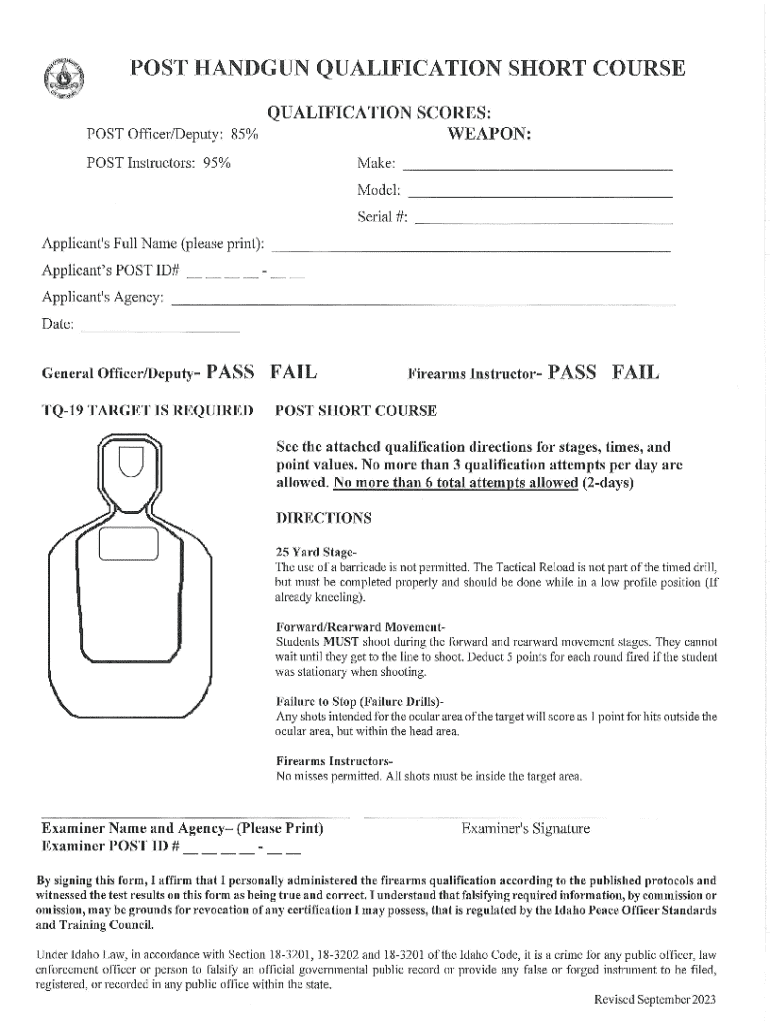
The course includes stages at 25, 15, 7, 3-7 yards, with 40 total rounds...
This 15-week program follows the curriculum of Idaho POST, in Meridian. All of our...
These schedules are based on the desirable number of training hours for a pistol or...
Get answers to your most pressing questions about US Legal Forms API.
What is the FBI pistol qualification course?
The FBI pistol qualification course is designed to assess a shooter’s ability to handle a handgun safely and accurately. This course includes various shooting scenarios and distance requirements that reflect real-world challenges. Completing the ID Post Handgun Qualification Short Course can significantly prepare individuals for the FBI's standards, enhancing skills that are essential for both law enforcement and personal protection. By following this structured approach, you can excel in marksmanship and safety.
What are the qualifications for the Army pistol?
To qualify with the Army pistol, a shooter must complete the required training, demonstrating proficiency with the firearm. Generally, this includes familiarity with safety protocols and the ability to accurately hit designated targets at varying distances. Participation in the ID Post Handgun Qualification Short Course can help individuals meet these qualifications effectively. This course provides structured training designed to improve your skills and confidence.
Use professional pre-built templates to fill in and sign documents online faster. Get access to thousands of forms.
If you believe that this page should be taken down, please follow our DMCA take down process here.