Loading
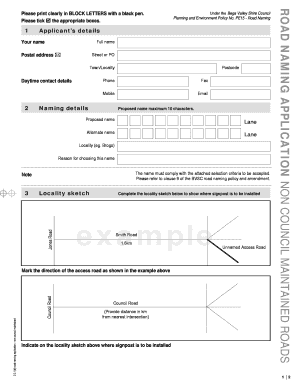
Get Road Naming Application
How it works
-

Open form follow the instructions
-

Easily sign the form with your finger
-

Send filled & signed form or save
How to fill out the Road Naming Application online
Filling out the Road Naming Application online can be a straightforward process if you follow the provided steps carefully. This guide is designed to assist you in completing the form accurately and efficiently.
Follow the steps to successfully complete your application.
- Click ‘Get Form’ button to obtain the application form and open it in your preferred editor.
- Begin by entering the applicant’s details. Fill in your full name, postal address, daytime contact details, including phone, fax, mobile, and email. Ensure all information is accurate and clearly printed.
- Provide the reason for choosing the proposed name, ensuring that it complies with the selection criteria stated in the Bega Valley Shire Council's road naming policy.
- Fill in any additional required information, including owners' names and lot and DP numbers. Make sure to sign and date the application, acknowledging that the council assumes no responsibility for road maintenance or associated costs.
Get started on your Road Naming Application online today!
To request a change to a road name on Google Maps, you can use their 'Send feedback' feature within the app. Clearly outline the new name and provide supporting documentation if available. Using a Road Naming Application can help you establish an official name change, making your request to Google Maps more persuasive.
Industry-leading security and compliance
US Legal Forms protects your data by complying with industry-specific security standards.
-
In businnes since 199725+ years providing professional legal documents.
-
Accredited businessGuarantees that a business meets BBB accreditation standards in the US and Canada.
-
Secured by BraintreeValidated Level 1 PCI DSS compliant payment gateway that accepts most major credit and debit card brands from across the globe.