Loading
Get Irs Publication 783 2022-2026
How it works
-

Open form follow the instructions
-

Easily sign the form with your finger
-

Send filled & signed form or save
How to fill out the IRS Publication 783 online
Filling out the IRS Publication 783, which pertains to the application for a Certificate of Discharge from Federal Tax Lien, is a crucial step in resolving tax lien issues. This guide provides clear and concise instructions to help users navigate the online process effectively.
Follow the steps to fill out the IRS Publication 783 online.
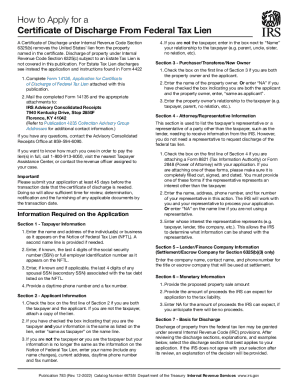
- Click ‘Get Form’ button to access the form and open it in your preferred editor.
- Complete Section 1 by entering taxpayer information, ensuring that the data matches the Notice of Federal Tax Lien (NFTL) accurately.
- In Section 2, provide applicant information. If you are both the taxpayer and applicant, check the relevant box. Include all necessary contact details.
- Proceed to Section 3. If the applicant is also the property owner, check the appropriate box and fill in the necessary details about the property owner.
- Fill out Section 4 with any attorney or representative information, if applicable. Attach Form 8821 or Form 2848 if a representative is being used.
- In Section 5, provide details regarding any lender or finance company involved in the transaction.
- Complete Section 6 by entering monetary information related to the proposed property sale amount and expected proceeds.
- In Section 7, select the basis for discharge according to the Internal Revenue Code provisions that best apply to your situation.
- Fill out Section 8 with a detailed description of the property, including any relevant identification numbers.
- If applicable, provide required valuations and appraisals in Section 9, ensuring to attach any necessary documents.
- Continue to complete sections pertaining to federal tax liens, sales contracts, title reports, closing statements, and any additional information required.
- Finally, review all sections for completeness, attach all necessary documentation, and submit your application to the specified IRS address.
- Save your changes, and use available options to download, print, or share the completed form as needed.
Begin your application for a Certificate of Discharge from Federal Tax Lien by filling out the IRS Publication 783 online today.
Related links form
Downloading a PDF from the IRS is straightforward. Simply visit the IRS website and use the search feature to find the publication or document you need, including IRS Publication 783. Click on the download link to access the PDF, which you can then save to your device.