Loading
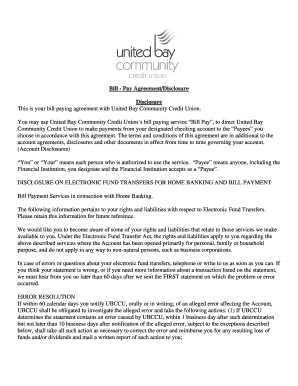
Get Bill - Pay Agreement/disclosure
How it works
-

Open form follow the instructions
-

Easily sign the form with your finger
-

Send filled & signed form or save
How to fill out the Bill - Pay Agreement/Disclosure online
This guide provides clear and detailed instructions for completing the Bill - Pay Agreement/Disclosure online with United Bay Community Credit Union. Follow these steps to ensure that you fill out the form correctly and efficiently.
Follow the steps to complete your Bill - Pay Agreement/Disclosure online
- Click ‘Get Form’ button to access the Bill - Pay Agreement/Disclosure. This will allow you to open the form in a digital format for editing.
- Read through the introduction and the definitions provided, particularly regarding 'You,' 'Your,' and 'Payee.' Understanding these definitions will help you fill the form accurately.
- In the Bill Payment Agreement section, enter your name, contact details, and account information as required. Ensure all data is correct to avoid any payment issues later.
- Designate your Payees by providing the necessary information for each merchant you wish to pay. Be specific and ensure that all provided details are current and accurate.
- Review the section regarding electronic fund transfers. Familiarize yourself with your rights and liabilities, as this section is important for understanding potential errors or disputes.
- If you have any specific transactions or payment amounts, enter this information in the designated section. Make sure to check that the amounts do not exceed the stated limits.
- Confirm your understanding of the terms and conditions outlined throughout the document. This includes fees and liability details.
- Once you have filled in all the required fields and sections, review all provided information for accuracy. Correct any mistakes before finalizing your submission.
- Save your changes and download a copy of the filled Bill - Pay Agreement/Disclosure for your records. You may also print or share the completed form if necessary.
Complete your forms online for a smooth and efficient process.
PayTo allows users to set up direct payments from their bank accounts, while PayID offers a way to make electronic payments through a simple identifier like an email or phone number. Both can be part of a Bill - Pay Agreement/Disclosure, serving different payment needs. Understanding this distinction helps you choose the right option for your transactions. By using these methods efficiently, you can ensure smoother payment processes.
Industry-leading security and compliance
US Legal Forms protects your data by complying with industry-specific security standards.
-
In businnes since 199725+ years providing professional legal documents.
-
Accredited businessGuarantees that a business meets BBB accreditation standards in the US and Canada.
-
Secured by BraintreeValidated Level 1 PCI DSS compliant payment gateway that accepts most major credit and debit card brands from across the globe.