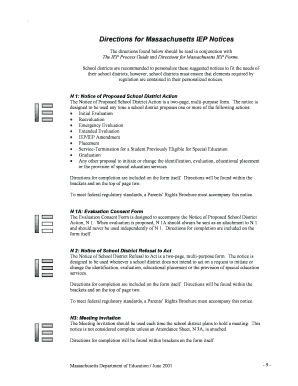
Get Directions For Massachusetts Iep Notices
How it works
-

Open form follow the instructions
-

Easily sign the form with your finger
-

Send filled & signed form or save
How to fill out the Directions For Massachusetts IEP Notices online
Filling out the Directions for Massachusetts IEP Notices is a crucial step in ensuring that special education needs are met effectively. This guide will help you navigate the process online, providing clear instructions for each section of the form.
Follow the steps to successfully complete the IEP Notices online.
- Press the ‘Get Form’ button to access the document and open it in your preferred editor.
- Begin by carefully reading the directions provided within the form. Ensure that you understand the required actions and any relevant context.
- Complete the Notice of Proposed School District Action (N 1) by filling in necessary details such as the student's information, proposed actions, and any other relevant information. Make sure to attach the Parents’ Rights Brochure.
- If applicable, include the Evaluation Consent Form (N 1A) as an attachment to the Notice of Proposed School District Action. This must be done whenever an evaluation is proposed.
- For instances where a school district does not intend to act, fill out the Notice of School District Refusal to Act (N 2), including all required details and ensuring the Parents’ Rights Brochure is included.
- Use the Meeting Invitation (N 3) for meetings, ensuring to attach the Attendance Sheet (N 3A) prior to sending. Fill out the meeting date and student information accordingly.
- Complete the Attendance Sheet by ensuring all team members’ names and roles are filled in. Obtain initial documentation from team members to confirm their attendance during the meeting.
- Once all sections are complete, review the document for accuracy. Save your changes, and if necessary, download, print, or share the completed forms.
Start filling out the Directions For Massachusetts IEP Notices online today to ensure compliance and support for special education needs.
Related links form
To fill out a teacher input form for an IEP, first gather essential information regarding the student's academic and behavioral performance. Include specific examples that reflect the child's strengths and challenges. Be clear and concise, and remember that this form contributes to the overall assessment of the child’s needs. Following the Directions For Massachusetts IEP Notices will ensure you cover all required areas.
Industry-leading security and compliance
-
In businnes since 199725+ years providing professional legal documents.
-
Accredited businessGuarantees that a business meets BBB accreditation standards in the US and Canada.
-
Secured by BraintreeValidated Level 1 PCI DSS compliant payment gateway that accepts most major credit and debit card brands from across the globe.