Loading
Get Teen Screen Phq-9
How it works
-

Open form follow the instructions
-

Easily sign the form with your finger
-

Send filled & signed form or save
How to fill out the Teen Screen PHQ-9 online
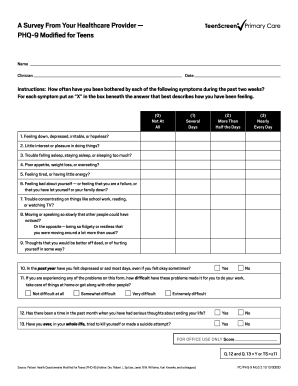
The Teen Screen PHQ-9 is a valuable tool that helps assess the mental health of adolescents. This guide will provide clear, step-by-step instructions for accurately completing the form online.
Follow the steps to successfully complete the Teen Screen PHQ-9.
- Press the ‘Get Form’ button to access the Teen Screen PHQ-9 and open it in your preferred editor.
- Begin by entering your name and the name of your clinician at the top of the form, along with the date of completion.
- Read the instructions carefully. Indicate how often you have been bothered by each symptom over the past two weeks by marking an 'X' in the appropriate box below each statement.
- Respond to each of the ten symptoms listed, choosing from options that range from 'not at all' to 'nearly every day'. This will help reflect your feelings accurately.
- For questions 10 through 13, answer the yes/no questions honestly, as they provide critical insights into your mental health status.
- Once all questions are answered, review your responses for accuracy and completeness.
- When you have finished, save your changes and choose whether to download, print, or share the form as needed. Ensure that you keep a copy for your records.
Complete the Teen Screen PHQ-9 online today to support your mental health journey.
No, the PHQ-9 is not exclusively for adults; it is also suitable for older teens. The Teen Screen PHQ-9 version has been specifically modified to cater to the adolescent population. This adaptation ensures that young individuals can be appropriately assessed and treated for depressive symptoms.